Network eManager®
Network eManager Data Import/Export Features
2-50 Strata CIX Programming Vol.1 12/09
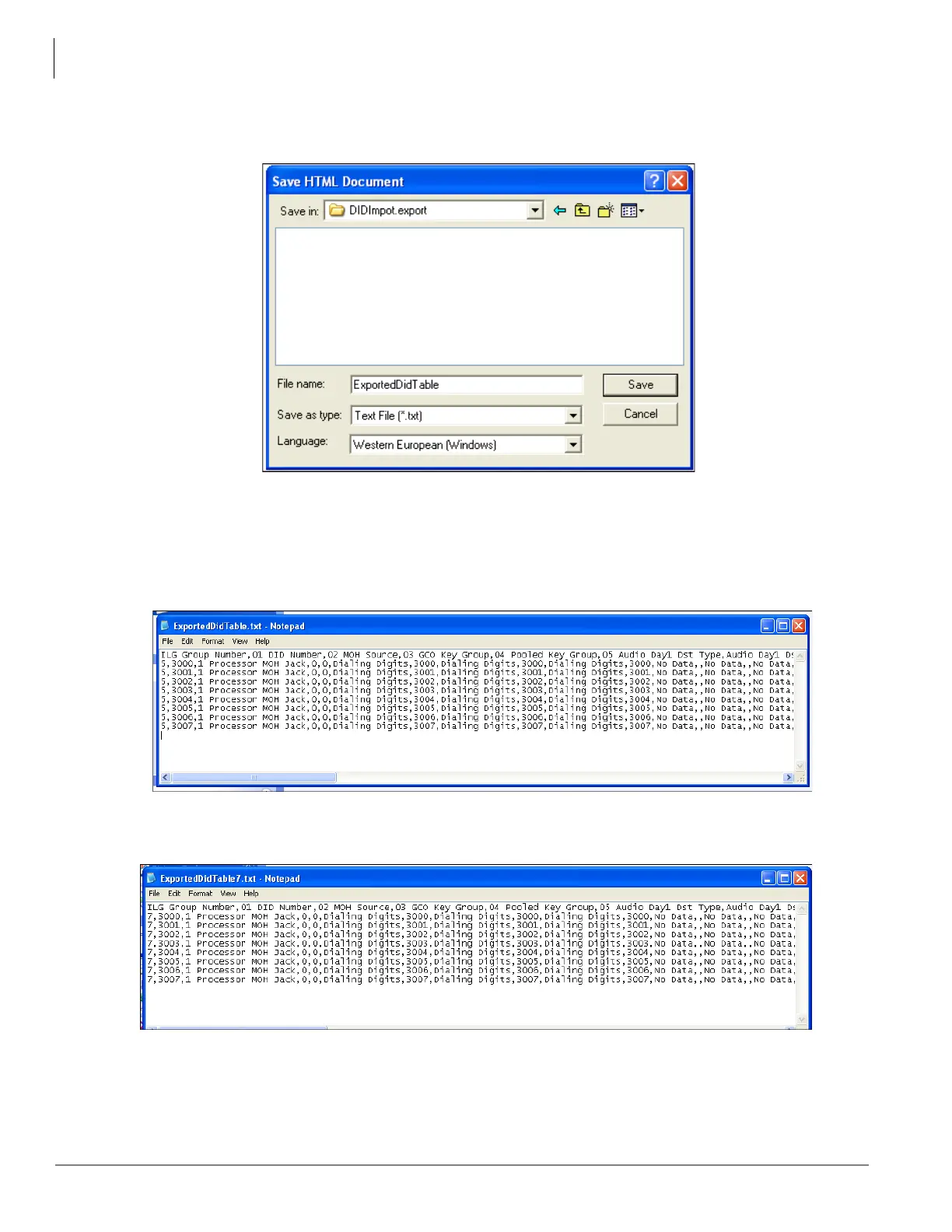
4. Select or create the folder where the ILG #5 DID/DNIS assignment file will be saved and then click
Save. This will save the DID numbers and parameters of ILG #5 as a comma delimited text file.
5. Create DID Incoming Line Group ILG #7 in Trunk Programming, Program 304. Assign the number of
digits the DID numbers should have in Program 304 -11 (four digits in this example). The number of
digits for ILG #7 should be the same as ILG #5.
6. After creating DID ILG #7 open the exported ILG #5 DID text file using Windows. This is the file saved
in Step 4.
7. In the text file, change the ILG number from 5 to 7. Be sure to keep the same comma delimited format
intact as shown below, then save the file under a different name.
8. In Network eManager, open the DID/DNIS Table View located under Trunk > DID/DNIS Table View. All
assignments for DID ILG Group 5 are displayed.



 To Next Page