Network eManager®
Features of Network eManager
Strata CIX Programming Vol.1 12/09 2-43
Network eManager®
Ongoing Change
An Ongoing Change is the process for adding, deleting, or changing stations after the initial install. After an initial
install has been performed, an image of the database is created on the Network eManager PC. This image is used
as the comparison when adds, moves and changes are executed. The Ongoing Change button is only available
after a successful initial install.
Note Strata Synch cannot verify that an XML file is valid for a specific CIX system before it is uploaded
to that system. You must ensure that the correct XML to be used for the ongoing change is
selected.
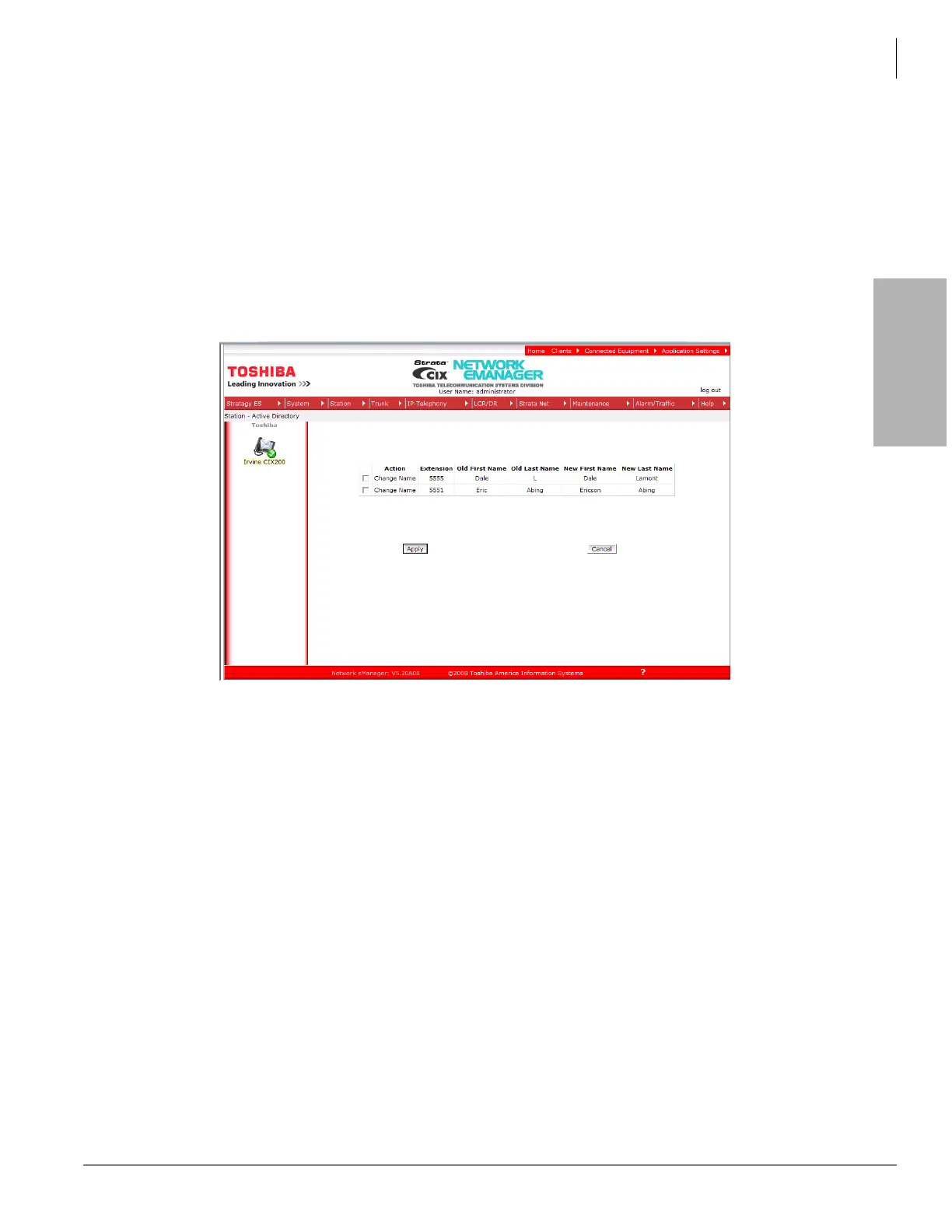
In the example, shown here, the last name for extension #5555 is changed from ‘L’ to ‘Lemon’. The first name for
extension #5551 is changed from ‘Eric’ to ‘Ericson’.
The uploaded ‘ongoing change’ information is compared to the ‘initial install’ image. The differences are flagged
and shown on this screen.
The changes are not made until you check mark the box and click the Apply button.



 To Next Page