System
Miscellaneous System Commands
4-42 Strata CIX Programming Vol.1 12/09
115 Advisory Messages
Prerequisite Program: None
Specifies a set of messages that users may apply to their telephone to provide status information when
others call their station. When the user sets a message on a telephone, LCD telephones that call this
telephone will display the message. When the user sets a message, the message can be customized to
include a variable directory number, time or date as part of the message.
1. Select System > Advisory Messages.
2. Select the Message Number.
3. Enter the desired message in 01 Message.
4. Select 02 Additional Digits Type.
5. Get Default sets all values to factory default.
6. Click Submit.
F
IELD DESCRIPTION
Message Number Select from 5 pre-programmed messages or 5 custom messages. All
messages (0~9) can be edited; the first 5 messages have commonly
used default values.
Possible values:0~4 = preprogrammed messages, 5~9 = custom
messages (default = 0)
01 Message Text Defines the text portion of the LCD Advisory Message to be displayed.
The total message text, plus the user entered variables (4-digit time or
date; or 1~5 digit DN) cannot exceed 16 characters total.
Possible values:Up to 16 ASCII characters (default = no value)
02 User Entered
Variable
Defines the text portion of the LCD Advisory Message to be displayed.
The total message text, plus the user entered variables (4-digit time or
date; or 1~5 digit DN) cannot exceed 16 characters total.
Possible values:None (default), DN, Time or Date
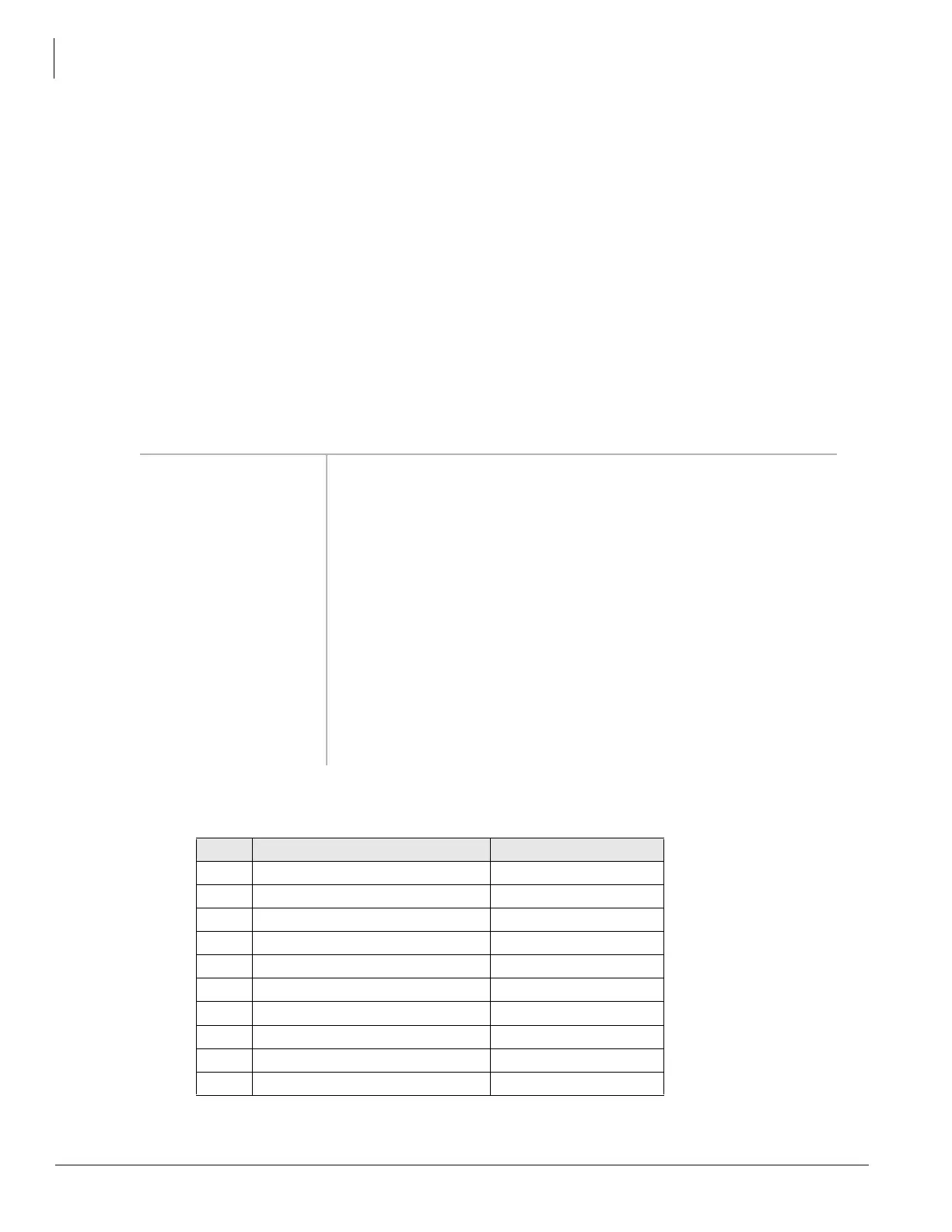
Table 4-5 Advisory Message Default Code Table
# Advisory Message Type of Additional
0 OUT TO LUNCH None
1 IN A MEETING None
2 CALL Directory Number
3 BACK AT Time
4 RETURN ON Date
5(No Data) None
6(No Data) None
7(No Data) None
8(No Data) None
9(No Data) None



 To Next Page