Network eManager®
Network eManager Main Menu
2-10 Strata CIX Programming Vol.1 12/09
– Choose another Theme
– Account Setup
• Add New User - Available only to the Administrator
• Change Password - A user can change his own password, the Administrator can change any
user’s password - Passwords can be up 32 alphanumeric and some special characters (!, @, #,
%, $, &)
• Change User Level - Available only to the Administrator - the User level can be changed
• Reset Password - Available only to the Administrator - The Administrator can change a user’s
password
• Change Password Policy - Available only to the Administrator - Refer to “Password Policy” on
Page 2-10.
• Delete User - Available only to the Administrator - The Administrator can delete a user
– Restriction
• Restrict User Access
• Update User Restriction
• Remove User Restriction
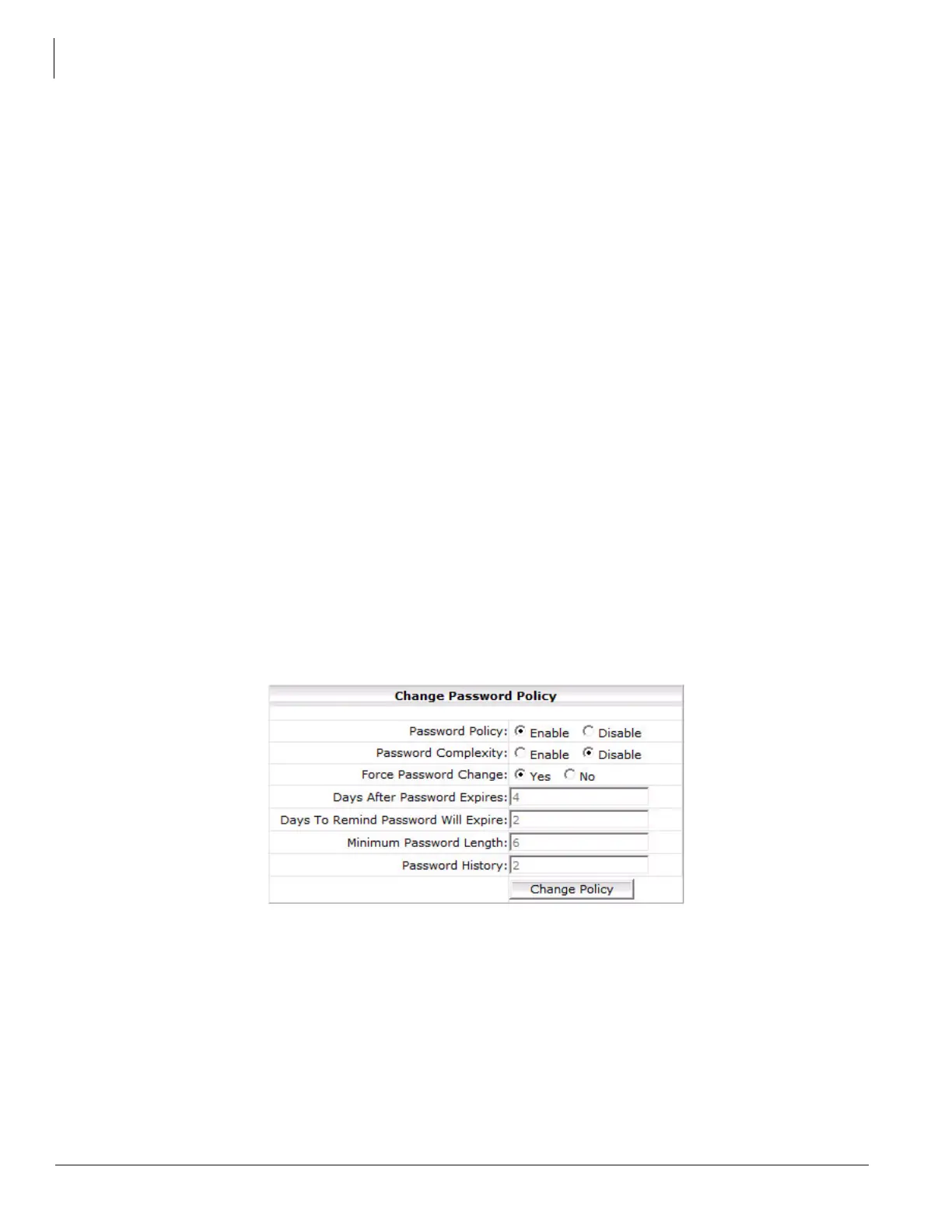
Password Policy
Using the password policy setting, the Administrator can either disable or enable the password security scheme for
Network eManager. By default, the Password Policy is set for disable. In disable mode, Network eManager
functions as described above. The passwords never expires and can be up to 32 characters in length. If this
function is enabled, then all security policy criteria is enabled.
When Password Policy is enabled the system will require the users to change any passwords that do not meet the
policy.
Password Complexity
Password complexity allows for more granular control of the password security features. Password Policy can only
be set by the Administrator. Password Policy effects all users. If password complexity is enabled passwords must
meet the following:
• Password cannot match the user login name
• Password must have at least the minimum number of characters



 To Next Page