Network eManager®
Network eManager Main Menu
Strata CIX Programming Vol.1 12/09 2-13
Network eManager®
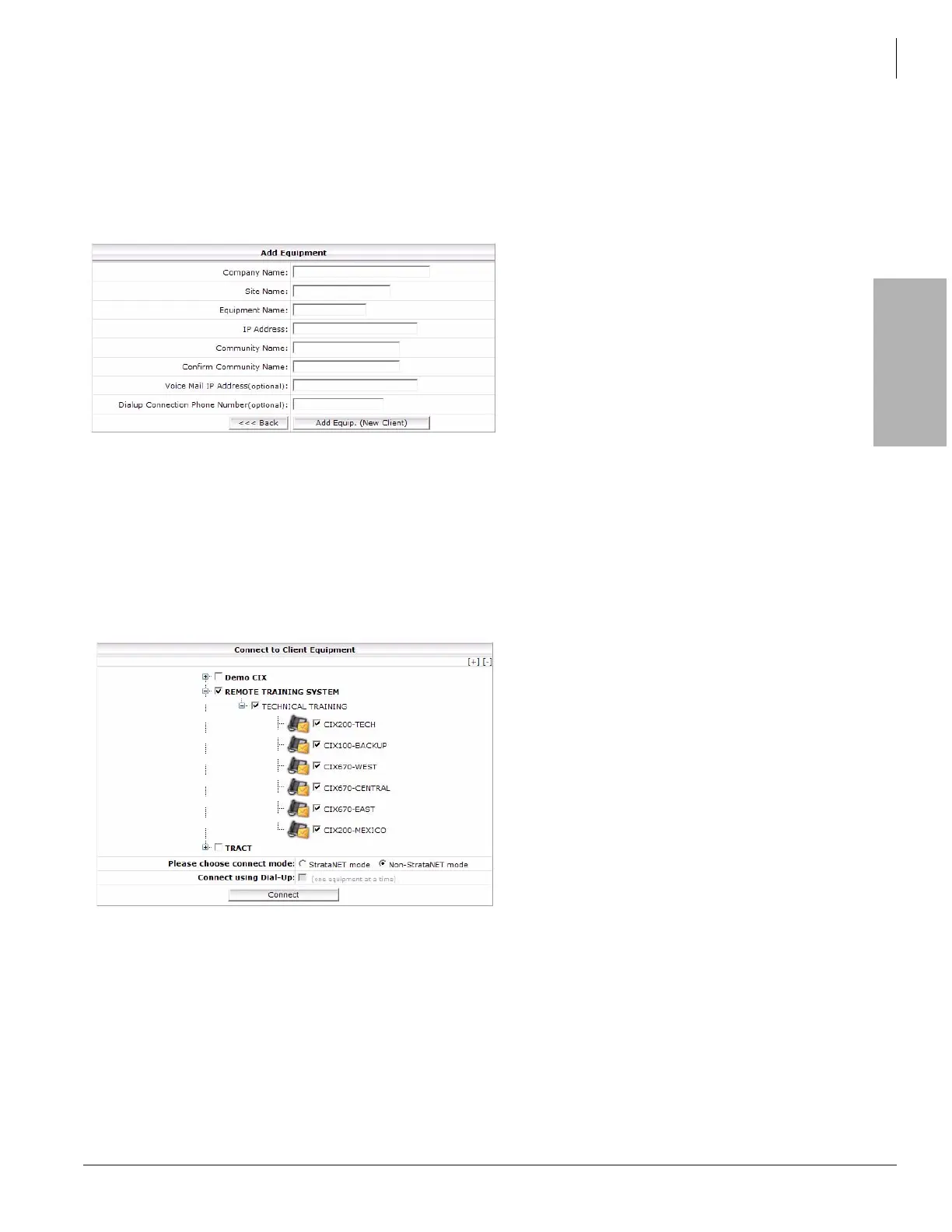
Add Equipment Window
The Add Equipment window is used to add a new Company Name, a new Site Name or new Equipment to a site.
When adding a company, all of the data including a site and one system must be entered. When adding a site or
system, the screen shown below will have the company name and/or the site name fields filled-in based on what
was selected when the Add Equip (existing client) button was clicked.
Connect To Multiple CIX Systems
One of the most powerful features of Network eManager is the ability to connect to multiple systems at one time.
The eManager user can connect to multiple CIX systems in multiple nodes in multiple locations simultaneously.
This feature requires an IP connection to all the equipment to which the user wants to connect. In this example, by
simply clicking on the Toshiba Training main tree, it places a check mark to all the branch equipment beneath.
Connection Mode
There are two ways to connect to Network eManager. The default is Non-Strata Net mode. The Strata Net mode
allows the technician a feature to automatically build Network DNs to multiple nodes simultaneously.



 To Next Page