Telephone Button Programming
900 Series Programs
Strata CIX Programming Vol.1 12/09 13-7
Telephone Button
Programming
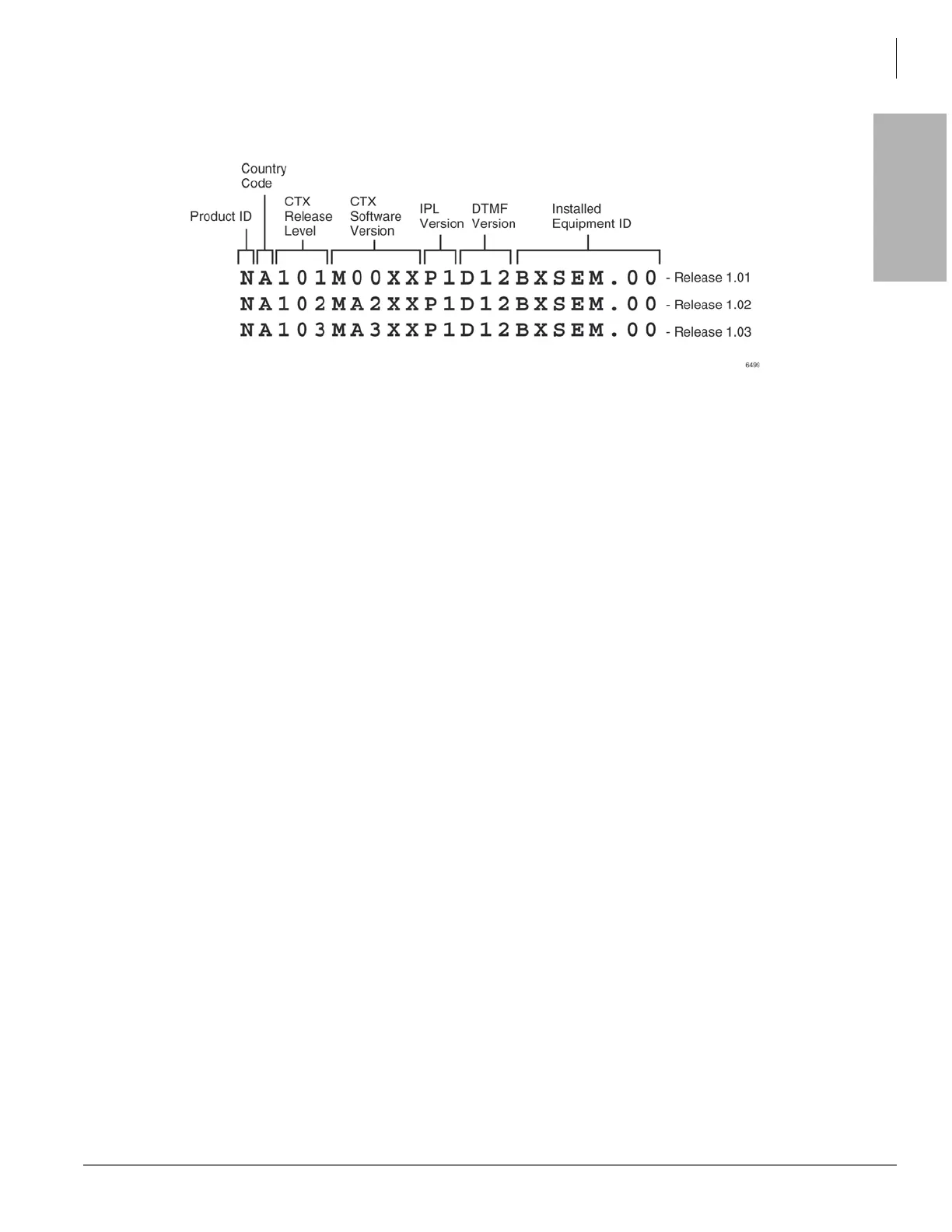
Reading the Version Code
The figure below is an example of the Strata CIX software version code.
• Pos. 1 - Product ID – This is the first character in the version code string. N designates CIX670; S
designates CIX100, A designates CIX1200
• Pos. 2 - Country Code - 2 – “A” identifies the country (USA, Canada, Mexico).
• Pos. 3 - CIX Release Level – This string of numbers identifies the Strata CIX Release level
(NA101=R1.01, NA102=R1.02, NA103=R1.03, etc).
• Pos. 4 - CIX Software Version – This string of characters identifies the current software version. For
the example above, the software is called “M00XX, MA2XX, MA3XX, etc,” where XX is the version
number.
• Pos. 5 - IPL Version
• Pos. 6 - DTMF Version – This three character string identifies the existence of DTMF and ABR circuits
and the version. The “D” designation indicates that DTMF is being applied to the Strata CIX while “12”
indicates the DTMF version number. The CIX1200 DTMF version has 3 digits.
• Pos. 7 - Installed Equipment ID – There are five characters, each referencing a unique equipment
identification value assigned to hardware installed in your Strata CIX system. If the particular hardware
is not installed a “-” displays. The following are the equipment identifier designations.
• B – BBMS is installed (CIX1200 does not use this)
• X – BEXS is installed.
• S – BSIS is installed.
• E – The Ethernet is installed.
• M – The Modem is installed.
Position 1 2 3 4 5 6 7
Version
Code
A A 520 MTxxx Px Dxxx XSEM.00



 To Next Page