Software and Firmware Updates
IP Telephone, MIPU, GIPU, LIPU and BIPU Firmware Update Procedures
Strata CIX Programming Vol.1 12/09 B-9
Software and
Firmware Updates
CAUTION! Do not unplug the xIPU, press the xIPU reset button or turn off the CIX power during
the xIPU program update process. Any of these operations will damage the xIPU
kernel software and require the BIPU software restoration process to allow the xIPU to
function.
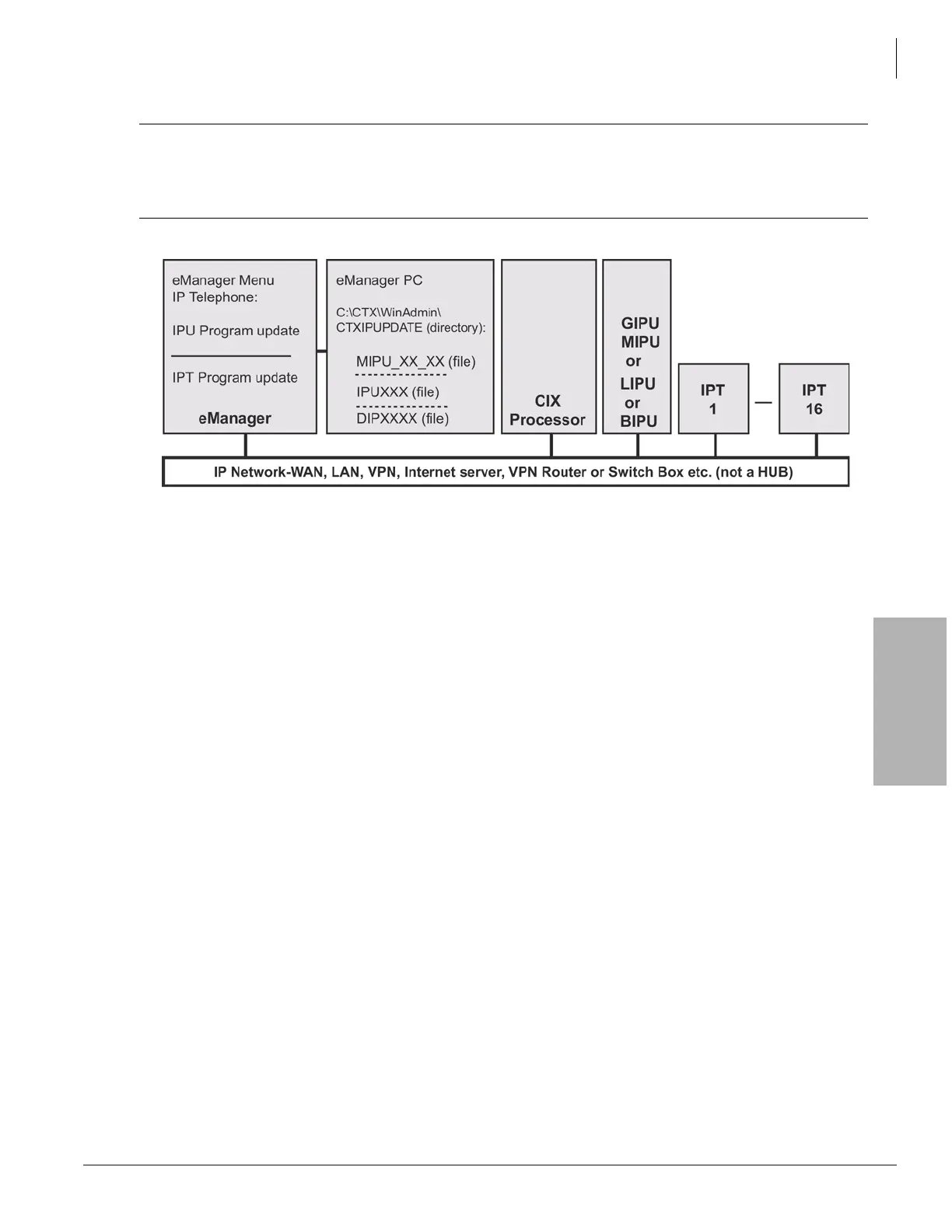
Figure B-3 FTP Server (Network eManager PC) Network Connection
Important! Complete all “Prerequisites” on page B-8 before you do the following. Refer to the cautions
“Be sure that you are loading the update firmware to the correct device. Incorrect firmware
can cause the device to be inoperable. For example, BIPU firmware loaded onto an MIPU,
GIPU, or LIPU will cause the MIPU/GIPU/LIPU card to stop functioning. This caution also
applies to IP telephones. For example, loading IPT2000 firmware to an IPT2008 will cause
the IPT2008 to stop functioning. Restoration can only be done at a Toshiba TSD repair
facility.” on page B-1.
Copy the xIPUXXX file into the Network eManager PC CTXIPUPDATE directory.
Notes
• The directory location should be C:\Ctx\WinAdmin\CTXIPUPDATE. The drive letter must be
the drive on which Network eManager is installed.
• (XXX in the xIPU file name is the xIPU firmware version level).
From the Network eManager PC perform the xIPU update
Important! The xIPUs and IP telephones will automatically be disabled while Update takes place and
return to the idle state when Update is complete (if they were in the idle state when the
Update was started).
1. Select Maintenance > IP Firmware Update > L/M/G/B IPU Update.
2. Select the xIPU card slot(s).
3. Select Local eManager (radio button).
4. Enter the Windows User login Name and Password.
Note If in doubt, create a new Window logon User Name and password and use it in Step 5.
5. The IP address of the Network eManager PC is inserted automatically.
6. Select to update xIPUs one at a time or simultaneously.
7. Data Directory will be: CIXIPUPDATE. From File Name drop down box select: xIPUXXX



 To Next Page