Network eManager®
Network eManager Data Import/Export Features
Strata CIX Programming Vol.1 12/09 2-61
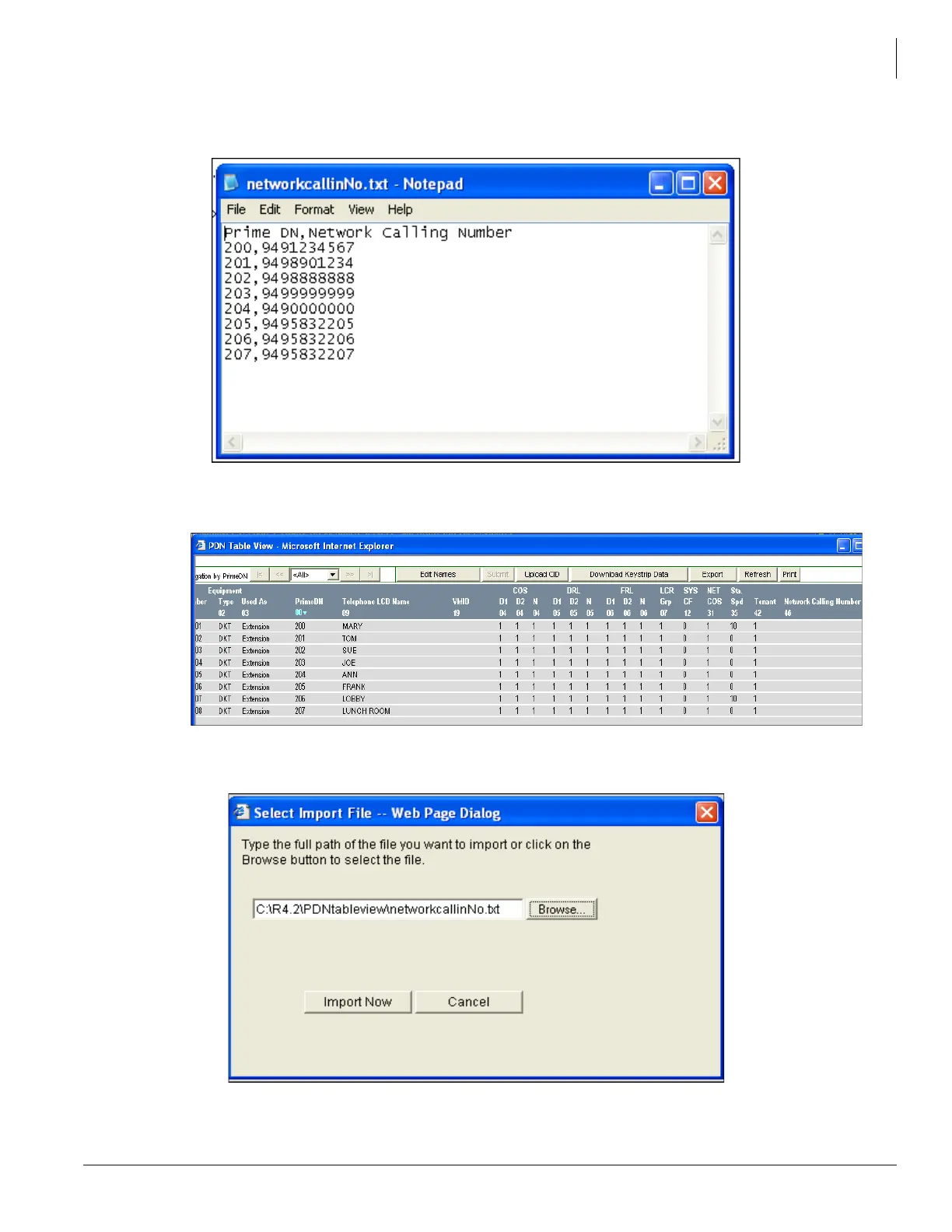
generating all PDNs (then, in the imported text file, delete all other fields except the PDNs so that all
that would need to be entered is the Network Calling numbers).
2. Open the station PDN Table View and select Station > PDN Table View. All of the station table view
assignments will be displayed (Note: Network Calling Numbers not are shown).
3. Click on the Upload CID button at the top of the PDN Table View screen and browse to the file created
in Step 1.



 To Next Page