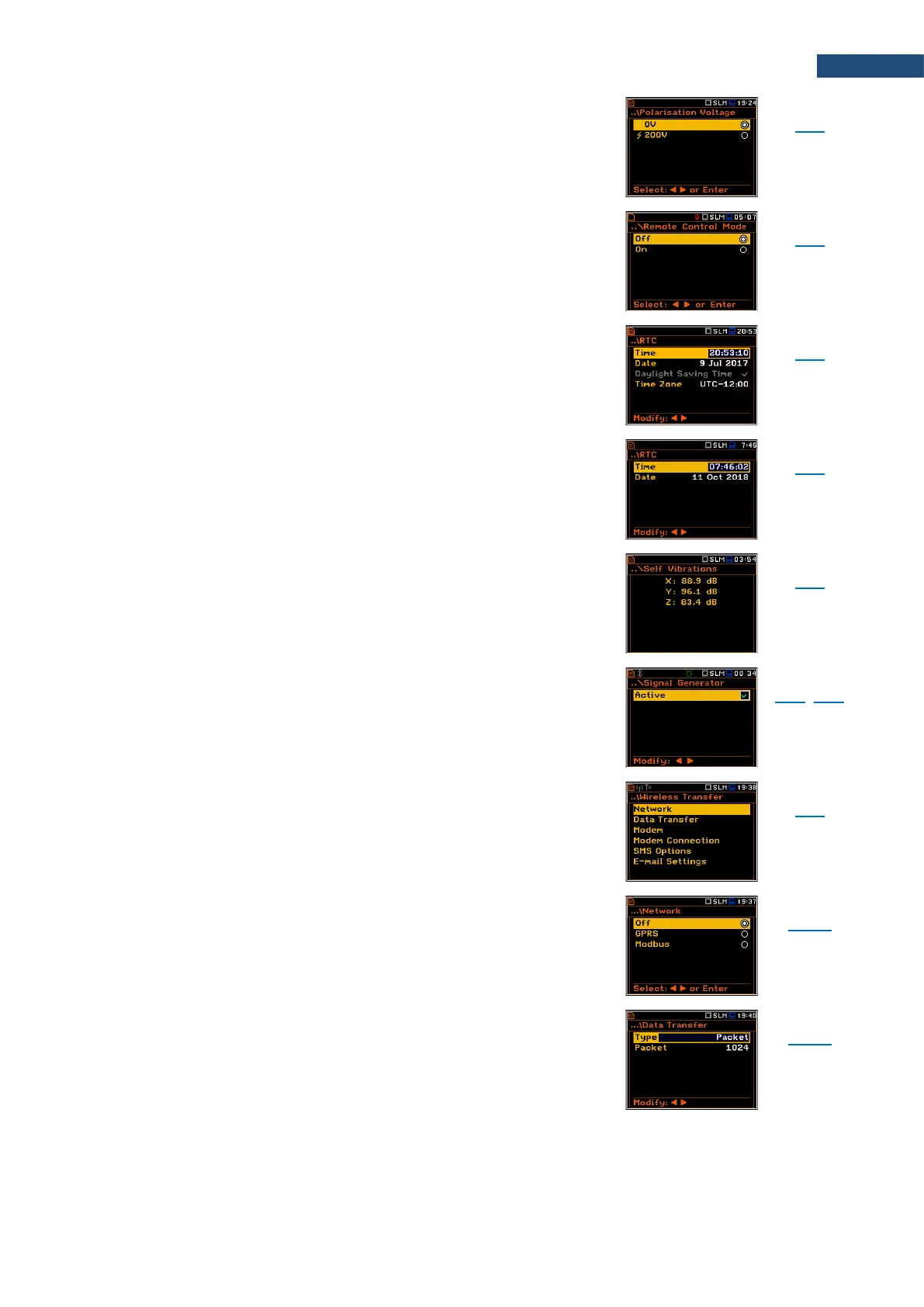
Screen that enables setting polarisation voltage of the
instrument's microphone in the Sound Meter mode: 0V
and 200V.
Screen that enables activating the Remote Control
mode. In this mode the messages that require manual
action from the user will stop being shown after 5
seconds. This mode is helpful when the instrument is
configured for remote monitoring.
Screen that enables programming the RS 232 interface
transmission speed (Baud Rate) and the time limit during
which the communication operation should be performed
(Time Out).
Screen that enables programming the instrument's real-
time clock. This clock is displayed in the upper right
corner of the display.
Screen allowing you to check the instrument's self-
vibration levels.
Screen that enables switching on the signal generator
function.
Screen that enables configuring data transfer control via
external modem supporting 3G connection through
additional screens: Network, Data Transfer, Modem,
Modem Connection, SMS Options and E-mail Settings.
Screen that enables selecting the wireless network
option: Off, GPRS or Modbus.
Screen that enables selecting the data transfer type: Off,
Packet or Continuous.
In case of Packet option additional parameter should be
defined – Packet size: 1024, 512, 256, 128 or 64.



 To Next Page