Communications Teledyne API T703/T703U Calibrator Operation Manual
116
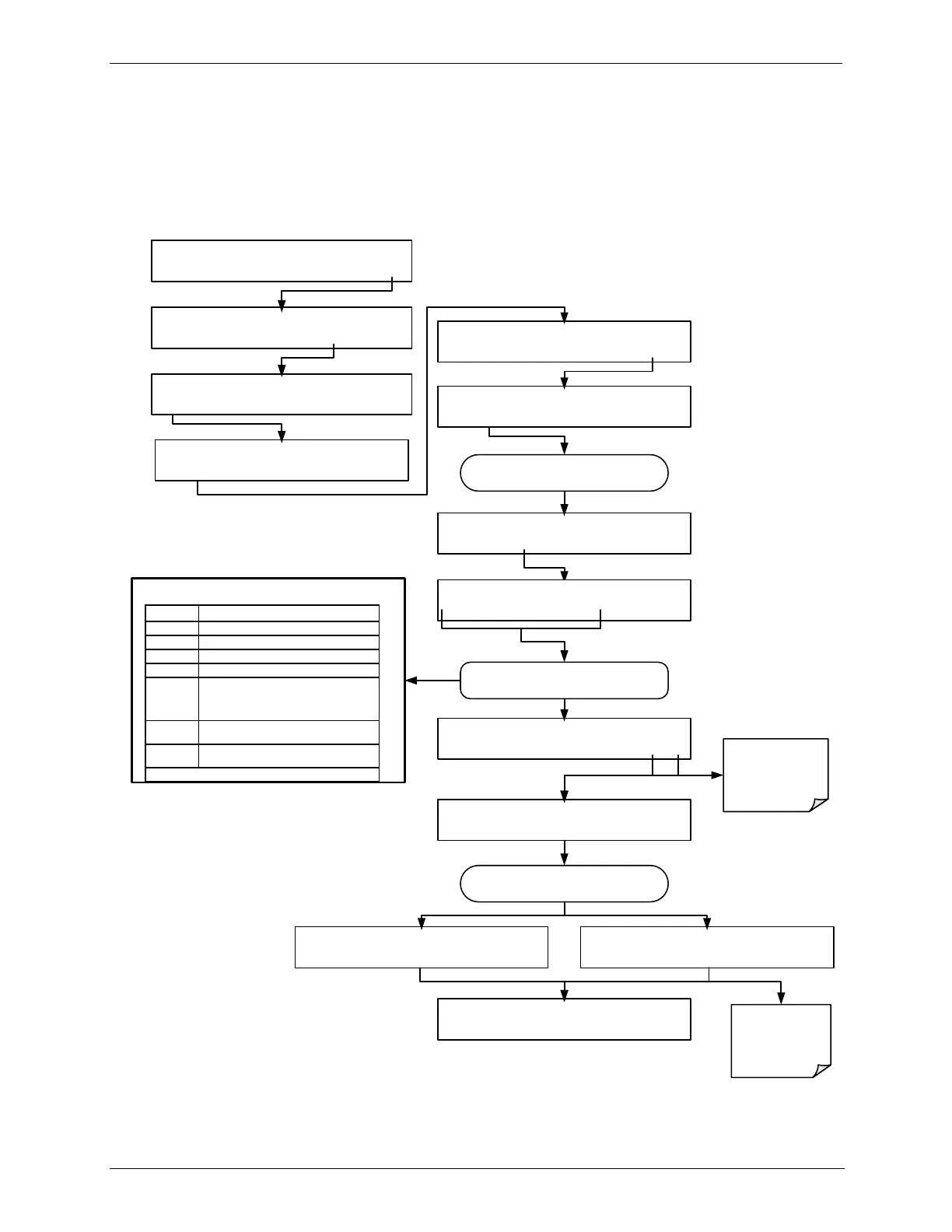
CHANGING THE CALIBRATOR’S HOSTNAME 5.6.2.
The HOSTNAME is the name by which the calibrator appears on your network.
The default name for all Teledyne API T703 calibrators is T703. To change this
name (particularly if you have more than one T703 calibrator on your network),
press.
Use these buttons to edit the HOSTNAME
SETUP X.X COMMUNICATIONS MENU
ID INET COM1 COM2 EXIT
SETUP X.X ENTER PASSWORD:818
8 1 8 ENTR EXIT
SETUP X.X DHCP:ON
<SET SET> EDIT EXIT
SETUP X.X HOSTNAME: T703
<SET SET> EDIT EXIT
SETUP X.X INITIALIZING INET 0%
INITIALIZATION process proceeds
automatically
SETUP X.X COMMUNICATIONS MENU
ID INET COM1 COM2 EXIT
SETUP X.X INITIALIZATION SUCCEEDED SETUP X.X INITIALIZATION FAILED
Contact your
IT Network
Administrator
Continue pressing SET> until ...
SETUP X.X HOSTNAME: T703
<CH CH> INS DEL [?] ENTR EXIT
SETUP X.X HOSTNAME: T703
<CH CH> INS DEL [?] ENTR EXIT
ENTR accepts
the new setting
EXIT ignores the
new setting
Moves the cursor one character to the left.
Moves the cursor one character to the right.
Inserts a character before the cursor location.
Deletes a character at the cursor location.
Press this BUTTON to cycle through the range
of numerals and characters available for
insertion. 0-9, A-Z, space ‟ ~ ! # $ % ^ & * (
) - _ = +[ ] { } < >\ | ; : , . / ?
Accepts the new setting and returns to the
previous menu.
Ignores the new setting and returns to the
previous menu.
Some buttons only appear when applicable.
STANDBY ACT =STANDBY
<TST TST> GEN STBY SEQ SETUP
SETUP X.X PRIMARY SETUP MENU
O3 SEQ CFG CLK PASS MORE EXIT
SETUP X.X SECONDARY SETUP MENU
COMM VARS DIAG EXIT


 To Next Page