Maintenance Schedule & Procedures Teledyne API T703/T703U Calibrator Operation Manual
150
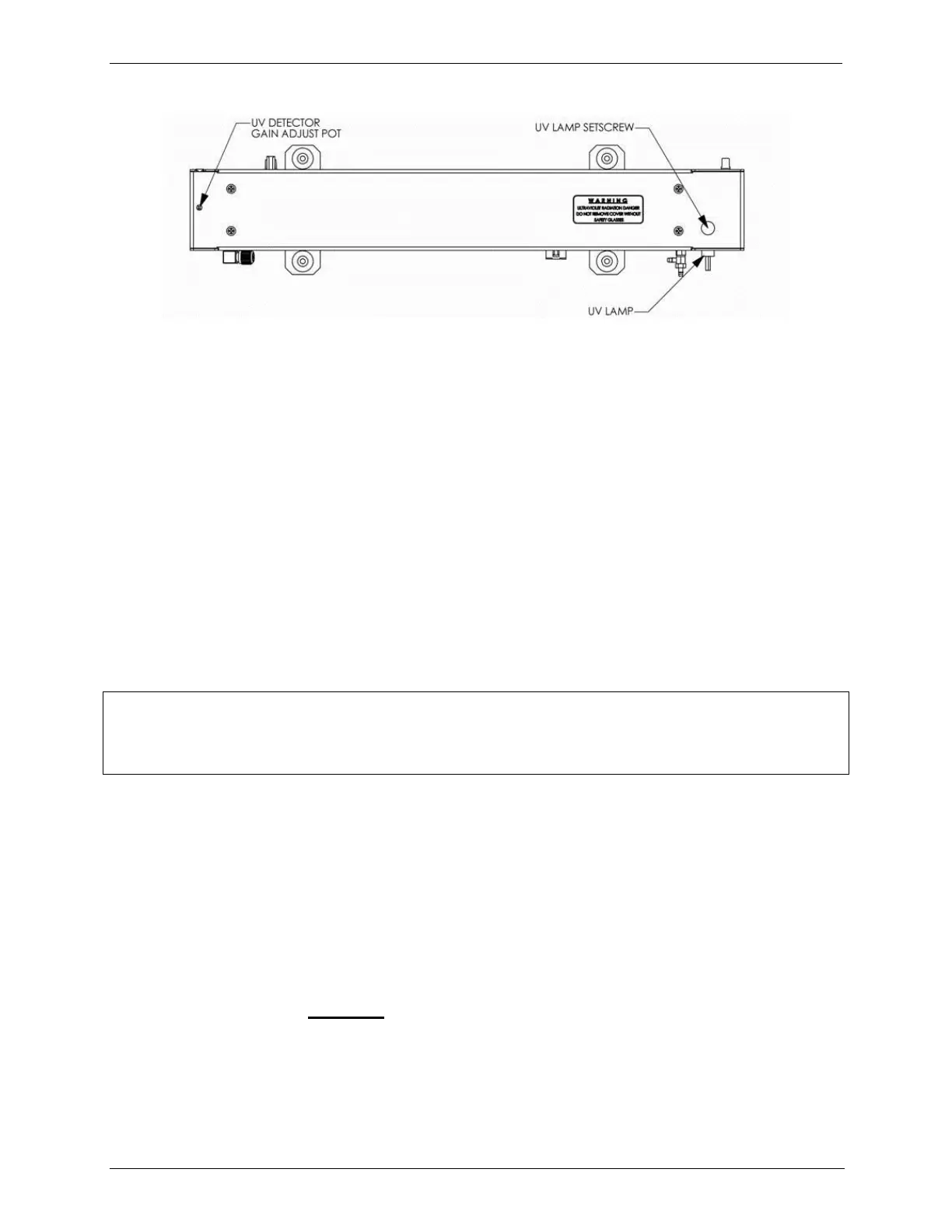
Figure 7-3: Photometer – Location of UV Detector Gain Adjustment & UV Lamp Set Screw
7.6. PHOTOMETER UV SOURCE LAMP REPLACEMENT
This procedure details the steps for replacement of the UV source lamp in the
optical bench assembly. This procedure should be done whenever the lamp can
no longer be adjusted as described in Section 10.2.3.
1. Turn the instrument off.
2. Remove the cover from the instrument.
3. Locate the Optical Bench Assembly (see Figure 3-5)
4. Locate the UV lamp at the rear of the optical bench assembly (see Figure
7-3)
5. Unplug the lamp cable from the power supply connector on the side of the
optical bench.
6. Slightly loosen (do not remove) the UV lamp setscrew and pull the lamp from
its housing.
NOTE
The UV lamp contains mercury (Hg), which is considered hazardous waste. The lamp should be
disposed of in accordance with local regulations regarding waste containing mercury.
7. Install the new lamp in the housing, pushing it all the way in. Leave the UV
lamp setscrew loose for now.
8. Turn the instrument back on and allow it to warm up for at least 15 minutes.
9. Turn the UV detector gain adjustment pot (See Figure 7-3) clockwise to its
minimum value. The pot should click softly when the limit is reached.
10. Perform the UV Lamp Adjustment procedure described in Section 7.5, with
the following exceptions:
11. Slowly rotate the lamp in its housing (up to ¼ turn in either direction) until a
MAXIMUM value (or 4600 mVDC) is observed.
Make sure the lamp is pushed all the way into the housing while
performing this rotation.
If the PHOTO_DET will not drop below 5000 mV while performing this
rotation, contact TAPI Technical Support for assistance.



 To Next Page