Teledyne API T703/T703U Calibrator Operation Manual Getting Started
23
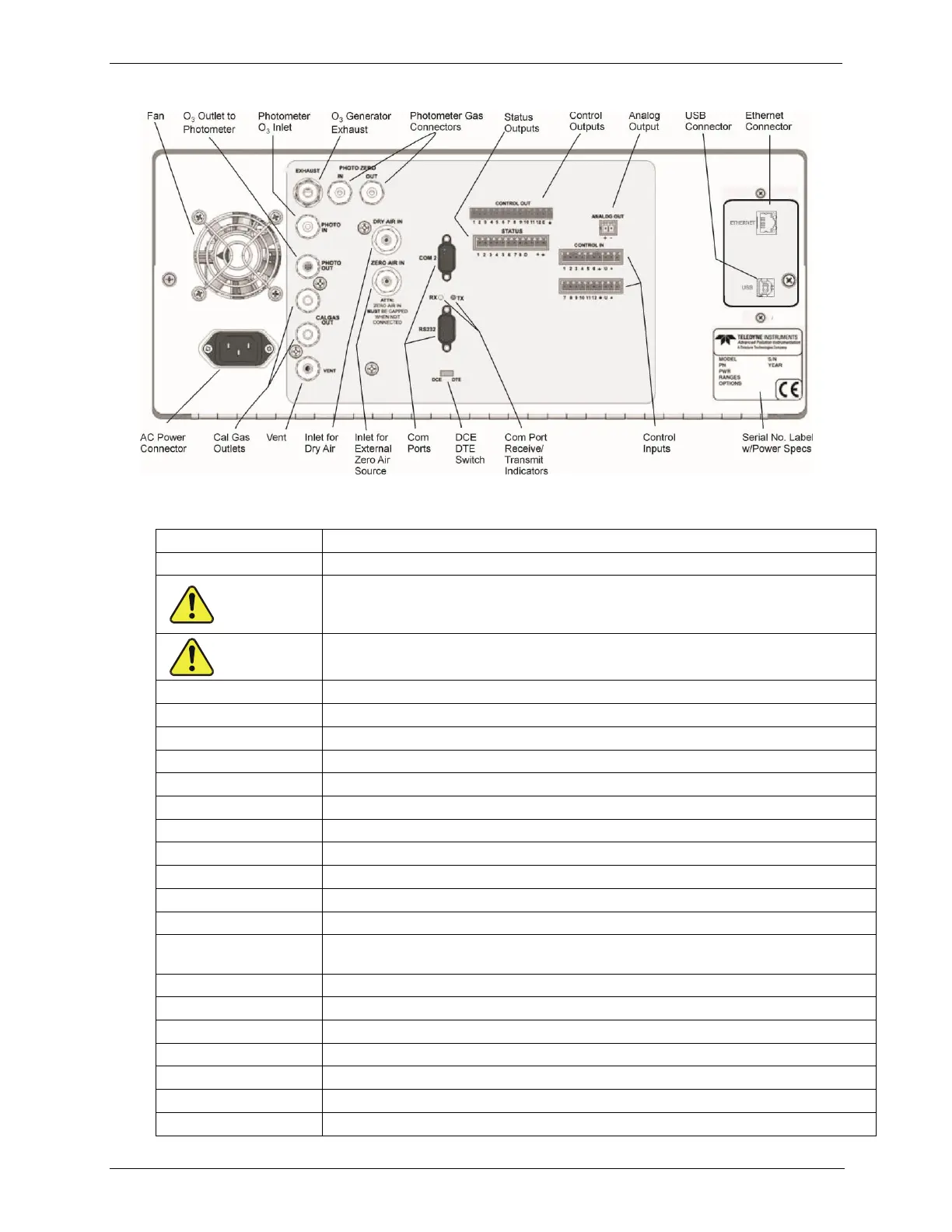
Figure 3-4: Rear Panel Layout
Table 3-2. Rear Panel Description
For cooling: pulls ambient air through chassis from side vents; exhausts through rear.
Connector for three-prong cord to apply AC power to the instrument
CAUTION! The cord’s power specifications (specs) MUST comply with the
power specs on the calibrator’s rear panel Model number label.
Exhaust gas from ozone generator and photometer (option)
CAUTION! Exhaust gas must be vented outside.
Inlet for photometer Zero Gas (option)
Outlet for photometer Zero Gas (option)
Measurement gas input for O
3
photometer (option)
Calibration gas outlet to O
3
photometer (option)
Two outlets for calibration gas.
Vent port for output manifold
Inlet for external zero air source – MUST BE CAPPED WHEN NOT CONNECTED.
Serial communications port for RS-232 or RS-485 (option).
LEDs indicate receive (RX) and transmit (TX) activity on the when blinking.
Serial communications port for RS-232 only.
Switch to select either data terminal equipment or data communication equipment
during RS-232 communication. (Section 5.1.1)
For outputs to devices such as Programmable Logic Controllers (PLCs).
For outputs to devices such as Programmable Logic Controllers (PLCs).
For voltage or current loop outputs to a strip chart recorder and/or a data logger.
For remotely activating the zero and span calibration modes.
Connector for network or Internet remote communication, using Ethernet cable.
Connector for direct connection (option) to a personal computer, using USB cable.
Identifies the instrument model number and lists voltage and frequency specifications



 To Next Page