EasyManua.ls Logo

TELEDYNE API T703U - Page 73

Default Icon
273 pages
Print Icon
To Next Page IconTo Next Page
To Previous Page IconTo Previous Page
Loading...
Teledyne API T703/T703U Calibrator Operation Manual Operating the Calibrator
71
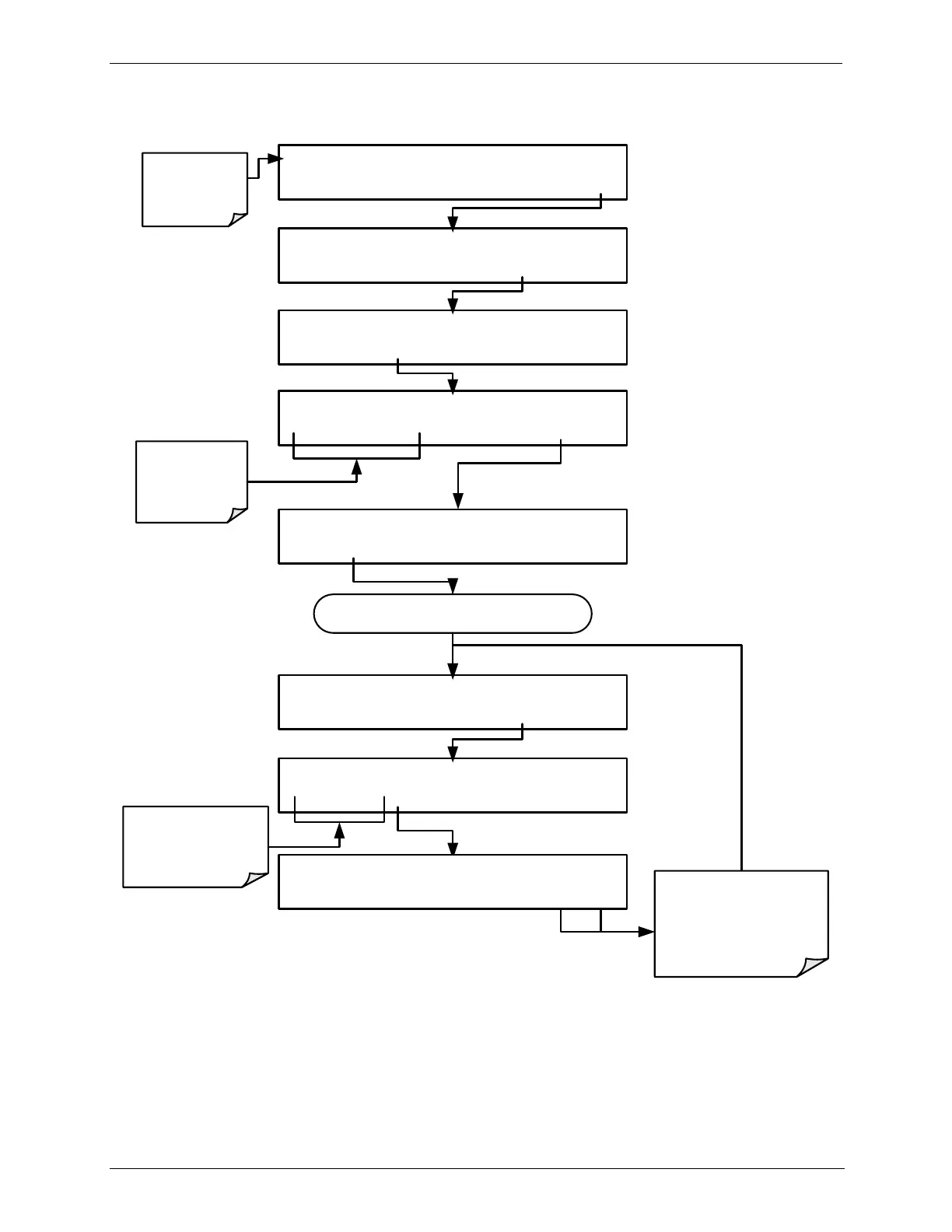
To activate the TEST Channel and select a function press:
DIAG TEST CHANNEL:NONE
PREV NEXT ENTR
EXIT
STANDBY ACT =STANDBY
<TST TST> GEN STBY SEQ SETUP
Make sure that
the calibrator is
in standby
mode.
SETUP X.X PRIMARY SETUP MENU
O3 SEQ CFG CLK PASS MORE EXIT
SETUP X.X SECONDARY SETUP MENU
COMM VAR DIAG EXIT
SETUP X.X ENTER PASSWORD
8 1 8 ENTR
EXIT
Toggle these
buttons to enter
the correct
PASSWORD
DIAG SIGNAL I/O
PREV NEXT ENTR EXIT
DIAG TEST CHANNEL OUTPUT
PREV NEXT ENTR EXIT
Continue pressing NEXT until ...
Toggle to choose a
TEST channel
parameter
DIAG TEST CHANNEL:CHASSIS TEMP
PREV NEXT ENTR EXIT
EXIT discards the new
setting
ENTR
accepts the
new setting
07223D DCN7107

Table of Contents