TH2829X Series Operation Manual Chapter 7 Transformer Auto Scanning Test
7.7.10 NO MINUS DEV
On <TOOLS> page, move the cursor to NO MINUS DEV and press the function
keys on the right to select ON or OFF.
When NO MINUS DEV is ON, if the tested data is minus, the instrument will
prompt error.
7.7.11 SCAN DISP FONT
On <TOOLS> page, move the cursor to SCAN DISP FONT and press the function
keys on the right to select BIG or TINY.
When SCAN DISP FONT is TINY, the test speed can be improved.
7.7.12 EXT RESET FUNC
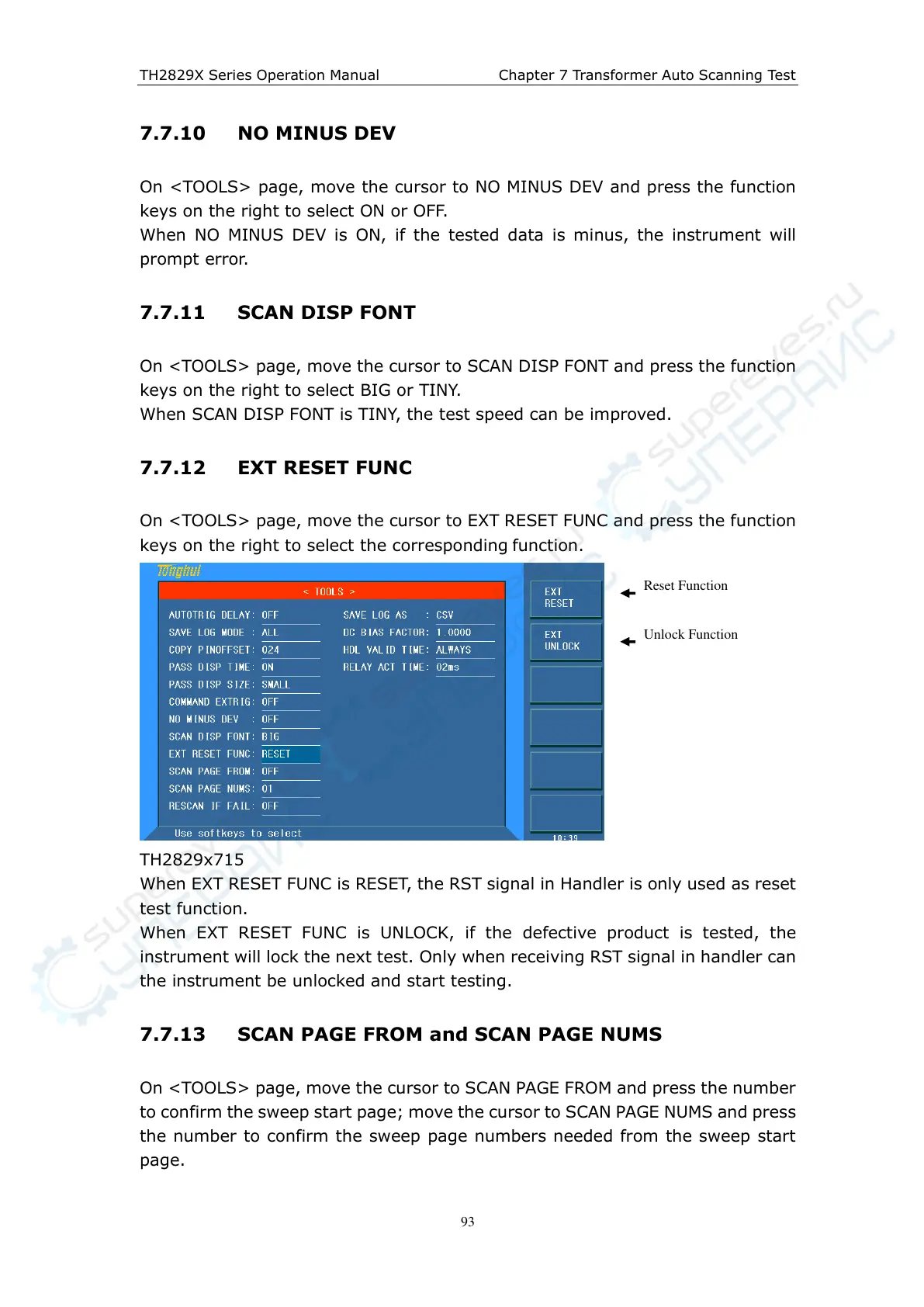
On <TOOLS> page, move the cursor to EXT RESET FUNC and press the function
keys on the right to select the corresponding function.
TH2829x715
When EXT RESET FUNC is RESET, the RST signal in Handler is only used as reset
test function.
When EXT RESET FUNC is UNLOCK, if the defective product is tested, the
instrument will lock the next test. Only when receiving RST signal in handler can
the instrument be unlocked and start testing.
7.7.13 SCAN PAGE FROM and SCAN PAGE NUMS
On <TOOLS> page, move the cursor to SCAN PAGE FROM and press the number
to confirm the sweep start page; move the cursor to SCAN PAGE NUMS and press
the number to confirm the sweep page numbers needed from the sweep start
page.



 To Next Page