TH2829X Series Operation Manual Chapter 7 Transformer Auto Scanning Test
TH2829x744
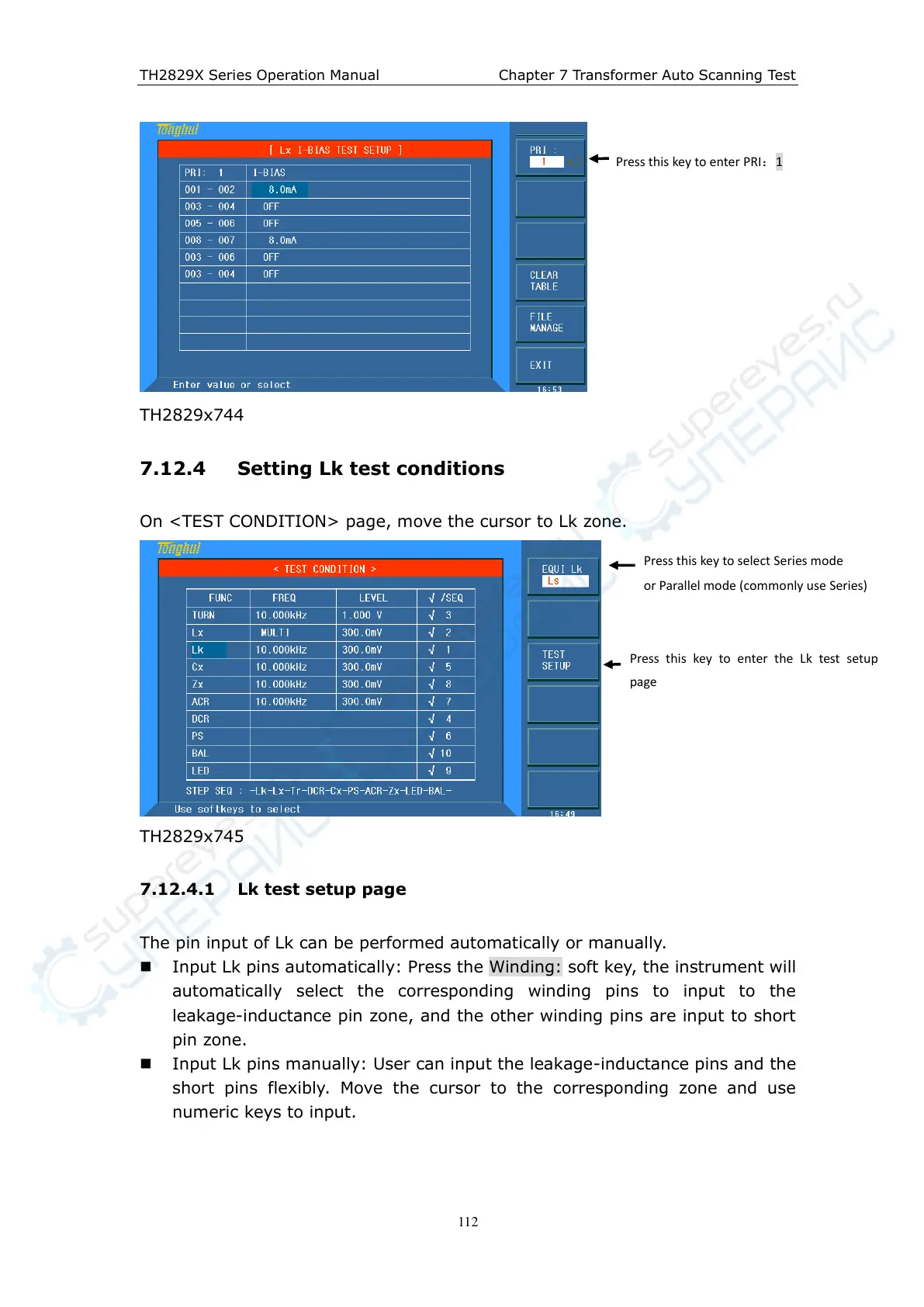
7.12.4 Setting Lk test conditions
On <TEST CONDITION> page, move the cursor to Lk zone.
TH2829x745
7.12.4.1 Lk test setup page
The pin input of Lk can be performed automatically or manually.
Input Lk pins automatically: Press the Winding: soft key, the instrument will
automatically select the corresponding winding pins to input to the
leakage-inductance pin zone, and the other winding pins are input to short
pin zone.
Input Lk pins manually: User can input the leakage-inductance pins and the
short pins flexibly. Move the cursor to the corresponding zone and use
numeric keys to input.
Press this key to enter PRI:1
Press this key to select Series mode
or Parallel mode (commonly use Series)
Press this key to enter the Lk test setup
page



 To Next Page