TH2829X Series Operation Manual Chapter 7 Transformer Auto Scanning Test
7.8 ALLOCATE PIN TO FIXTURE
7.8.1 PIN TO FIXTURE
On <Transformer ID>, press the PIN SETUP key till the Pin to Fixture page
appears.
The page is used to realize the correspondence of pin and fixture and set the
transformer pins.
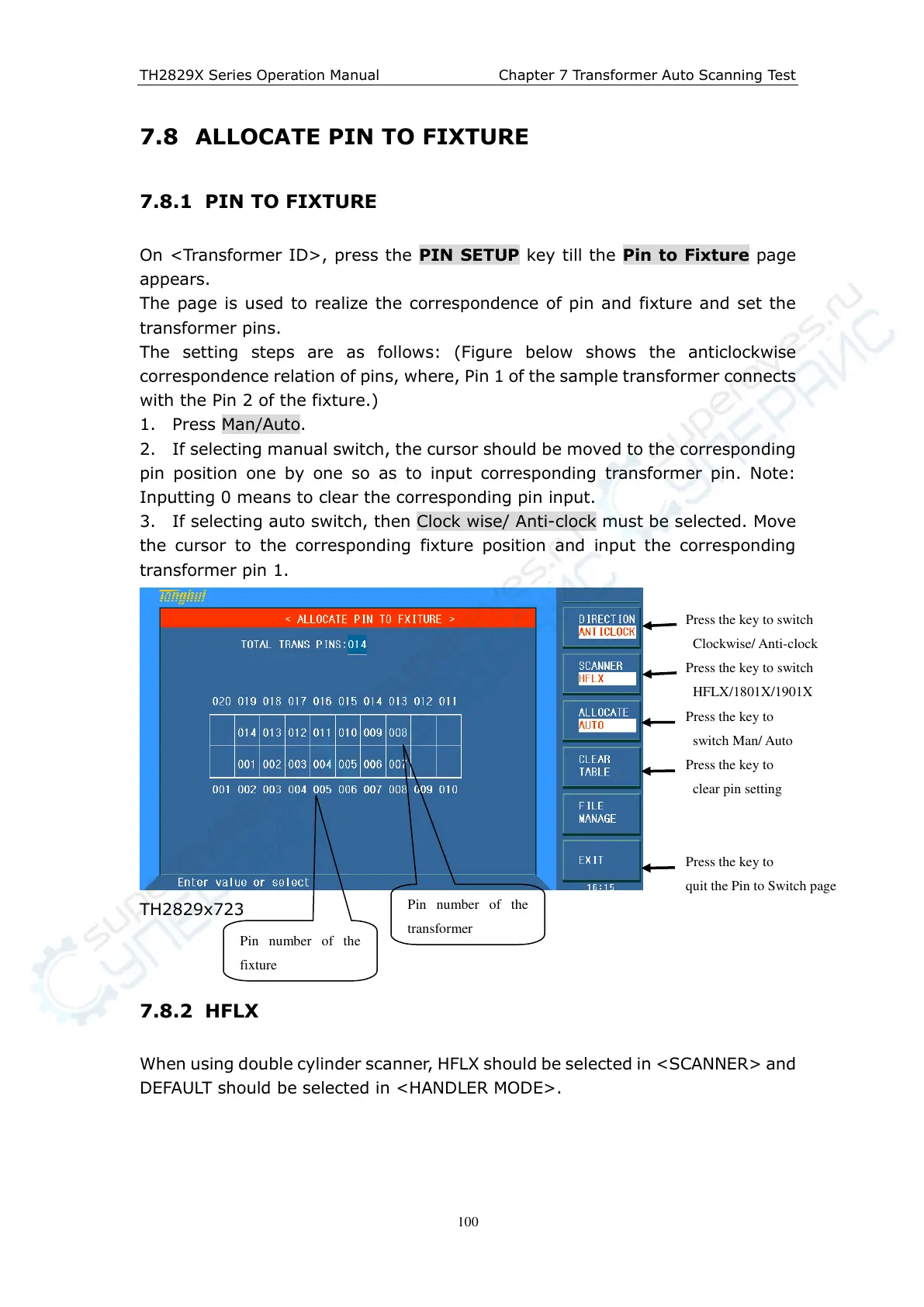
The setting steps are as follows: (Figure below shows the anticlockwise
correspondence relation of pins, where, Pin 1 of the sample transformer connects
with the Pin 2 of the fixture.)
1. Press Man/Auto.
2. If selecting manual switch, the cursor should be moved to the corresponding
pin position one by one so as to input corresponding transformer pin. Note:
Inputting 0 means to clear the corresponding pin input.
3. If selecting auto switch, then Clock wise/ Anti-clock must be selected. Move
the cursor to the corresponding fixture position and input the corresponding
transformer pin 1.
TH2829x723
7.8.2 HFLX
When using double cylinder scanner, HFLX should be selected in <SCANNER> and
DEFAULT should be selected in <HANDLER MODE>.
Press the key to switch
Clockwise/ Anti-clock
Press the key to
switch Man/ Auto
Press the key to
clear pin setting
Press the key to
quit the Pin to Switch page
Pin number of the
fixture
Pin number of the
transformer
Press the key to switch
HFLX/1801X/1901X



 To Next Page