TH2829X Series Operation Manual Chapter 7 Transformer Auto Scanning Test
7.12.7 Setting ACR test conditions
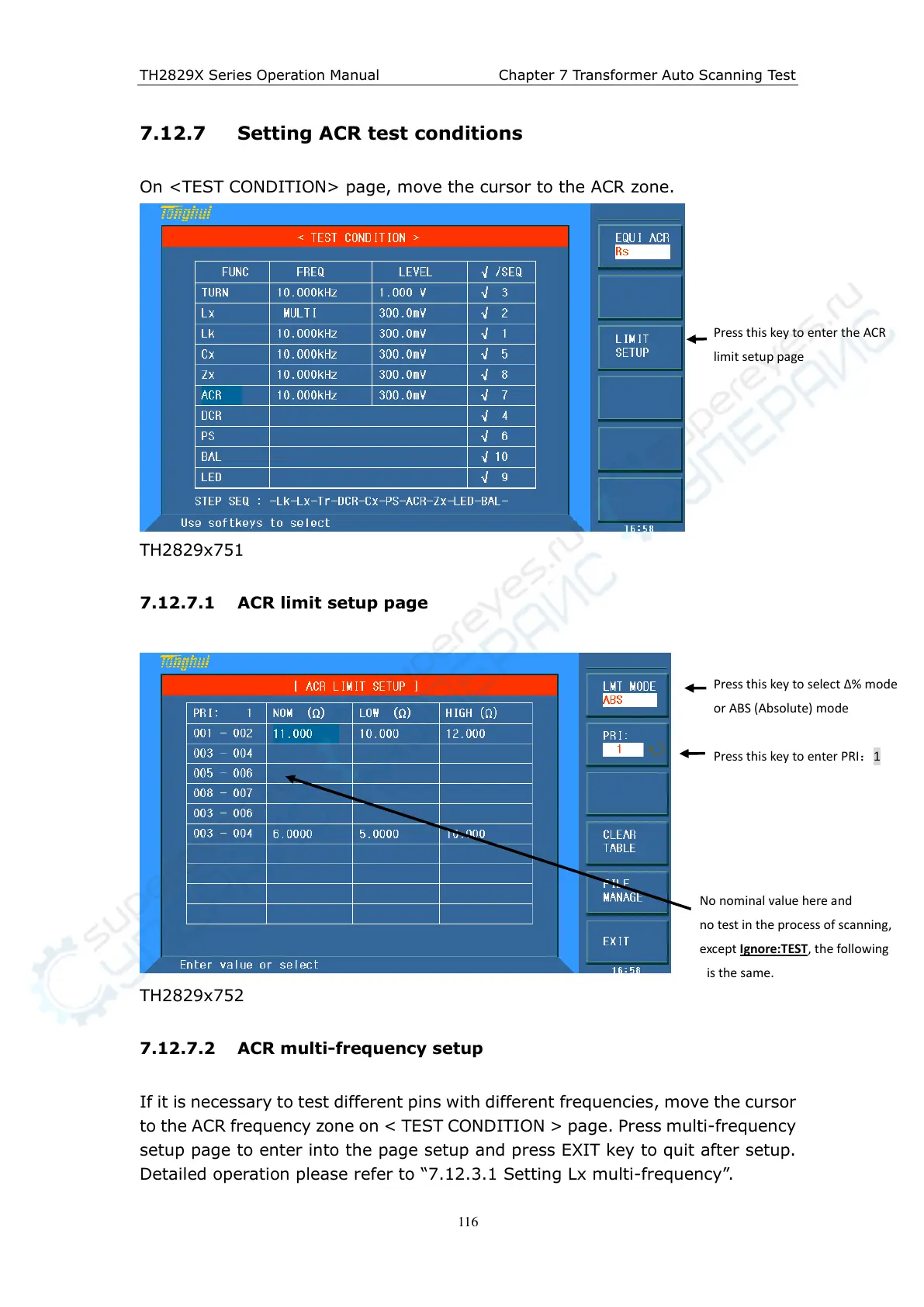
On <TEST CONDITION> page, move the cursor to the ACR zone.
TH2829x751
7.12.7.1 ACR limit setup page
TH2829x752
7.12.7.2 ACR multi-frequency setup
If it is necessary to test different pins with different frequencies, move the cursor
to the ACR frequency zone on < TEST CONDITION > page. Press multi-frequency
setup page to enter into the page setup and press EXIT key to quit after setup.
Detailed operation please refer to “7.12.3.1 Setting Lx multi-frequency”.
Press this key to enter the ACR
limit setup page
Press this key to select ∆% mode
or ABS (Absolute) mode
Press this key to enter PRI:1
No nominal value here and
no test in the process of scanning,
except Ignore:TEST, the following
is the same.



 To Next Page