TH2829X Series Operation Manual Chapter 7 Transformer Auto Scanning Test
The detailed information will be described in latter sections.
7.7 <Transformer ID>
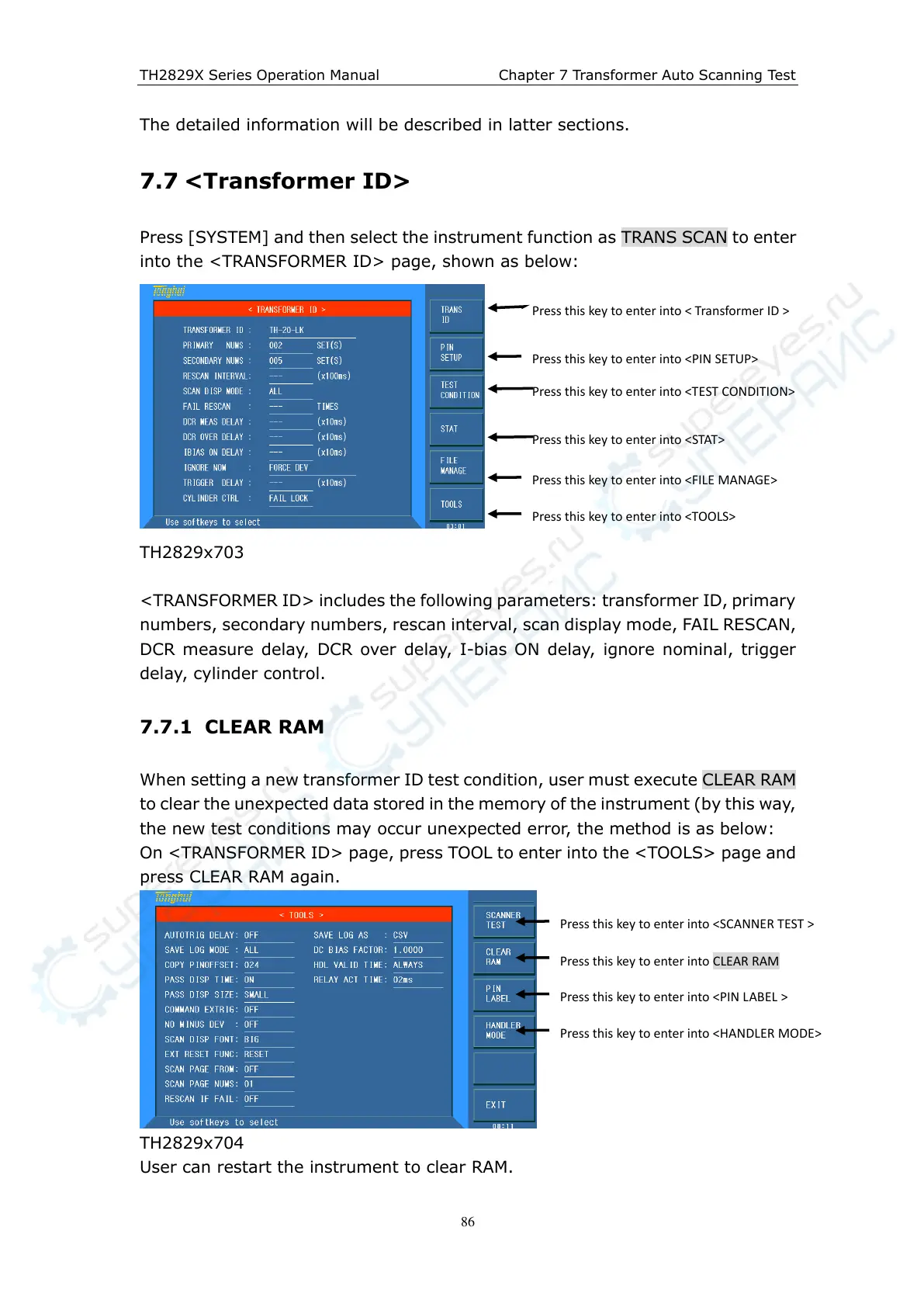
Press [SYSTEM] and then select the instrument function as TRANS SCAN to enter
into the <TRANSFORMER ID> page, shown as below:
TH2829x703
<TRANSFORMER ID> includes the following parameters: transformer ID, primary
numbers, secondary numbers, rescan interval, scan display mode, FAIL RESCAN,
DCR measure delay, DCR over delay, I-bias ON delay, ignore nominal, trigger
delay, cylinder control.
7.7.1 CLEAR RAM
When setting a new transformer ID test condition, user must execute CLEAR RAM
to clear the unexpected data stored in the memory of the instrument (by this way,
the new test conditions may occur unexpected error, the method is as below:
On <TRANSFORMER ID> page, press TOOL to enter into the <TOOLS> page and
press CLEAR RAM again.
TH2829x704
User can restart the instrument to clear RAM.
Press this key to enter into < Transformer ID >
Press this key to enter into <PIN SETUP>
Press this key to enter into <TEST CONDITION>
Press this key to enter into <FILE MANAGE>
Press this key to enter into <TOOLS>
Press this key to enter into <SCANNER TEST >
Press this key to enter into CLEAR RAM
Press this key to enter into <STAT>
Press this key to enter into <PIN LABEL >
Press this key to enter into <HANDLER MODE>



 To Next Page