TH2829X Series Operation Manual Chapter 2 Introduction
6) IEEE-488 interface
The tester can communicate with PC through GPIB interface.
7) RS232 interface
Series communication interface can realize the communication with PC.
8) Fan window
Heat elimination, maintaining the normal working temperature
9) Power socket
Input AC power.
10) Fuse base
Being used to install power fuse, protect instrument, and switch 110V/220V
by changing the direction of core.
———————————————————————————————————————
Warning: Be sure that the direction of fuse is accordant with
power-supply voltage range before charging.
———————————————————————————————————————
11) Ground terminal
The ground terminal is connected with instrument casing, being available for
protecting or shielding ground connection.
2.3 Introduction to display zone
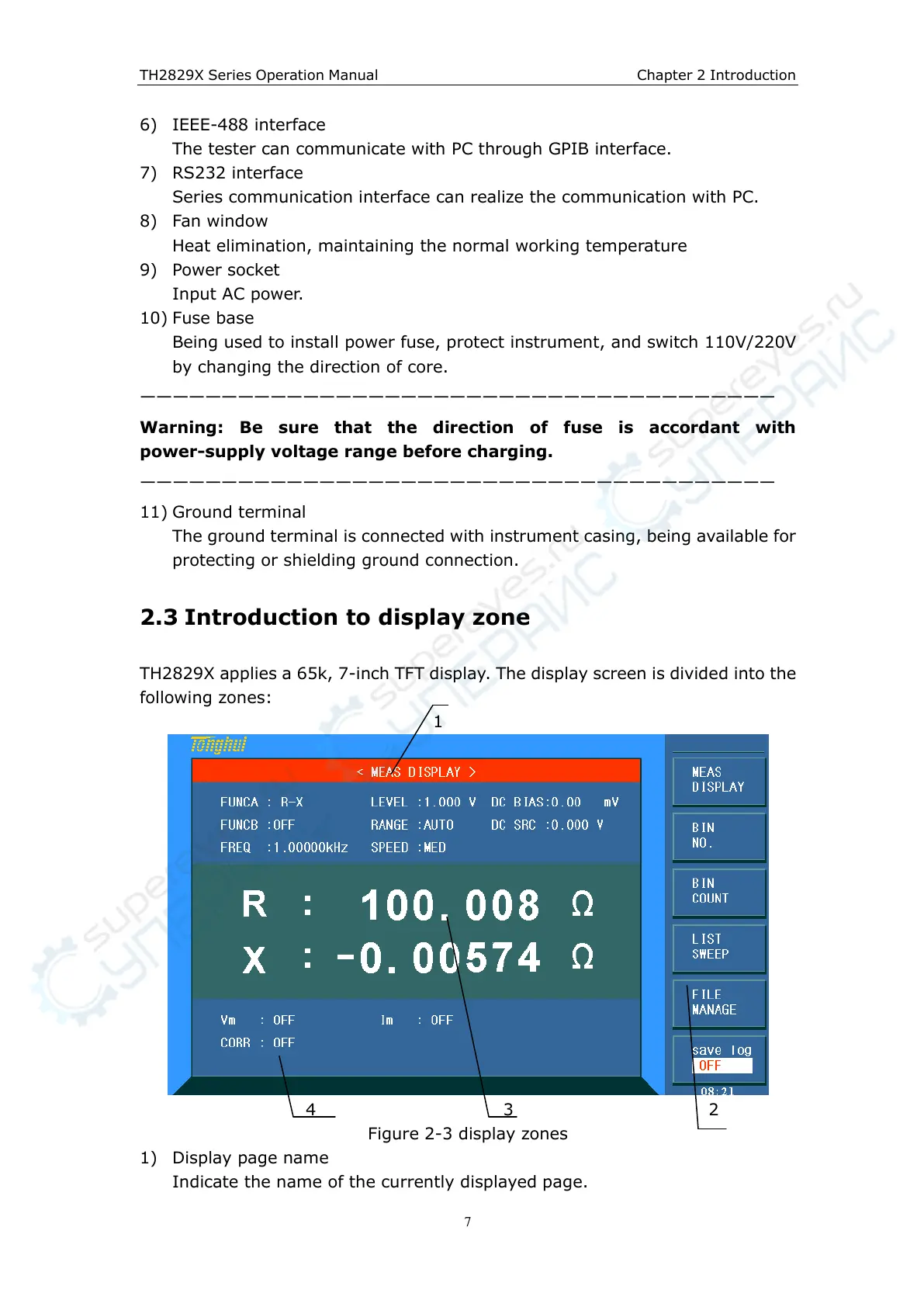
TH2829X applies a 65k, 7-inch TFT display. The display screen is divided into the
following zones:
1
4 3 2
Figure 2-3 display zones
1) Display page name
Indicate the name of the currently displayed page.



 To Next Page