TH2829X Series Operation Manual Chapter 7 Transformer Auto Scanning Test
B The validity of Lx or DCR used for BL compare is displayed, where, Y
means the corresponding winding balance parameter Lx or DCR is qualified, N
means the corresponding winding balance parameter Lx or DCR is not good. Only
when the two groups of winding balance parameter is qualified, the balance
compare is performanced, otherwise the balance winding is unqualified.
BALANCE The right zone displays if the balance is qualified, N means
not good, and Y means pass. There are 5 groups of balance at most.
PS The zone displays short pin test judge, if one group of 00~10 is
displayed with highlighting mode, it means the corresponding pin is not good.
PIN The zone displays the pin of each winding. In Cx or Lk, only the
first pin position is displayed.
Results display L x 、Q 、ACR、TURN、ZX 、DCR、Cx 、LK 、LED
All parameters can be displayed on one page.
7.13.2 Function keys
[TRIGGER] Being used to startup the instrument to perform the scanning
test.
[RESET] Being used to interrupt the scanning test.
[KEYLOCK] User can still perform other operations after the keyboard is
locked, but the parameter setup cannot be modified. Turn off the instrument
after the keyboard is locked, the current test file will be loaded next time.
[. ] Enter the file manage page.
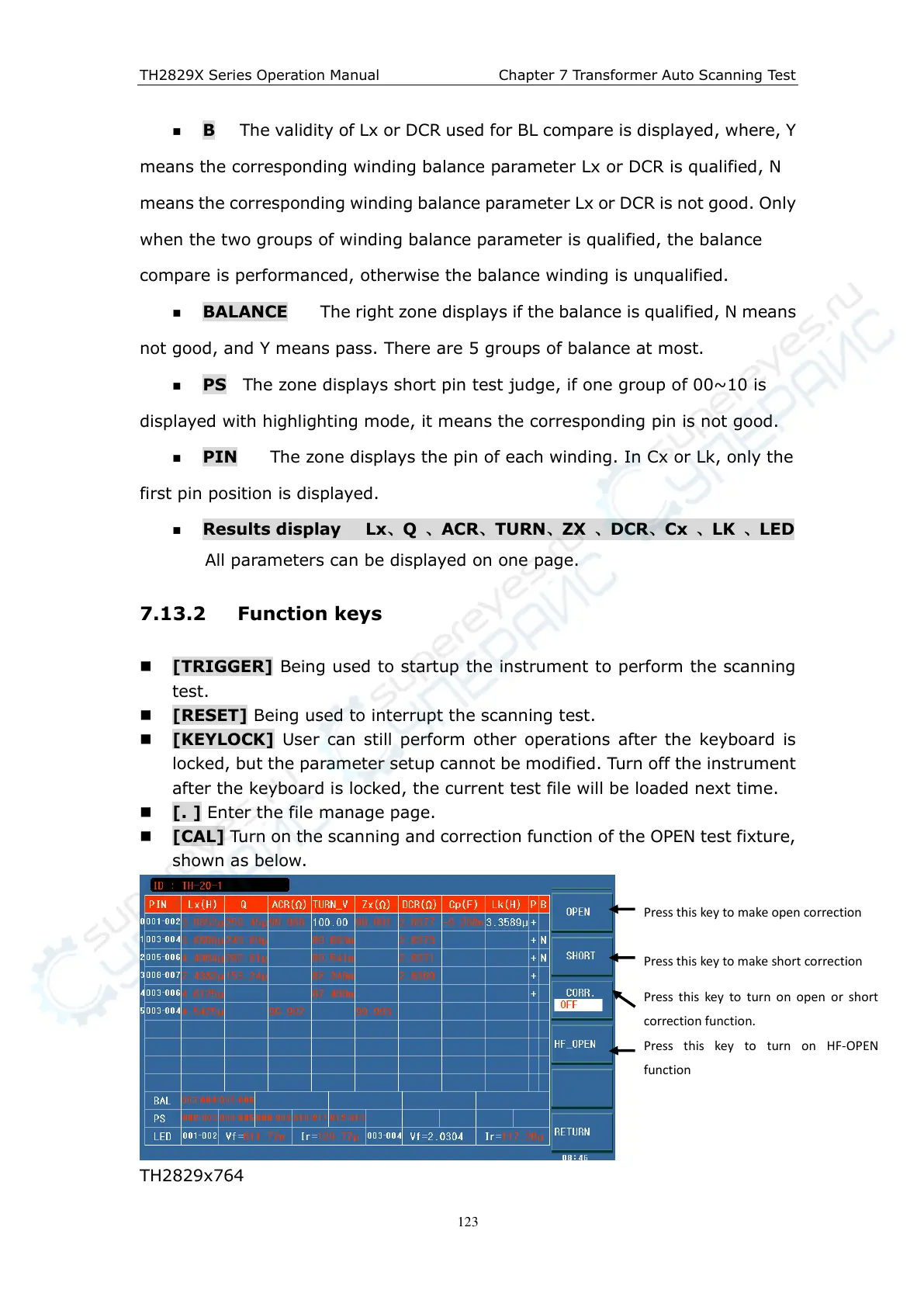
[CAL] Turn on the scanning and correction function of the OPEN test fixture,
shown as below.
TH2829x764
Press this key to make open correction
Press this key to make short correction
Press this key to turn on open or short
correction function.
Press this key to turn on HF-OPEN
function



 To Next Page