TH2829X Series Operation Manual Chapter 7 Transformer Auto Scanning Test
7.12.3 Setting Lx test conditions
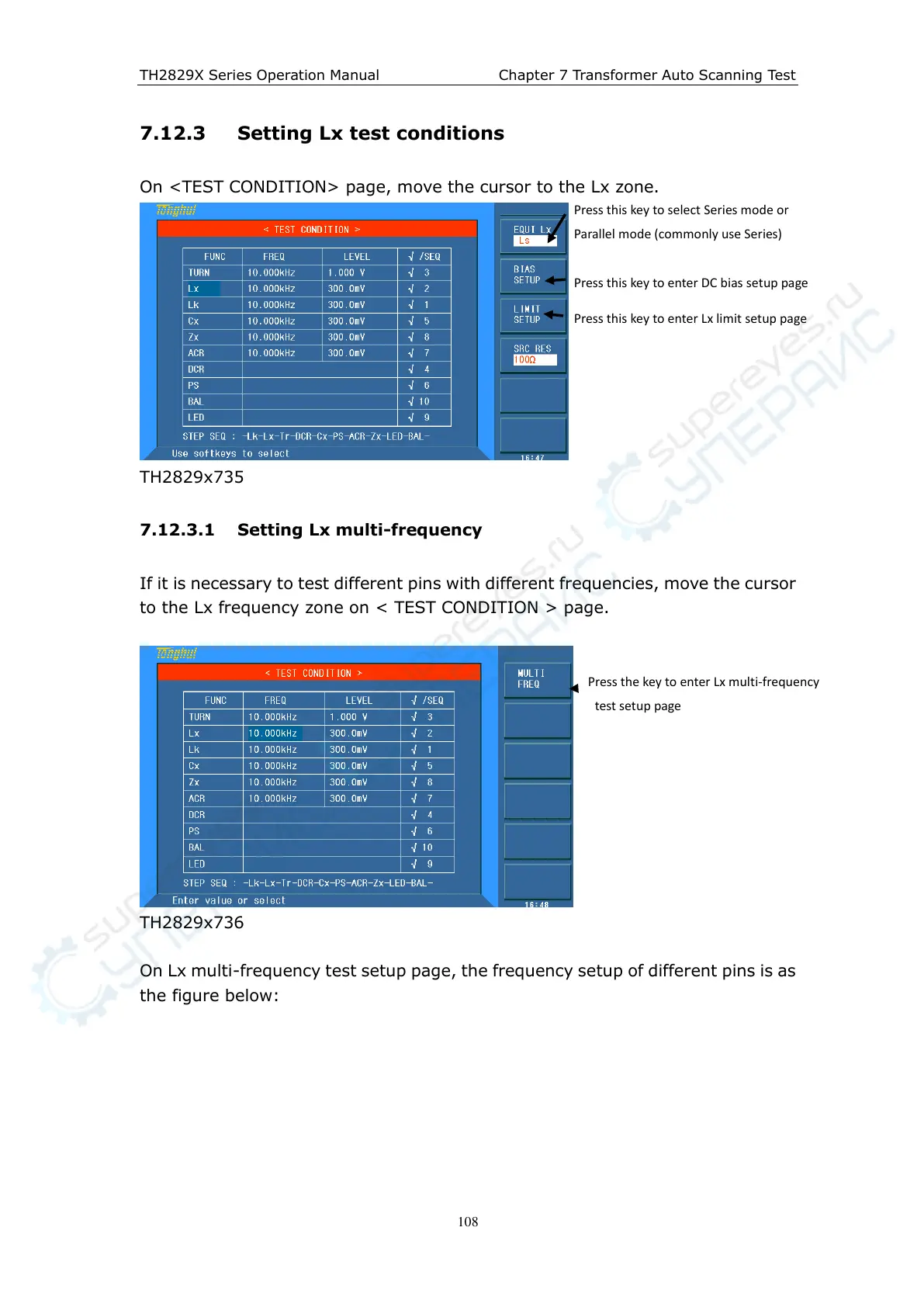
On <TEST CONDITION> page, move the cursor to the Lx zone.
TH2829x735
7.12.3.1 Setting Lx multi-frequency
If it is necessary to test different pins with different frequencies, move the cursor
to the Lx frequency zone on < TEST CONDITION > page.
TH2829x736
On Lx multi-frequency test setup page, the frequency setup of different pins is as
the figure below:
Press this key to select Series mode or
Parallel mode (commonly use Series)
Press this key to enter DC bias setup page
Press this key to enter Lx limit setup page
Press the key to enter Lx multi-frequency
test setup page



 To Next Page