TH2829X Series Operation Manual Chapter 7 Transformer Auto Scanning Test
and move the cursor to AUTOTRIG DELAY, press the softkeys on the right to select
the response time or OFF function of AUTOTRIG DELAY.
TH2829x707
7.7.4 HANDLER MODE
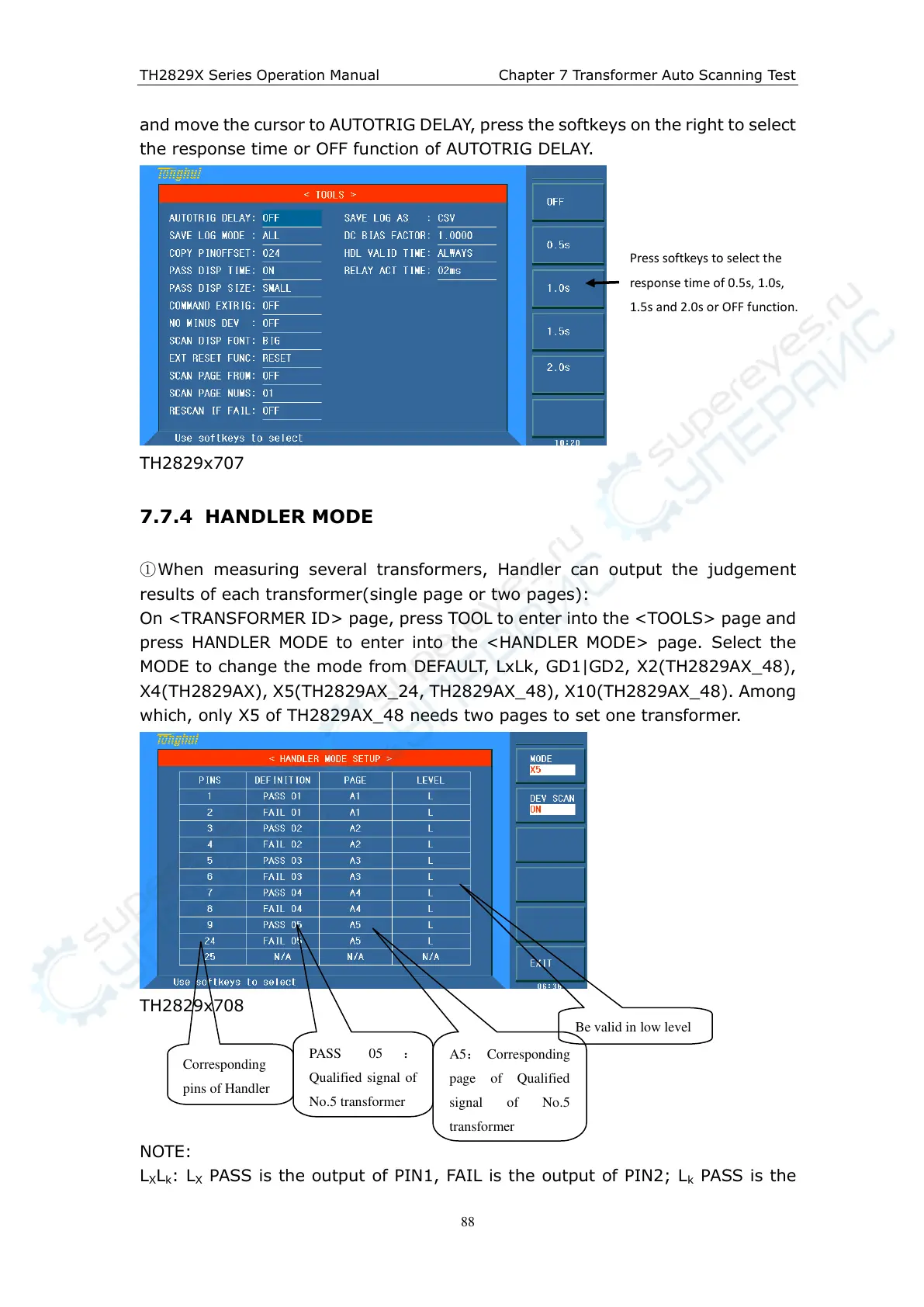
①When measuring several transformers, Handler can output the judgement
results of each transformer(single page or two pages):
On <TRANSFORMER ID> page, press TOOL to enter into the <TOOLS> page and
press HANDLER MODE to enter into the <HANDLER MODE> page. Select the
MODE to change the mode from DEFAULT, LxLk, GD1|GD2, X2(TH2829AX_48),
X4(TH2829AX), X5(TH2829AX_24, TH2829AX_48), X10(TH2829AX_48). Among
which, only X5 of TH2829AX_48 needs two pages to set one transformer.
TH2829x708
NOTE:
L
X
L
k
: L
X
PASS is the output of PIN1, FAIL is the output of PIN2; L
k
PASS is the
Press softkeys t o select the
response time of 0.5s, 1.0s,
1.5s and 2.0s or OFF function.
Corresponding
pins of Handler
PASS 05 :
Qualified signal of
No.5 transformer
A 5: Corresponding
page of Qualified
signal of No.5
transformer



 To Next Page