TH2829X Series Operation Manual Chapter 3 Introduction to [MEAS]
the test function is DCR, the LEVEL zone will display “---” .
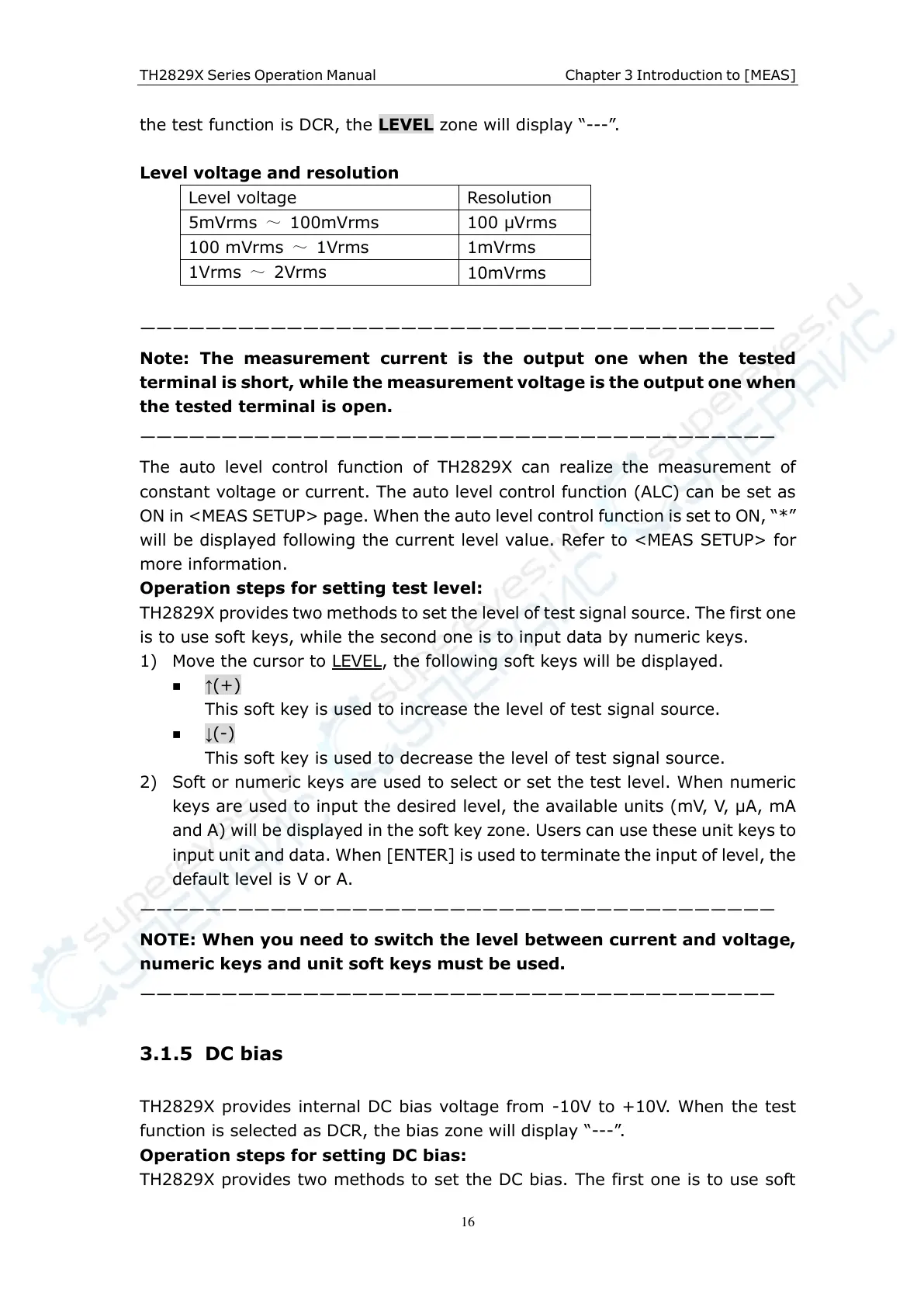
Level voltage and resolution
———————————————————————————————————————
Note: The measurement current is the output one when the tested
terminal is short, while the measurement voltage is the output one when
the tested terminal is open.
———————————————————————————————————————
The auto level control function of TH2829X can realize the measurement of
constant voltage or current. The auto level control function (ALC) can be set as
ON in <MEAS SETUP> page. When the auto level control function is set to ON, “*”
will be displayed following the current level value. Refer to <MEAS SETUP> for
more information.
Operation steps for setting test level:
TH2829X provides two methods to set the level of test signal source. The first one
is to use soft keys, while the second one is to input data by numeric keys.
1) Move the cursor to LEVEL, the following soft keys will be displayed.
↑(+)
This soft key is used to increase the level of test signal source.
↓(-)
This soft key is used to decrease the level of test signal source.
2) Soft or numeric keys are used to select or set the test level. When numeric
keys are used to input the desired level, the available units (mV, V, µA, mA
and A) will be displayed in the soft key zone. Users can use these unit keys to
input unit and data. When [ENTER] is used to terminate the input of level, the
default level is V or A.
———————————————————————————————————————
NOTE: When you need to switch the level between current and voltage,
numeric keys and unit soft keys must be used.
———————————————————————————————————————
3.1.5 DC bias
TH2829X provides internal DC bias voltage from -10V to +10V. When the test
function is selected as DCR, the bias zone will display “---” .
Operation steps for setting DC bias:
TH2829X provides two methods to set the DC bias. The first one is to use soft



 To Next Page