TH2829X Series Operation Manual Chapter 7 Transformer Auto Scanning Test
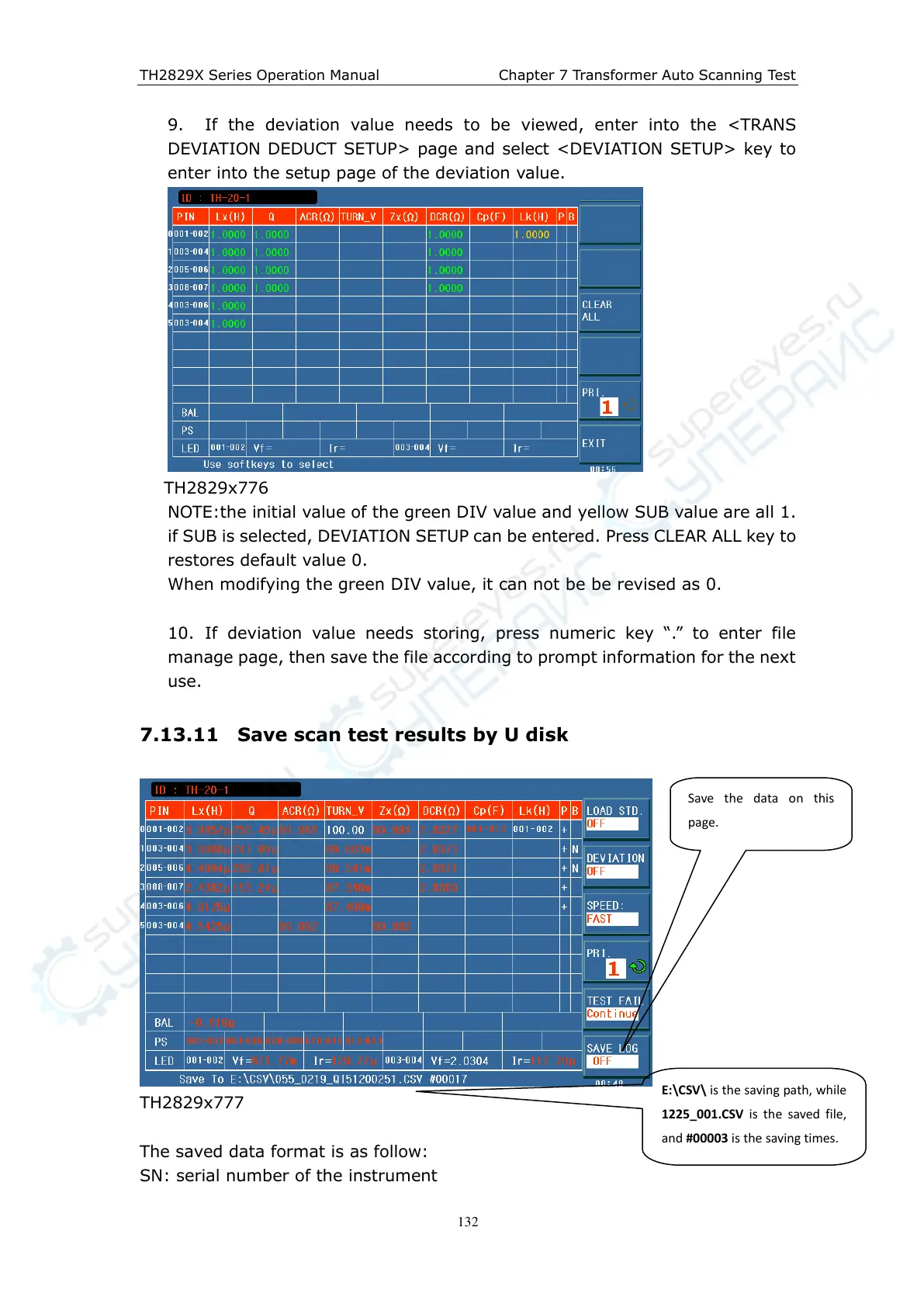
9. If the deviation value needs to be viewed, enter into the <TRANS
DEVIATION DEDUCT SETUP> page and select <DEVIATION SETUP> key to
enter into the setup page of the deviation value.
TH2829x776
NOTE:the initial value of the green DIV value and yellow SUB value are all 1.
if SUB is selected, DEVIATION SETUP can be entered. Press CLEAR ALL key to
restores default value 0.
When modifying the green DIV value, it can not be be revised as 0.
10. If deviation value needs storing, press numeric key “.” to enter file
manage page, then save the file according to prompt information for the next
use.
7.13.11 Save scan test results by U disk
TH2829x777
The saved data format is as follow:
SN: serial number of the instrument
Save the data on this
p a ge.
E:\CSV\ is the saving path, while
1225_001.CSV is the saved file,
and #00003 is the saving times.



 To Next Page