TH2829X Series Operation Manual Chapter 7 Transformer Auto Scanning Test
test can serve as the measurement standard, the deviation-deduction function is
available.
The operation of deviation function is listed as below:
1. According to the set method, enter<SCAN TEST> page after setting
parameter.
2. Put standard transformer to test fixture and lock it, press [START] in scan
box for several times to get a stable test value;
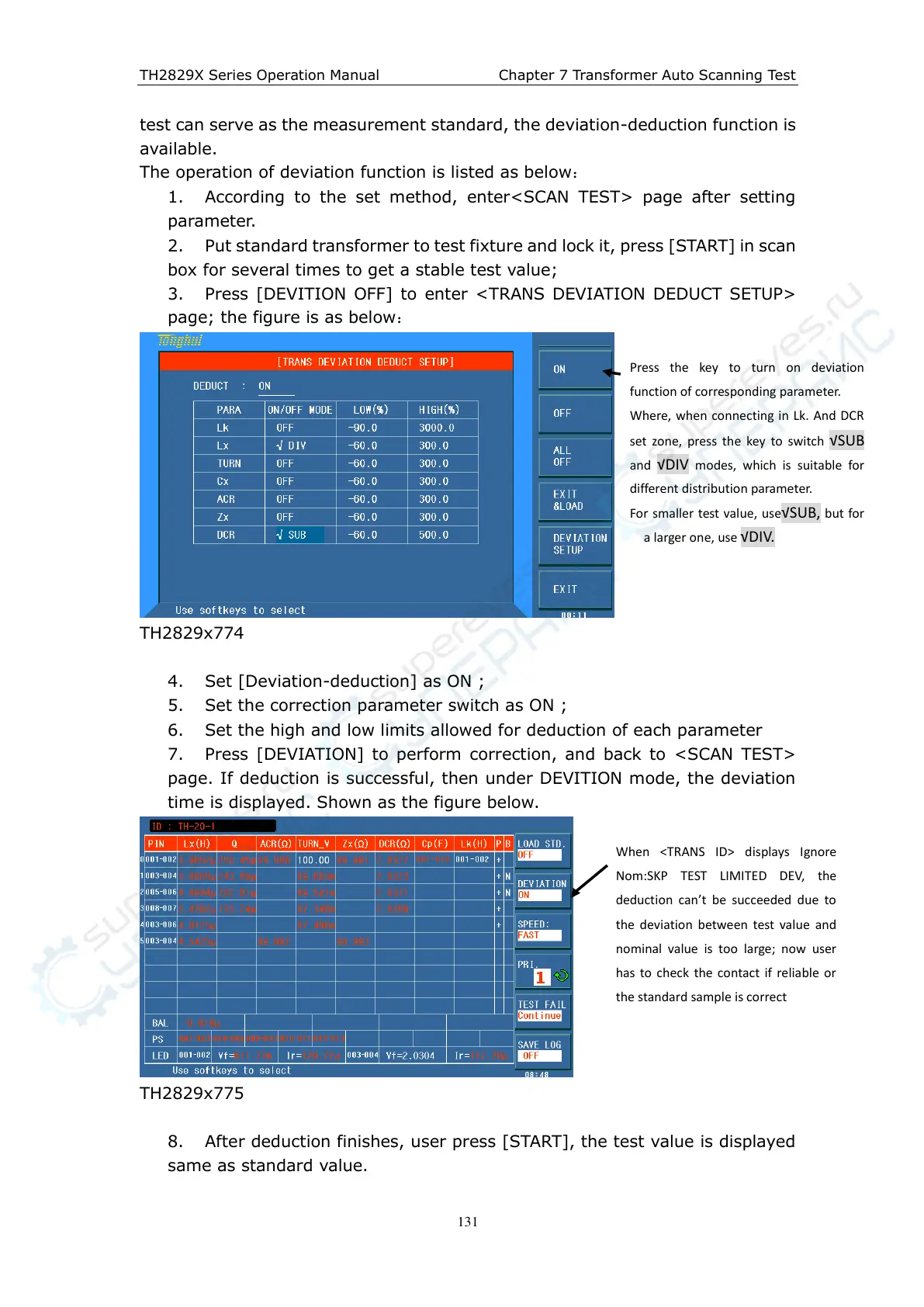
3. Press [DEVITION OFF] to enter <TRANS DEVIATION DEDUCT SETUP>
page; the figure is as below
:
TH2829x774
4. Set [Deviation-deduction] as ON ;
5. Set the correction parameter switch as ON ;
6. Set the high and low limits allowed for deduction of each parameter
7. Press [DEVIATION] to perform correction, and back to <SCAN TEST>
page. If deduction is successful, then under DEVITION mode, the deviation
time is displayed. Shown as the figure below.
TH2829x775
8. After deduction finishes, user press [START], the test value is displayed
same as standard value.
Press the key to turn on deviation
function of corresponding parameter.
Where, when connecting in Lk. And DCR
set zone, press the key to switch √SUB
and √DIV modes, which is suitable for
different distribution parameter.
For smaller test value, use√SUB, but for
a larger one, use √DIV.
When <TRANS ID> displays Ignore
Nom:SKP TEST LIMITED DEV, the
deduction can’t be succeeded due to
the deviation between test value and
nominal value is too large; now user
has to check the contact if reliable or
the standard sample is correct



 To Next Page