TH2829X Series Operation Manual Chapter 7 Transformer Auto Scanning Test
TH2829x758
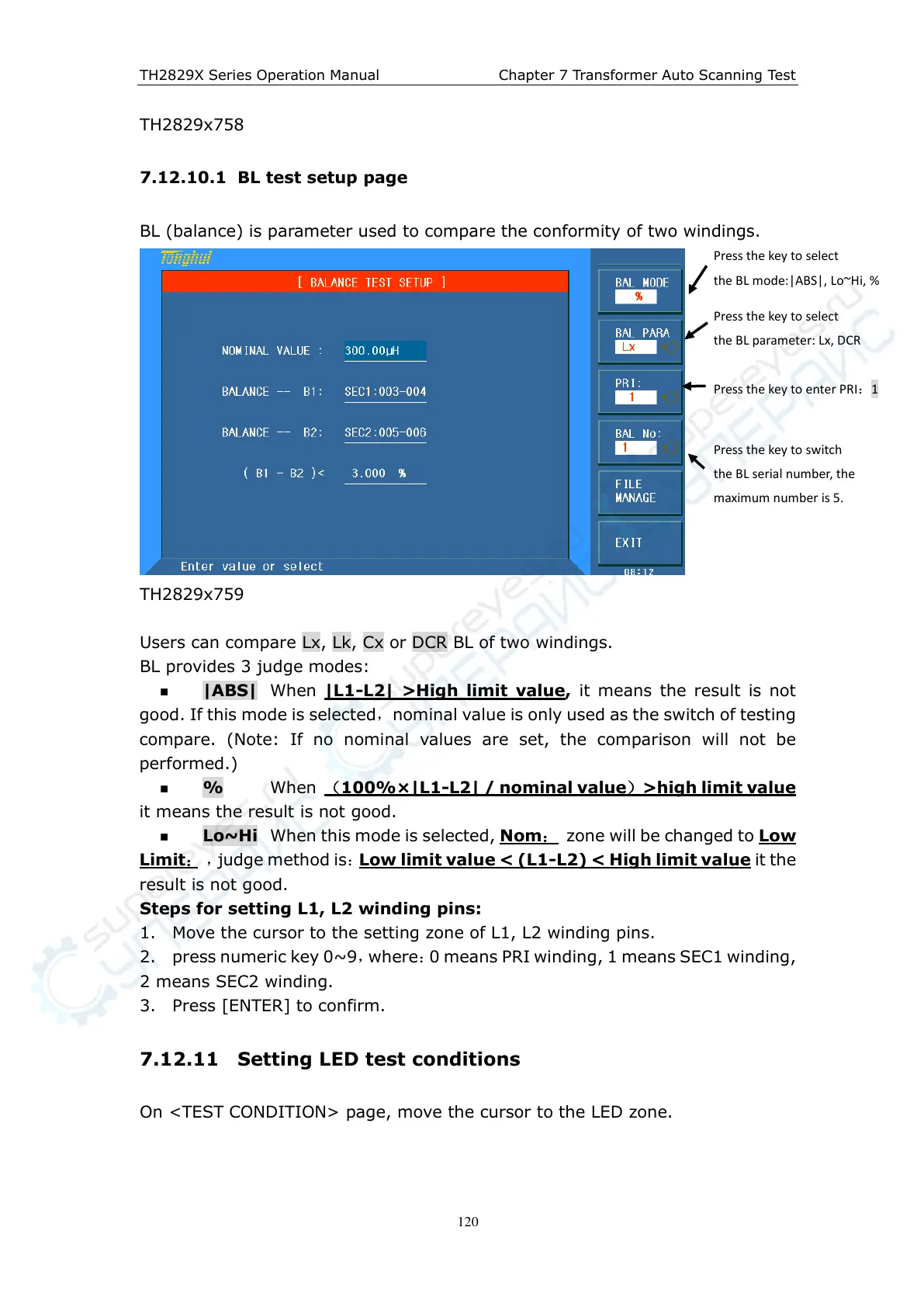
7.12.10.1 BL test setup page
BL (balance) is parameter used to compare the conformity of two windings.
TH2829x759
Users can compare Lx , Lk, Cx or DCR BL of two windings.
BL provides 3 judge modes:
|ABS| When |L1-L2| >High limit value, it means the result is not
good. If this mode is selected,nominal value is only used as the switch of testing
compare. (Note: If no nominal values are set, the comparison will not be
performed.)
% When (100%×|L1-L2| / nominal value)>high limit value
it means the result is not good.
Lo~Hi When this mode is selected, Nom: zone will be changed to Low
Limit: ,judge method is:Low limit value < (L1 -L2) < High limit value it the
result is not good.
Steps for setting L1, L2 winding pins:
1. Move the cursor to the setting zone of L1, L2 winding pins.
2. press numeric key 0~9,where:0 means PRI winding, 1 means SEC1 winding,
2 means SEC2 winding.
3. Press [ENTER] to confirm.
7.12.11 Setting LED test conditions
On <TEST CONDITION> page, move the cursor to the LED zone.
Press the key to select
the BL mode:|ABS|, Lo~Hi, %
Press the key to select
the BL parameter: Lx, DCR
Press the key to enter PRI:1
Press the key to switch
the BL serial number, the
maximum number is 5.



 To Next Page