TH2829X Series Operation Manual Chapter 3 Introduction to [MEAS]
Rs-Q
←
Press the soft key corresponding to your desired parameter. Then press ← to
return to upper soft key menu.
Parameter setup of FUNCB is the same as that of FUNCA, but FUNCB can be
turned off (OFF).
3.1.2 Test range
Measurement range should be selected in accordance with the impedance value
of the tested LCR component.
TH2829X has 9 AC measurement ranges: 10Ω, 30Ω, 100Ω, 300Ω, 1kΩ, 3kΩ,
10kΩ, 30kΩ, 100kΩ.
TH2829X has 13 DCR measurement ranges: 100mΩ, 300mΩ, 1Ω, 10Ω, 100Ω,
300Ω, 1kΩ, 3kΩ, 10kΩ, 30kΩ, 100kΩ, 300kΩ, 1MΩ.
Operation steps for setting test range:
1) Move the cursor to the range zone, the following soft keys will be displayed:
AUTO The soft key is used to set the range mode to AUTO.
HOLD The soft key is used to switch the AUTO mode to the HOLD mode.
When the range mode is set to HOLD, the range will be locked in the
current measurement range. The current measurement range will be
displayed in the range zone.
↑(+) The soft key is used to increase the range under HOLD mode.
↓(-) The soft key is used to decrease the range under HOLD mode.
2) Use soft keys to set measurement range.
3.1.3 Test frequency
The measurement range of TH2829X ranges from 20Hz to 1MHz with an increase
or decrease of 0.001Hz. When the test function is set as DCR, the FREQ zone will
display “---” .
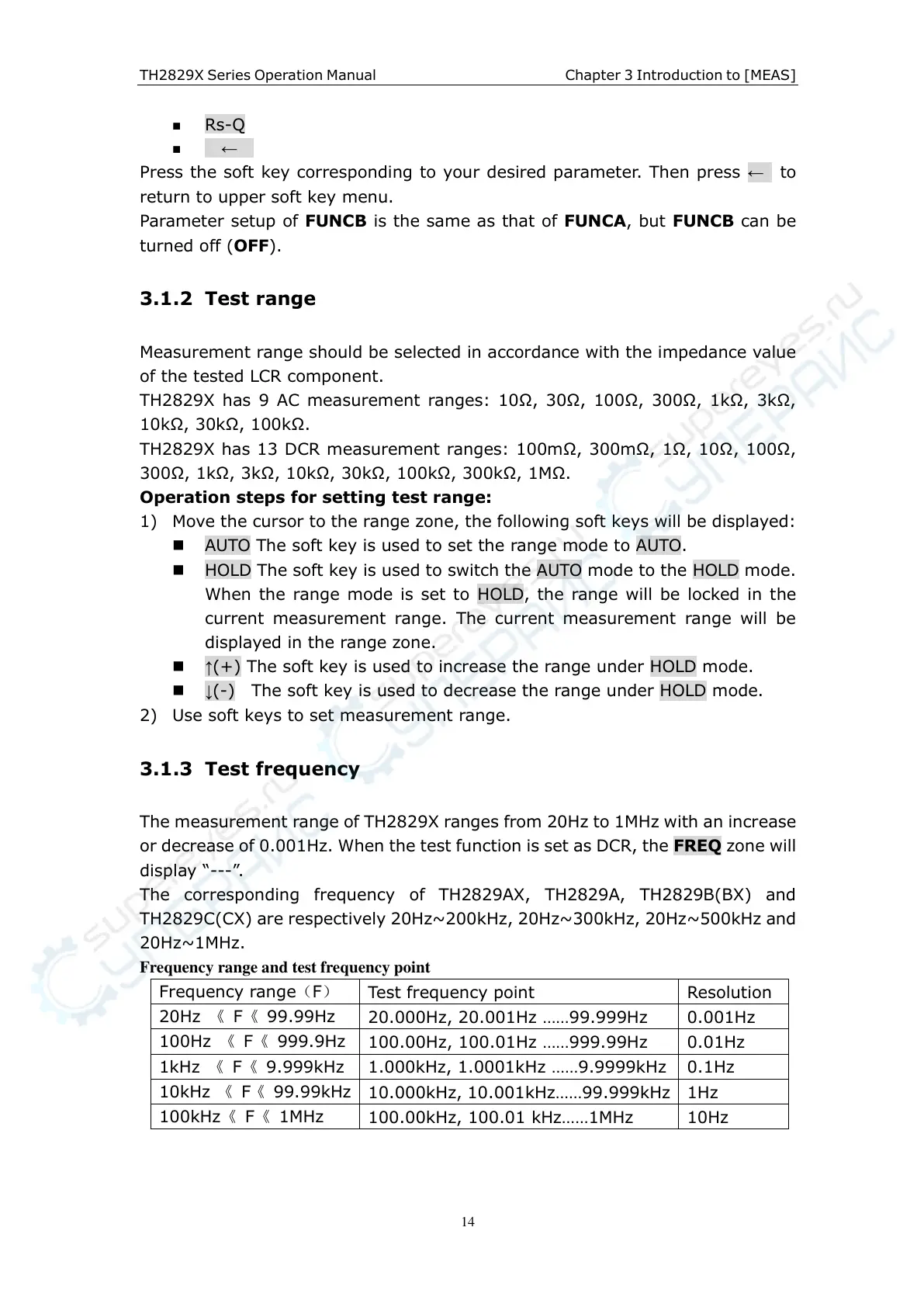
The corresponding frequency of TH2829AX, TH2829A, TH2829B(BX) and
TH2829C(CX) are respectively 20Hz~200kHz, 20Hz~300kHz, 20Hz~500kHz and
20Hz~1MHz.
Frequency range and test frequency point
20.000Hz, 20.001Hz ……99.999Hz
100.00Hz, 100.01Hz ……999.99Hz
1.000kHz, 1.0001kHz ……9.9999kHz
10.000kHz, 10.001kHz……99.999kHz
100.00kHz, 100.01 kHz……1MHz



 To Next Page