TH2829X Series Operation Manual Chapter 3 Introduction to [MEAS]
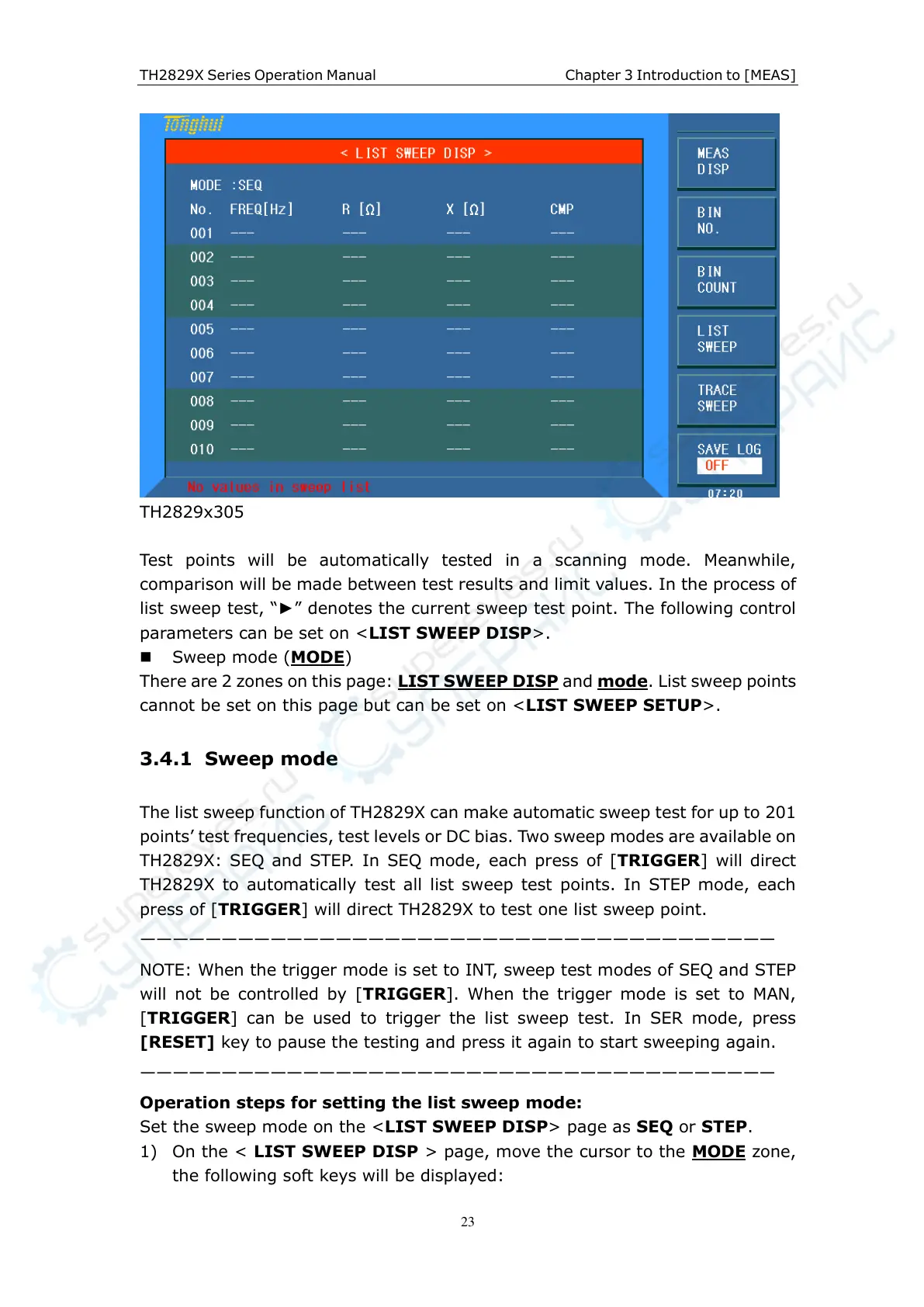
TH2829x305
Test points will be automatically tested in a scanning mode. Meanwhile,
comparison will be made between test results and limit values. In the process of
list sweep test, “►” denotes the current sweep test point. The following control
parameters can be set on <LIST SWEEP DISP>.
Sweep mode (MODE)
There are 2 zones on this page: LIST SWEEP DISP and mode. List sweep points
cannot be set on this page but can be set on <LIST SWEEP SETUP>.
3.4.1 Sweep mode
The list sweep function of TH2829X can make automatic sweep test for up to 201
points’ test frequencies, test levels or DC bias. Two sweep modes are available on
TH2829X: SEQ and STEP. In SEQ mode, each press of [TRIGGER] will direct
TH2829X to automatically test all list sweep test points. In STEP mode, each
press of [TRIGGER] will direct TH2829X to test one list sweep point.
———————————————————————————————————————
NOTE: When the trigger mode is set to INT, sweep test modes of SEQ and STEP
will not be controlled by [TRIGGER]. When the trigger mode is set to MAN,
[TRIGGER] can be used to trigger the list sweep test. In SER mode, press
[RESET] key to pause the testing and press it again to start sweeping again.
———————————————————————————————————————
Operation steps for setting the list sweep mode:
Set the sweep mode on the <LIST SWEEP DISP> page as SEQ or STEP.
1) On the < LIST SWEEP DISP > page, move the cursor to the MODE zone,
the following soft keys will be displayed:



 To Next Page