TH2829X Series Operation Manual Chapter 7 Transformer Auto Scanning Test
TRS ID: name of the instrument
Date: date
No.( number of times) Func(parameter Lx, TURN......) Index(primary and
secondary) Pins(pin) Result(result) Min(lower limit) Max(upper limit)
Comp(judge) Time(time) Status(total judge)
7.14 Statistic page of transformer scan test
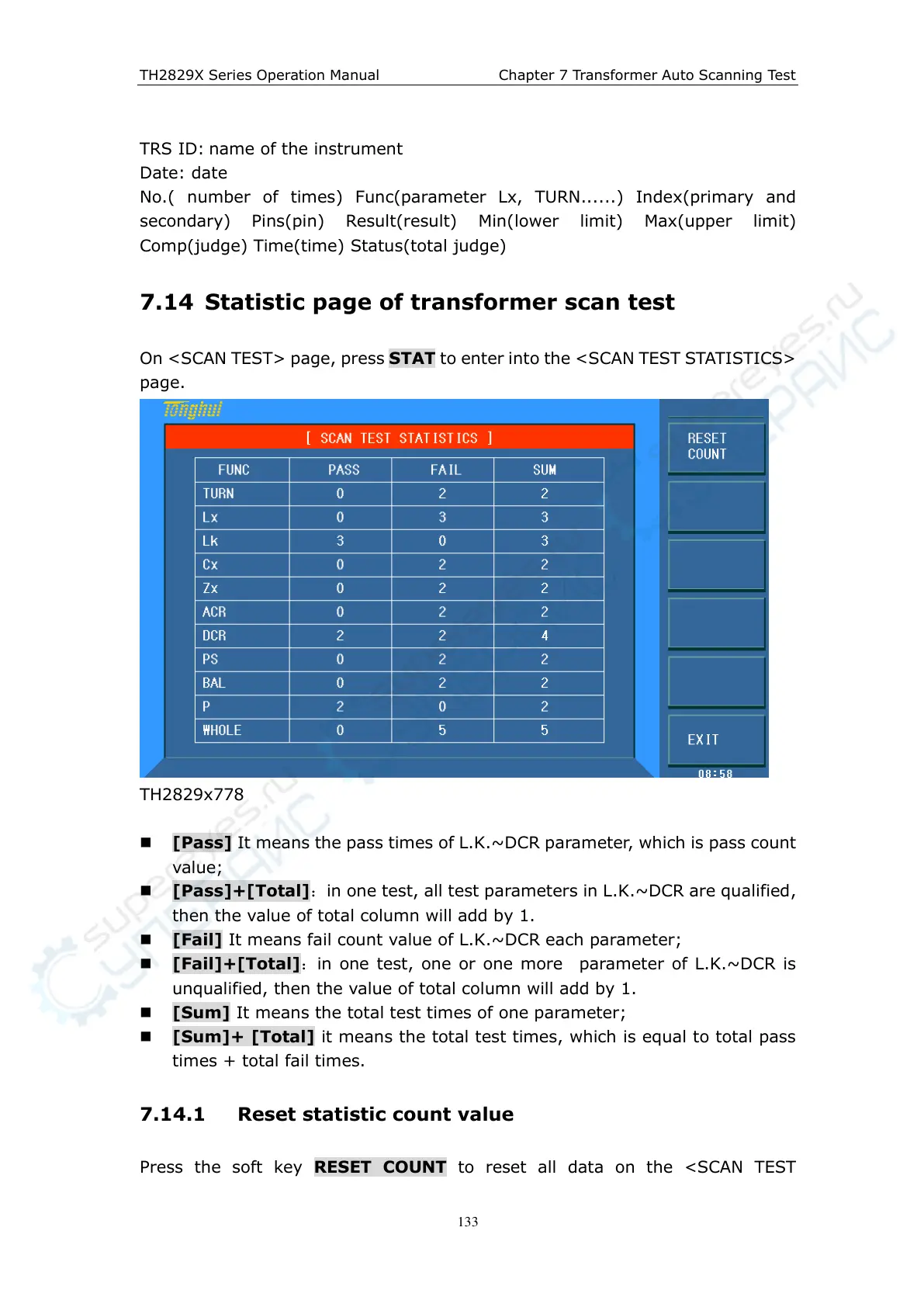
On <SCAN TEST> page, press STAT to enter into the <SCAN TEST STATISTICS>
page.
TH2829x778
[Pass] It means the pass times of L.K.~DCR parameter, which is pass count
value;
[Pass]+[Total]:in one test, all test parameters in L.K.~DCR are qualified,
then the value of total column will add by 1.
[Fail] It means fail count value of L.K.~DCR each parameter;
[Fail]+[Total]:in one test, one or one more parameter of L.K.~DCR is
unqualified, then the value of total column will add by 1.
[Sum] It means the total test times of one parameter;
[Sum]+ [Total] it means the total test times, which is equal to total pass
times + total fail times.
7.14.1 Reset statistic count value
Press the soft key RESET COUNT to reset all data on the <SCAN TEST



 To Next Page