69
DISPLAYING TOMOGRAMS
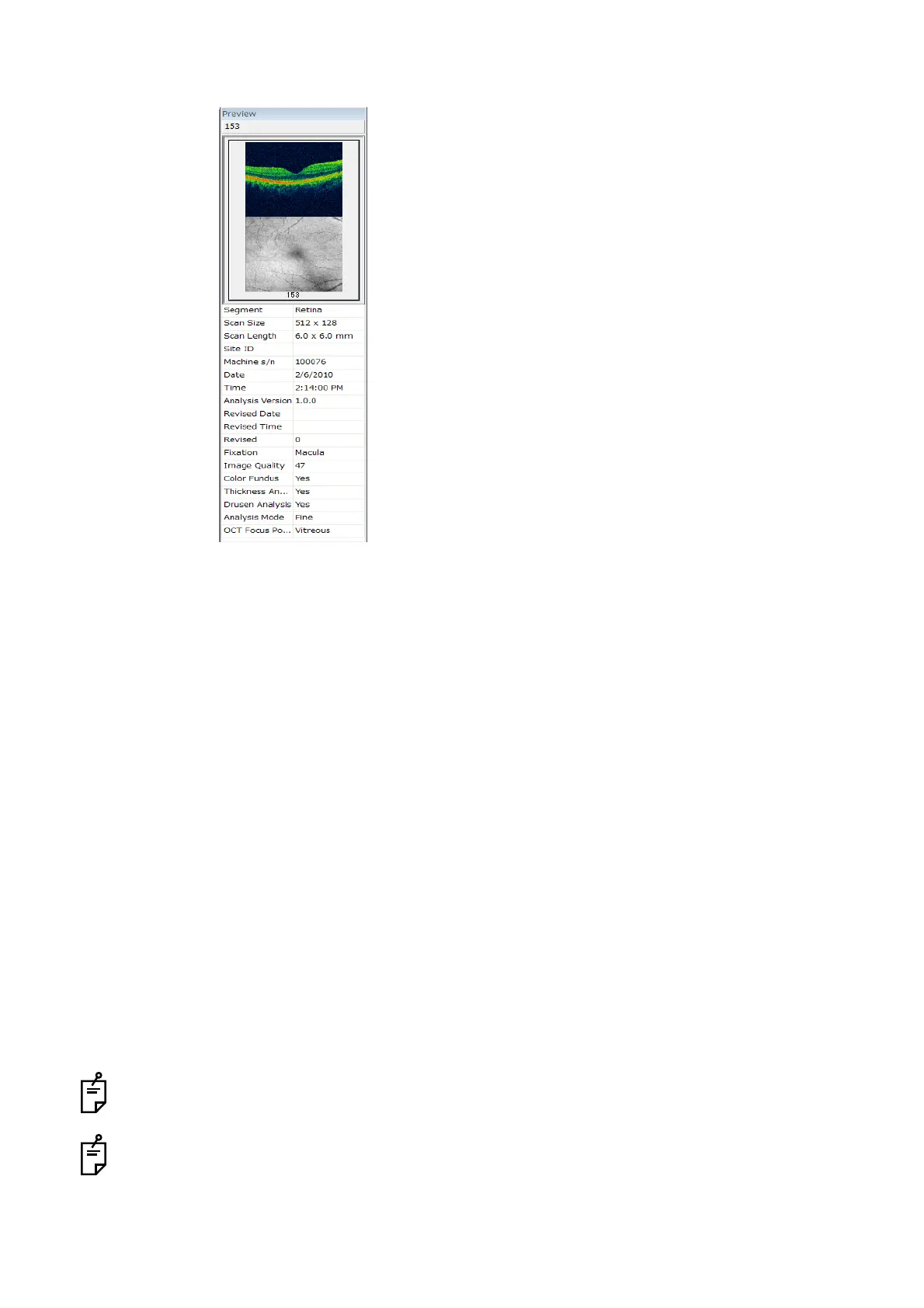
A-4: Preview Panel
The Preview Panel displays the thumbnails and photography information of the image selected on the
Data list. The following photography information is displayed.
• Segment
• Scan Size
• Scan Length
•Site ID
• Machine s/n
•Date
•Time
• Analysis Version
• Revised Data
• Revised Time
•Revised
• Fixation
• Image Quality
• Color Fundus
• Thickness Analysis
• Disc Analysis
•Analysis Mode
• OCT Focus Position
In "Radial Scan" of the anterior segment photography, "Signal Strength" is displayed instead of
"Image Quality".
"Disc Analysis" is valid for the data of "3D Scan, 6.0×6.0mm, 512×128 pixels, and Fixation: Disc/
External fixation". For details of "Disc Analysis", refer to "Analyzing the Optic Disc" on P.132.



 To Next Page