Program Mode 6-43
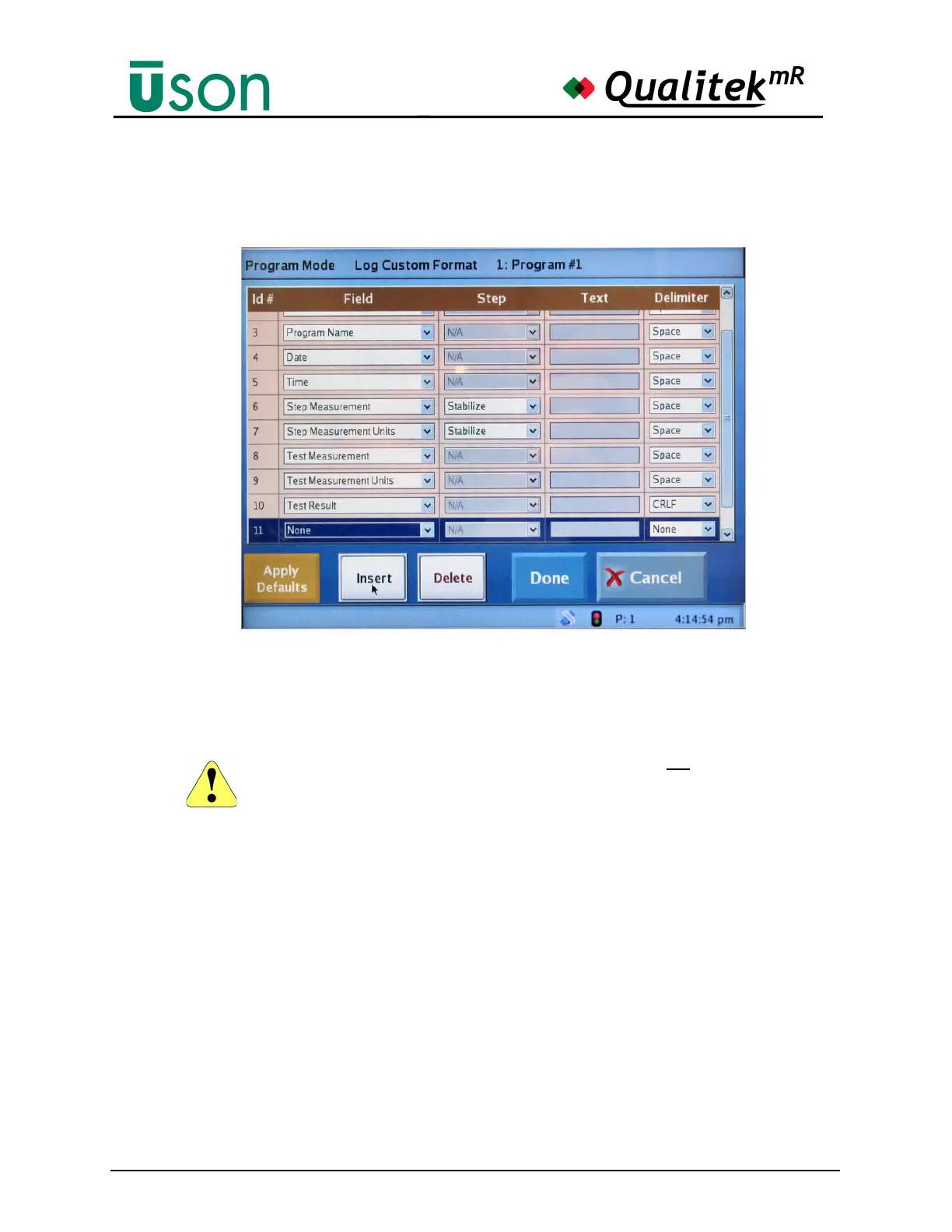
A new line (Id#) may be inserted by pressing the Insert button as shown below. A
maximum of 30 Id#s may be used.
To delete a line, highlight it and press the Delete button.
After the desired changes are made, press the Done key to accept them.
Data Logging to USB Memory Stick
Before logging data to a memory stick, it is essential to do the following:
1. Ensure that the Audit Log Destination has been set to USB Memory
Device in the Program Mode > Results Logging tab.
2. Use the key to switch the tester to Program Mode.
3. Insert the USB memory device into the front or rear port of the tester
(while still switched to Program Mode).
After inserting the USB memory stick into either the front or rear of the tester, it is
important to wait at least 30 seconds for the operating system to acknowledge that
the USB device is available. After that wait, the key may be switched to the Run
Mode. At this time, test results will be logged to the USB device as set up in the
Options menu.
To stop logging data to the memory stick, do the following:
Before inserting a USB memory stick it is important to use the key to switch to Program
Mode. Using the soft key to switch between run and program modes will not provide the
needed results.



 To Next Page