Run Mode 5-15
5.2.5.2 Dashboard Options
The dashboard gauges simplify the analysis of how the product and tester are
performing during a test. The Dashboard gauges can be customized to further
enhance the ease of monitoring the operation of the tester. Tapping any of the
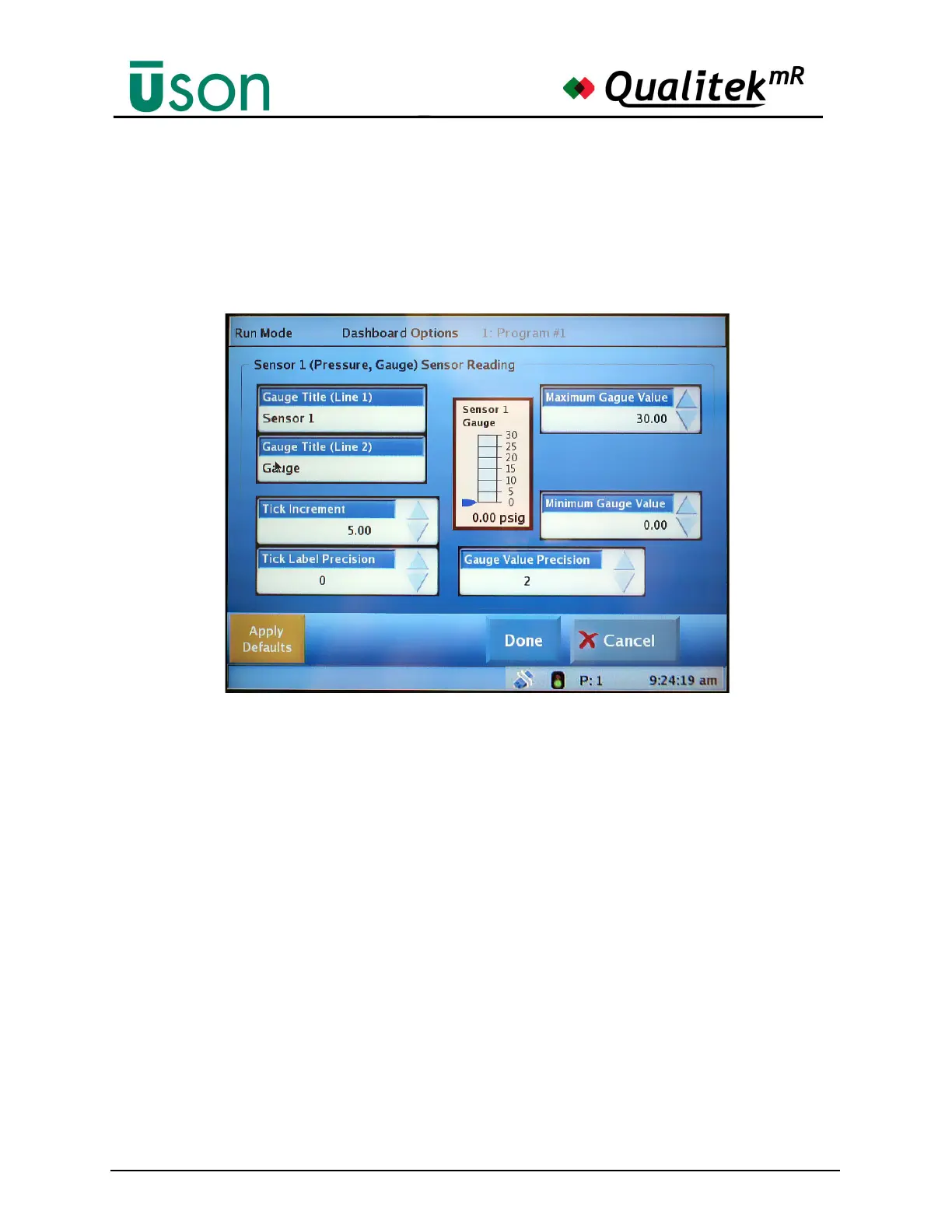
gauges will open the Dashboard Options screen shown below. This screen is where
gauge customization takes place:
Gauge Title (Line 1) and Gauge Title (Line 2)
Tap these data bars to open the keyboard and enter a descriptive name for the graph
that best suits your needs.
Tick Increment
Set the number of units to be included between each tick mark on the graph.
Tick Label Precision
Set the number of decimal places to appear on the label for each tick increment.
Maximum and Minimum Gauge Values
These values control the values at the extreme ends of the graph.
Gauge Value Precision
At the bottom each gauge is a numeric readout of the value. Set this value to the
desired number of decimal places.



 To Next Page