6-4 Qualitek mR Owner’s Guide
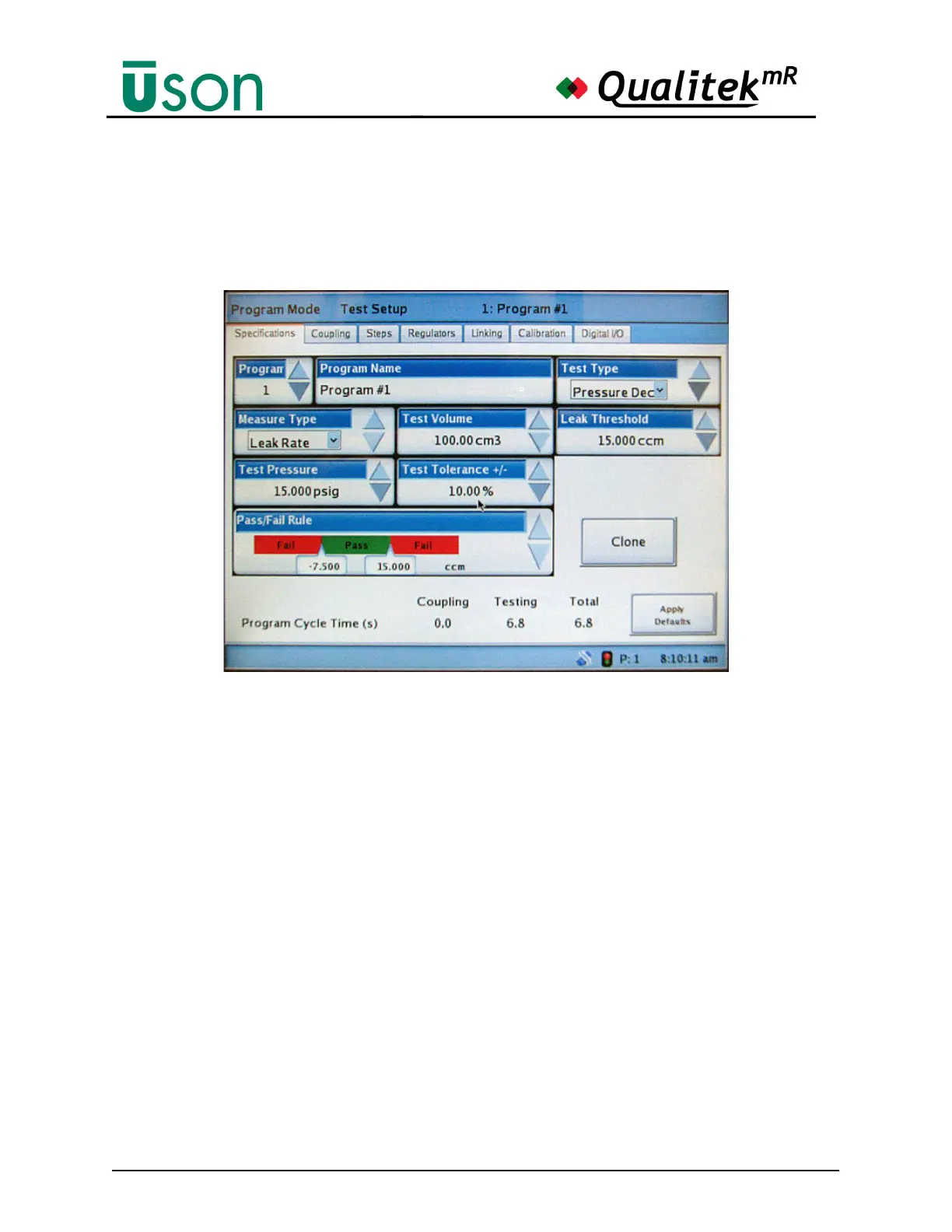
6.2.2.1 Specifications
The Specifications screen is the primary screen for setting up a test. It is used to
view and change, if desired, many of the important parameters of the currently
selected program. Other tabs on the screen open additional screens for setting up
the additional parameters for the test.
Program and Program Name
The program can be selected by number. The name of the program can be changed,
if desired, by tapping the Program Name data box and typing a new name.
Test Type
Test type selections are dependent on tester model set in the factory configuration.
Select from:
• Pressure Decay test
• Pressure Rise test
• Flow test
• Sealed Component test
• Backpressure Flow test
• Differential Mass Flow test
• Force Mode Test
• Vacuum Mode Test
Measure Type
Measure type selections are dependent on test type selections. Select either:
• Leak Rate: Measures the rate of change of pressure or flow



 To Next Page