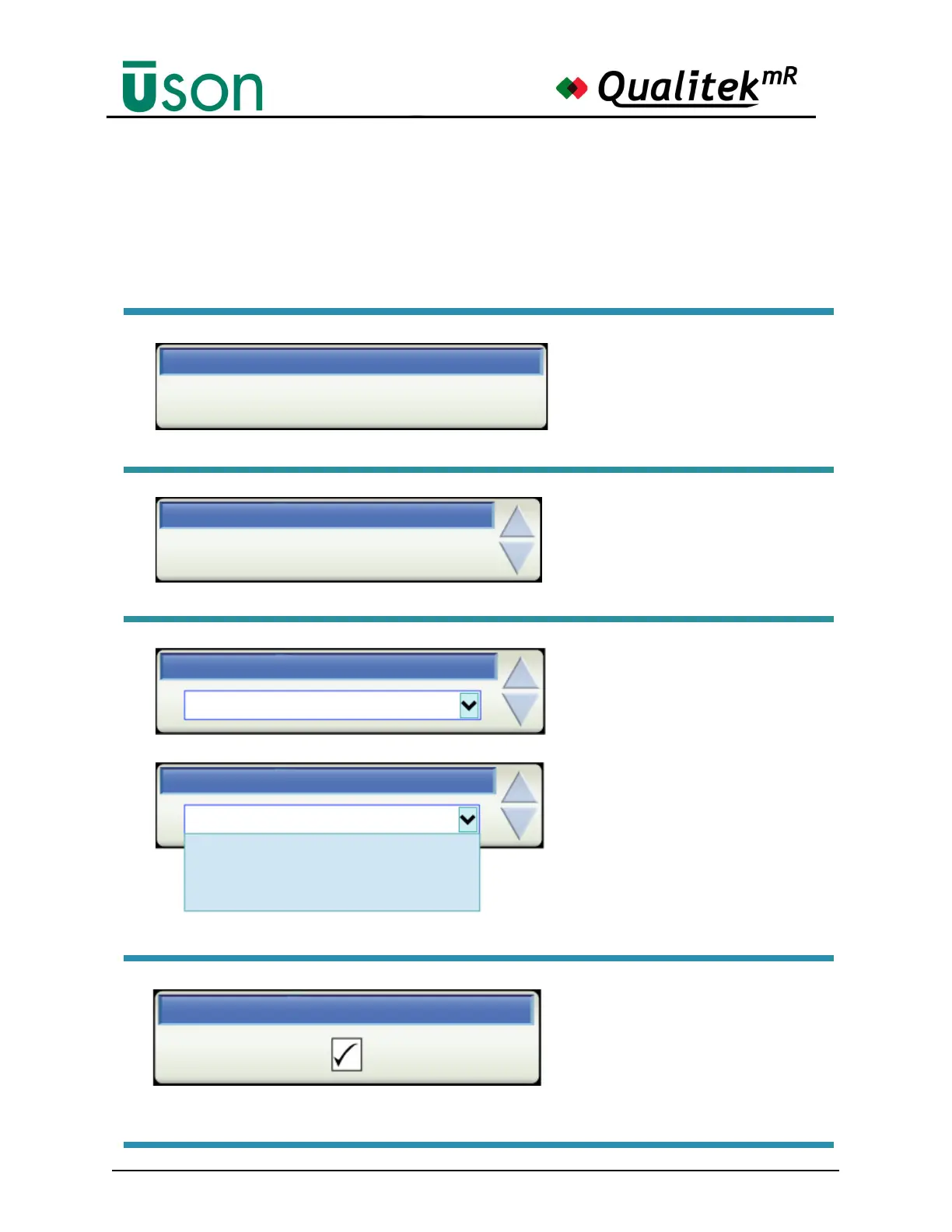
The Data Box has several variations.
Informative Data Box
In some cases, tapping the box
will call up a keyboard for chang-
ing the information.
Data Name
Data Value
Data Box with Up/Down Arrows
Tapping the arrow will scroll the
entry through the allowable val-
ues. Tapping the box will call up
a keyboard.
0
Program Selection Source
Front Panel
Program Selection Source
Front Panel
Program Mode
Front Panel
Digital I/O Port
Pass Repeat Limit
Data Box with List Box and Up/
Down Arrows
Tapping the arrow will scroll
through the allowable settings.
through the allowable values.
Tapping the box will activate the
drop-down list box so that all al-
lowed entries may be seen in
their entirety and selected direct-
ly by touching one of them.
Alternatively, the Scroll Pad can
move the highlight in the box and
the Enter Button can be used to
make the selection.
Data Box with Check Box
Tap the central box to toggle the
checkmark. The checkmark
shows the function is enabled, in
this case, the Backlight.
Backlight Timeout



 To Next Page