3-2 Qualitek mR Owner’s Guide
3.1.3 Power Supply
The appropriate power supply and connecting cord appropriate for the country of
use is provided.
3.1.3.1 Connecting Power
1. Check that the power switch on the back panel of the tester is OFF.
2. Check that the power supply is not currently under power.
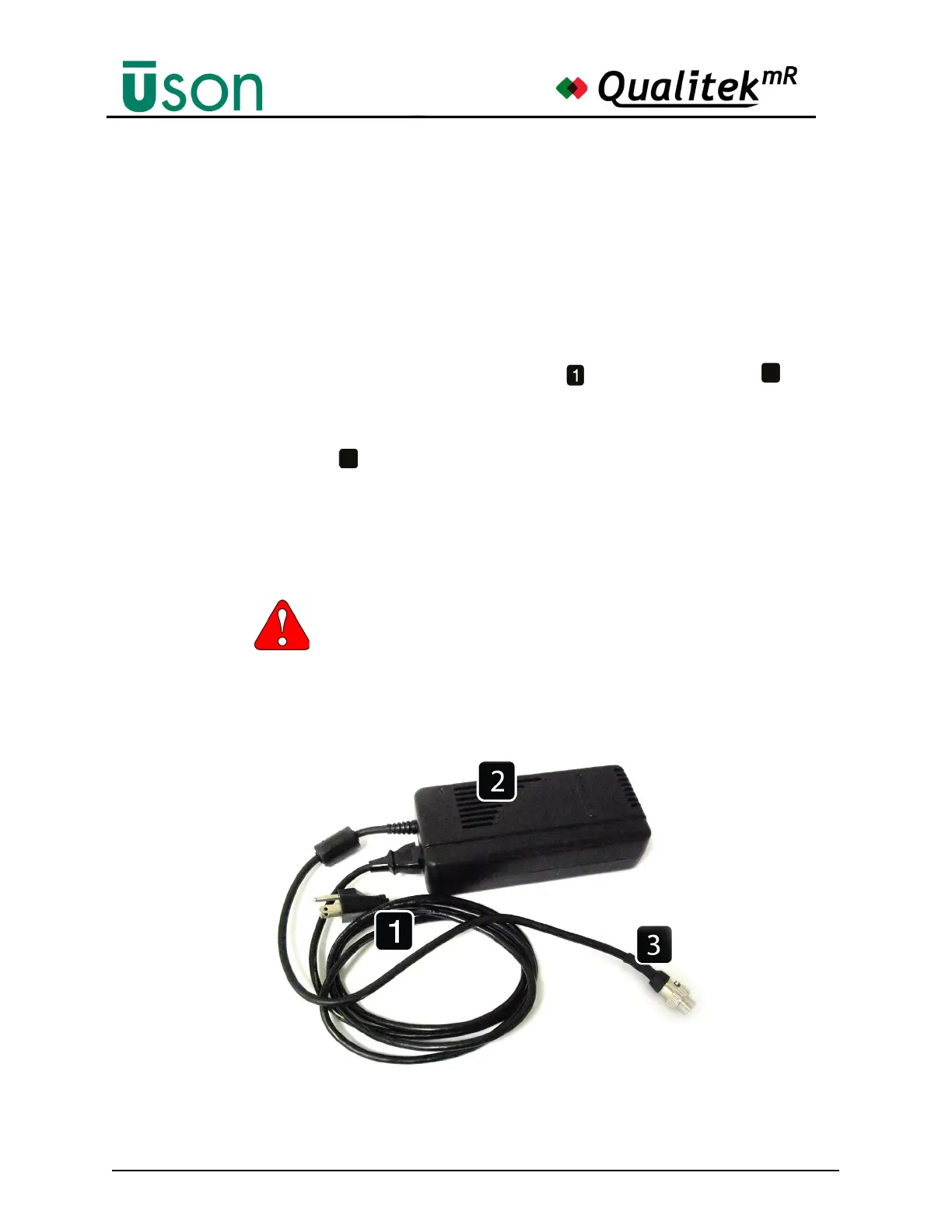
3. Referring to the figure below, connect the AC power cord to the power
supply. (The type of power cord supplied with Qualitek mR will vary,
depending on the country.)
4. Attach the DC output power cord to the receptacle on the rear panel of the
tester.) Lock the power cord in position by turning the connector collar so that
it firmly grips the receptacle.
5. Finally, connect the AC power cord to the facility power receptacle. The green
light on the power supply should now be illuminated indicating that the power
supply is receiving AC power.
Before switching the tester ON, be sure that the power supply is located in a stabilized
position where it will be open to air flow.
The tester must always be switched OFF whenever connecting or
disconnecting the power cord.
2
3



 To Next Page