5-16 Qualitek mR Owner’s Guide
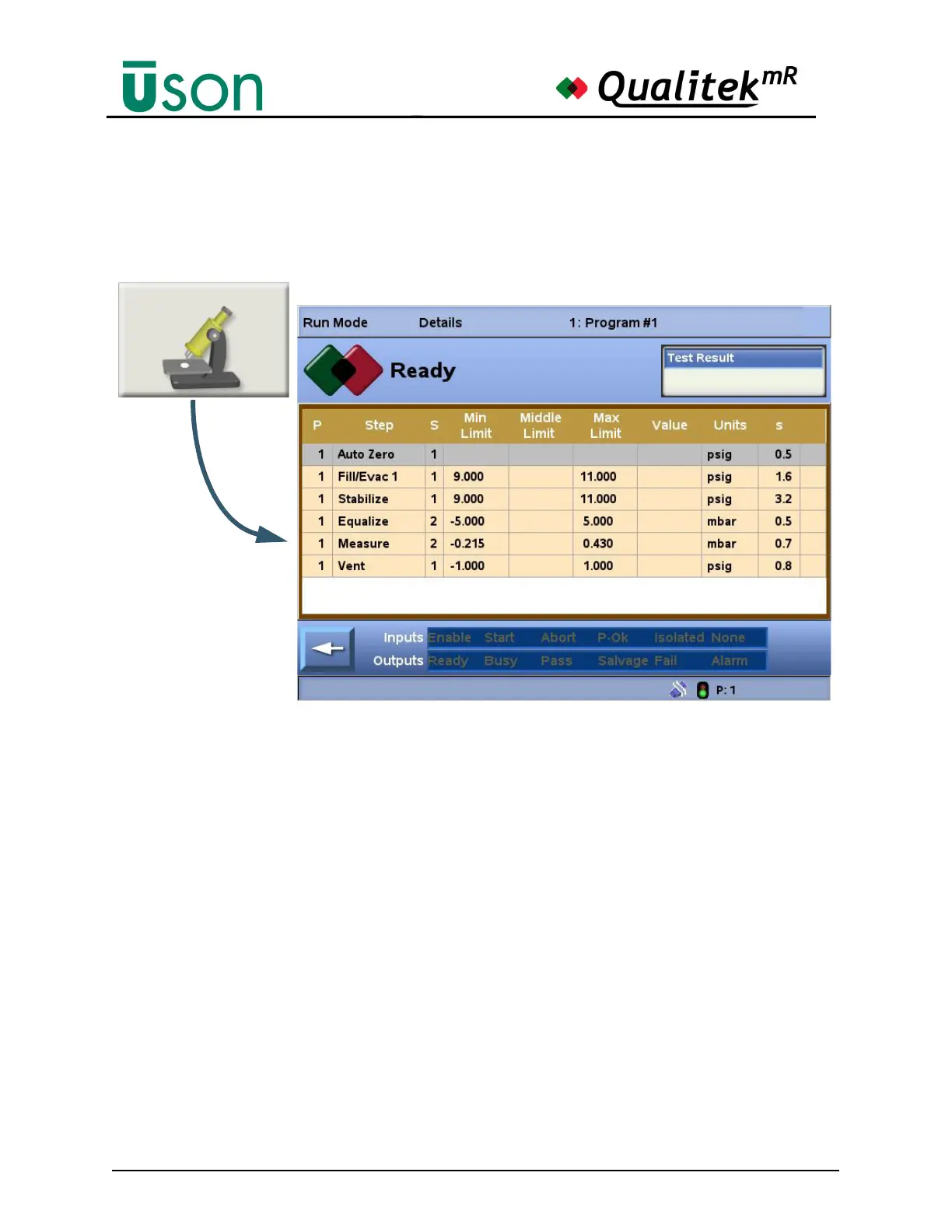
5.2.6 Details
The Details screen provides a complete view of the progress of the steps in the
current program and any programs to which it may link.
The bottom of the display shows the status of relevant digital inputs and outputs.
Each row is a step in a program. The column headings are:
P: This is the program number of the step. When linking is used, the
program number shown for a step will change whenever steps are
being performed in a linked (different) program.
Step: The name of the current step. If coupling is being used, the coupling
steps will be seen here as well.
S: The sensor number that is reporting for the step.
Limit: The limits that have been set for the step.
Value: The value being reported by the current sensor.
Units: The chosen units.
s: The number of seconds remaining for the step.
Symbols (far right column):
Graphical indicators appear in the right column to show if the step
completed successfully or if there was a problem. For definitions of
the symbols used: See "Symbols" on page 5-12.



 To Next Page