5-36 Qualitek mR Owner’s Guide
5.2.13 Audit Log
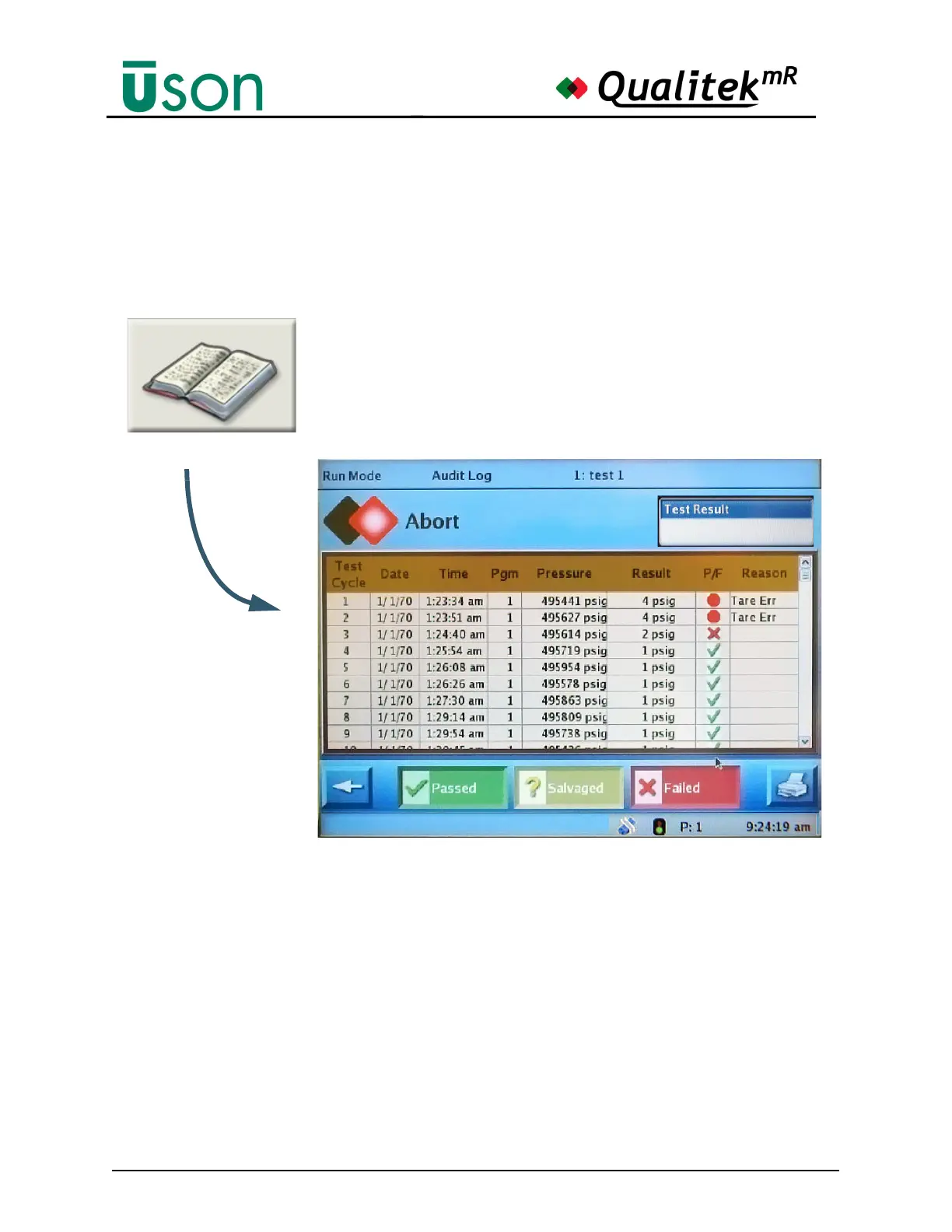
This screen shows a log of all test activity. The results can be filtered to show some
or all categories based on “passed”, “salvaged”, and “failed.”
Use the Printer button to print the log. Note that the Print button will be seen only
if a printer is selected on the Hardware Setup tab in Program Mode.
Touch and drag the Scroll Bar at the right side of the log to move up or down in the
list. The scroll pad can also be used to the same effect.



 To Next Page