8-2 Qualitek mR Owner’s Guide
8.3 RS-232 Connection
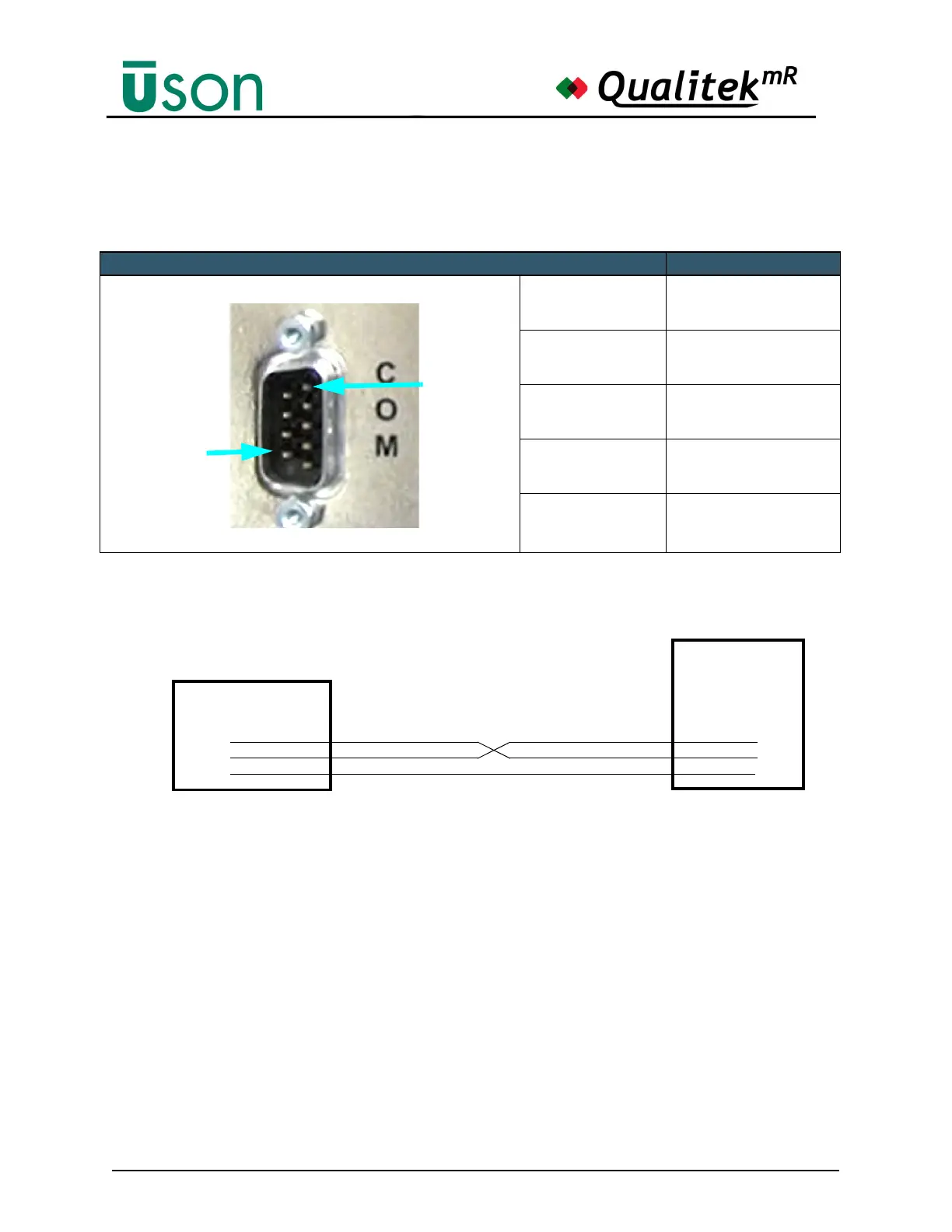
The most simple way to connect the QmR to a PC serial port is to use a null
modem cable. This type of cable crosses transmit and receive and the ground wire
carries straight through as shown above.
The QmR serial port is a DTE device, the same as a PC. This is why the transmit
and receive wires must be crossed in the cable. If the QmR is being connected to a
printer (a DCE device), then the cable carries transmit and receive straight through.
Use RTS and CTS if hardware handshaking is required. Usually this is only
required when one device has to wait for the other device to be ready, e.g., when
sending data to a slow printer with a small buffer. Refer to the device manual for
the cable recommended by the manufacturer for connecting to a DTE device (the
QmR).
As always with serial communication, both devices must be set to identical baud
rates or the data will be scrambled or lost.
QmR Pins Name
2RD
3TD
5GND
7RTS
8CTS
5
2
3
QmR PC
Connect the QmR to a PC with a Null Modem Cable
5
3
2



 To Next Page