Program Mode 6-45
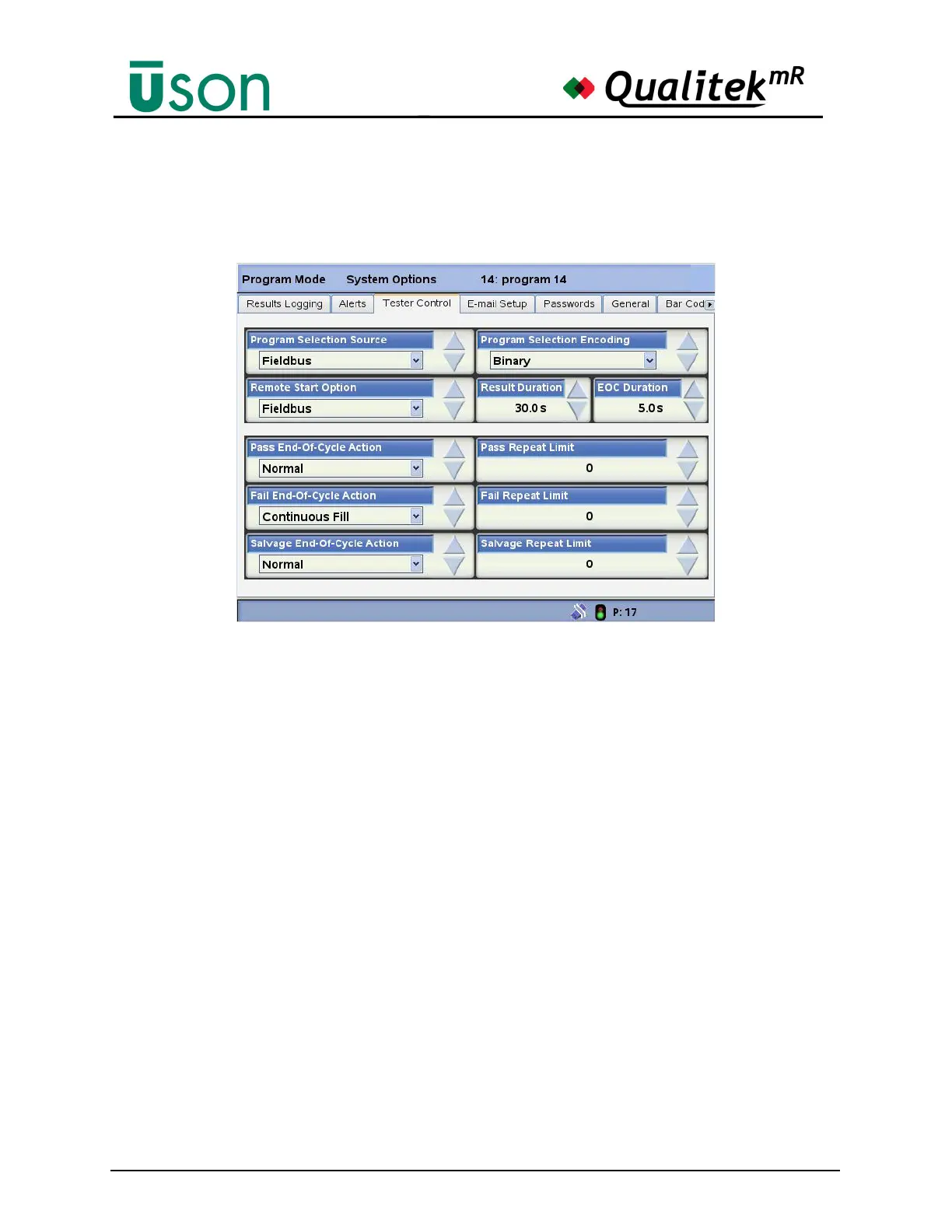
6.2.4.3 Tester Control
Use the Tester Control screen to set how the tester is to be controlled.
Program Selection Source
May be set to:
• Program Mode: allows program selection only from within Program Mode.
Program selection will be locked in Run Mode. This will prevent changing
program selections by an operator without the Security Key.
• Front Panel: program selection may be freely made in either Mode.
• Digital I/O Port: program must be selected from input to the I/O port.
• Barcode Reader: programs selected by the barcode reader (optional).
Remote Start Option
Choose from:
• None
• Conventional
• Fixture: The Remote Start input starts the test cycle. Remote Start must be
asserted throughout the test cycle, otherwise, its release aborts the test.
Also, Remote Stop can optionally be used to abort the test cycle at any
time. The Remote Start Enable input is not used for this start policy and is
ignored.
• Anti-Tie Down: This start policy requires an external device that
implements anti-tie-down operation. The output of this external device is
connected to the remote start input. The test cycle is started when the anti-



 To Next Page