8-20 Qualitek mR Owner’s Guide
The TC Fill step vents the test component to atmosphere and is only required when
residual pressure remains within the component after the load and coupling steps.
The duration of this step is typically a few seconds when required.
The TC Stab step allows the component and sealing heads to settle into their final
positions prior to performing the pressure measurement. The duration of this step
is typically a few seconds when required.
The TC Equal step pneumatically isolates the Test and Reference ports and checks
the tester is ready to perform the Measure step. The tester will automatically set the
required time for this step but it may be changed manually.
The TC Measure step measures the resulting pressure change at atmospheric
conditions and is stored for use by the compensation algorithm. The step duration
is normally set to the pressurized Measure time and then optimized depending
upon the sensitivity of the reading to temperature changes.
8.10.3.5 Results Logging.
The test result information may be logged by various methods including the Audit
output option, printer, or by simply noting the values on the display.
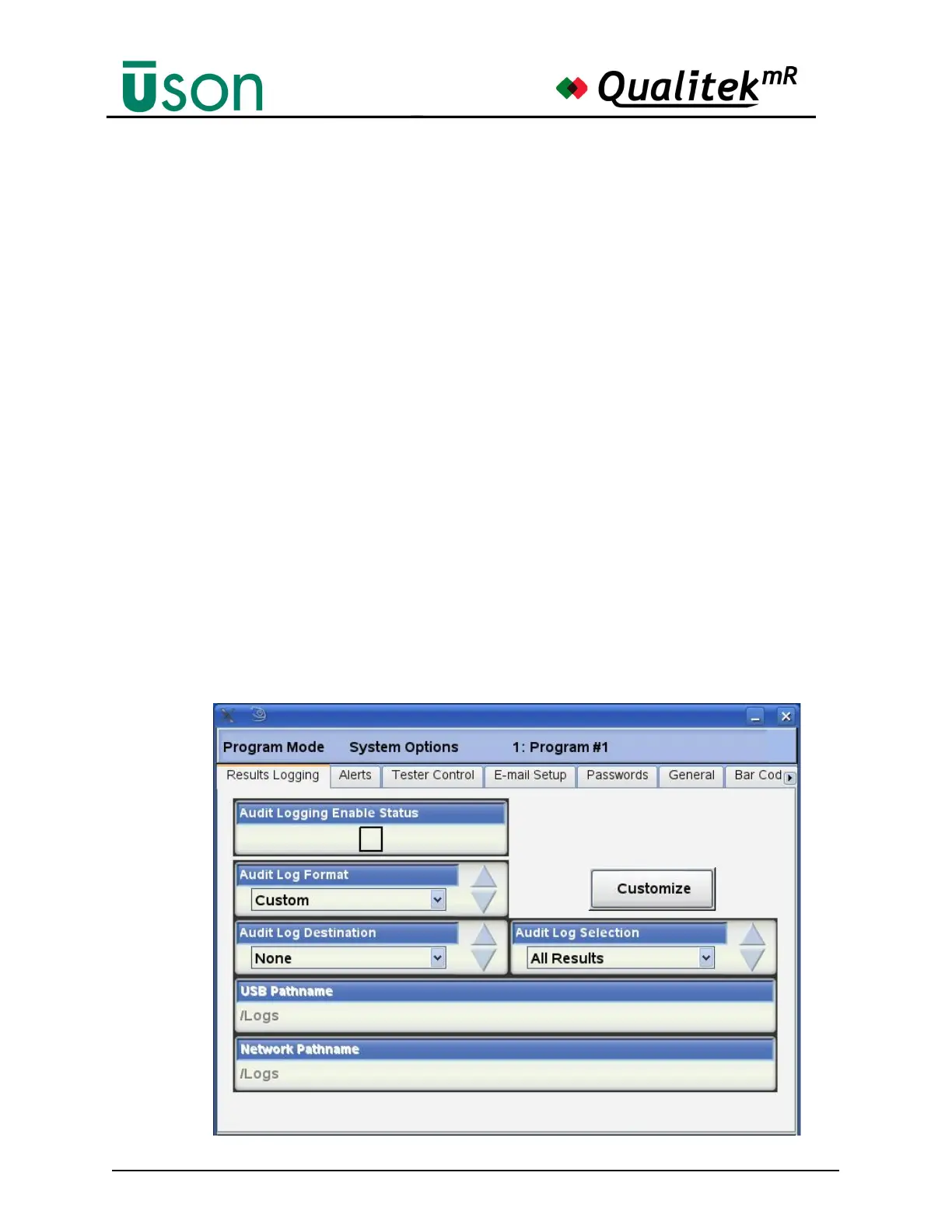
This section describes how to setup the Audit log option to generate the result
information in a comma separated value (CSV) format to simply the transferring of
data to an Excel spreadsheet.
Select the Program Mode System Options Result Logging tab below and set the
Audit Log Format parameter to Custom.



 To Next Page