Program Mode 6-71
6.2.5.7 Clock
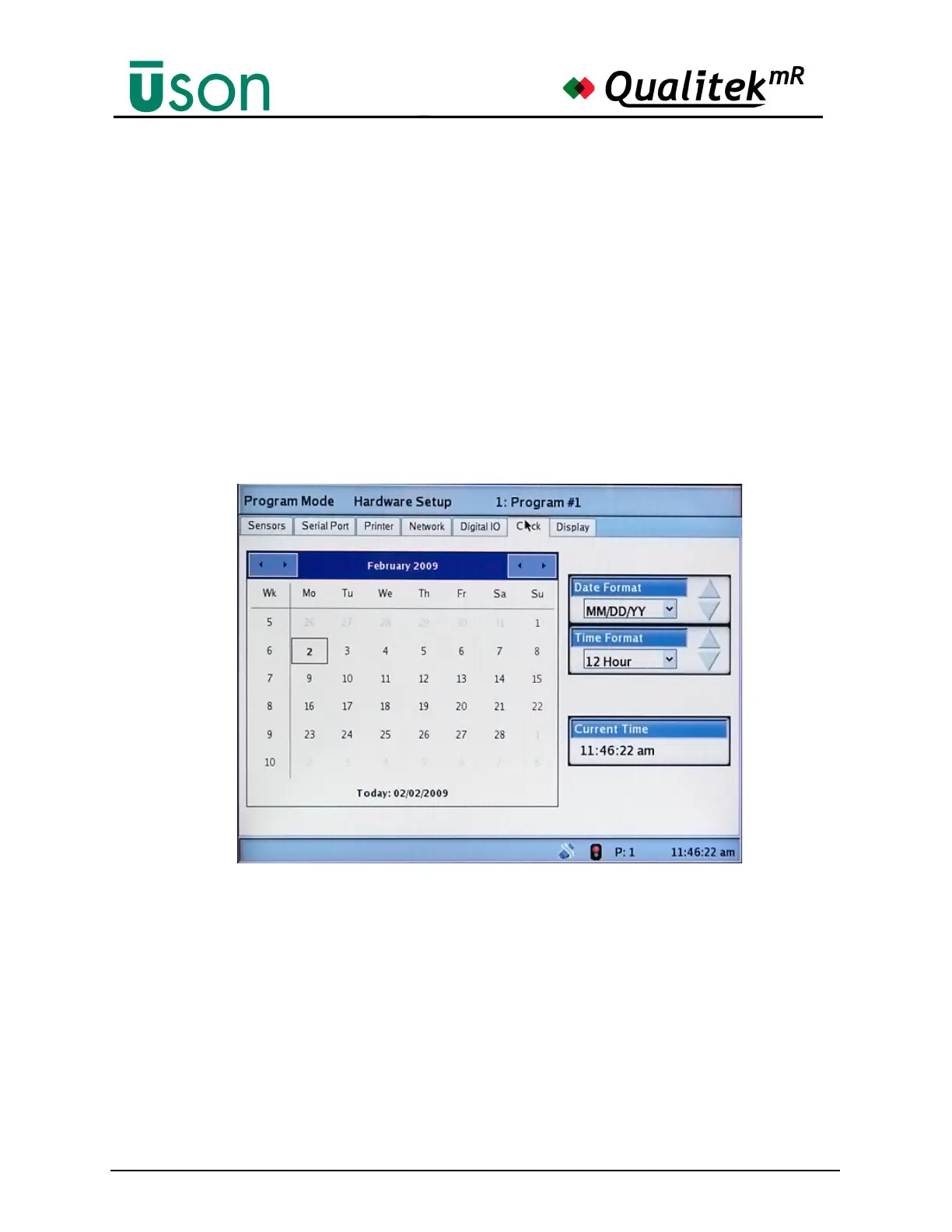
This screen is where the time, time format, and date are set. The correct time
setting is important for accurate time stamps and logs.
The large calendar displayed here shows the current date and time setting. If a
discrepancy is noted in the date or time it can be set correctly at this screen by
using the touch screen functions to change the values.
The Time Format may be set to either 12- or 24-hour format.
The Date Format can select either dd/mm/yy, mm/dd/yy, or yyyy/mm/dd format.
The pair of arrows at the upper-right of the calendar are used to set the year.
The pair of arrows at the upper-left of the calendar are used to set the month.
Once the correct month and year are displayed, the date can be selected by tapping
it on the Calendar.
Time and date settings are retained and updated even while the tester is off.



 To Next Page