Program Mode 6-27
6.2.3.3 Export
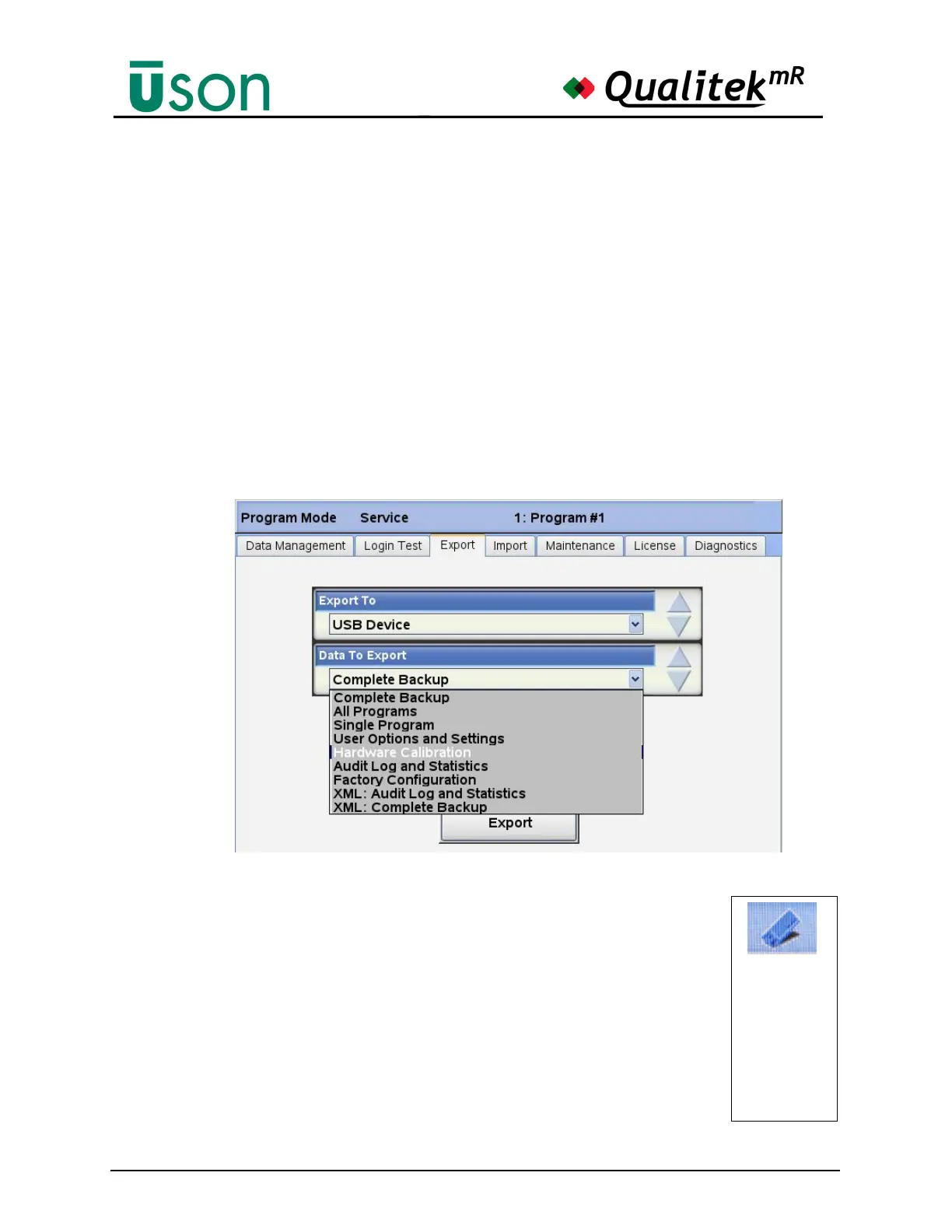
Data that can be exported from the tester:
• Complete Backup (All of the above)
• All Programs
• Single Programs
• User Options and Settings
• Hardware Calibration
• Audit Log and Statistics
• Factory Configuration
• XML: Audit Log and Statistics
• XML: Complete Backup
(the XML files are readable by typical applications such as spreadsheet
programs.)
The export destination is the USB memory stick inserted in the front panel.
To export, make the selection in Data to Export and put the
memory stick in the front panel slot. Wait until the memory stick
is recognized by the tester. The USB Ready indicator on the status
bar shows when the USB device is ready.
Press the Export button and wait for the data transfer to finish.
The Status Bar will show “Export Successful” when it is safe to
remove the memory stick from the front panel.
If the exported file already exists on the memory stick, the tester
will pop up a warning and request confirmation before proceeding
with the export.
The USB
graphic on
the status bar
changes to
look like this
example
when the
USB device is
ready for use.



 To Next Page