Program Mode 6-15
6.2.2.4 Regulators
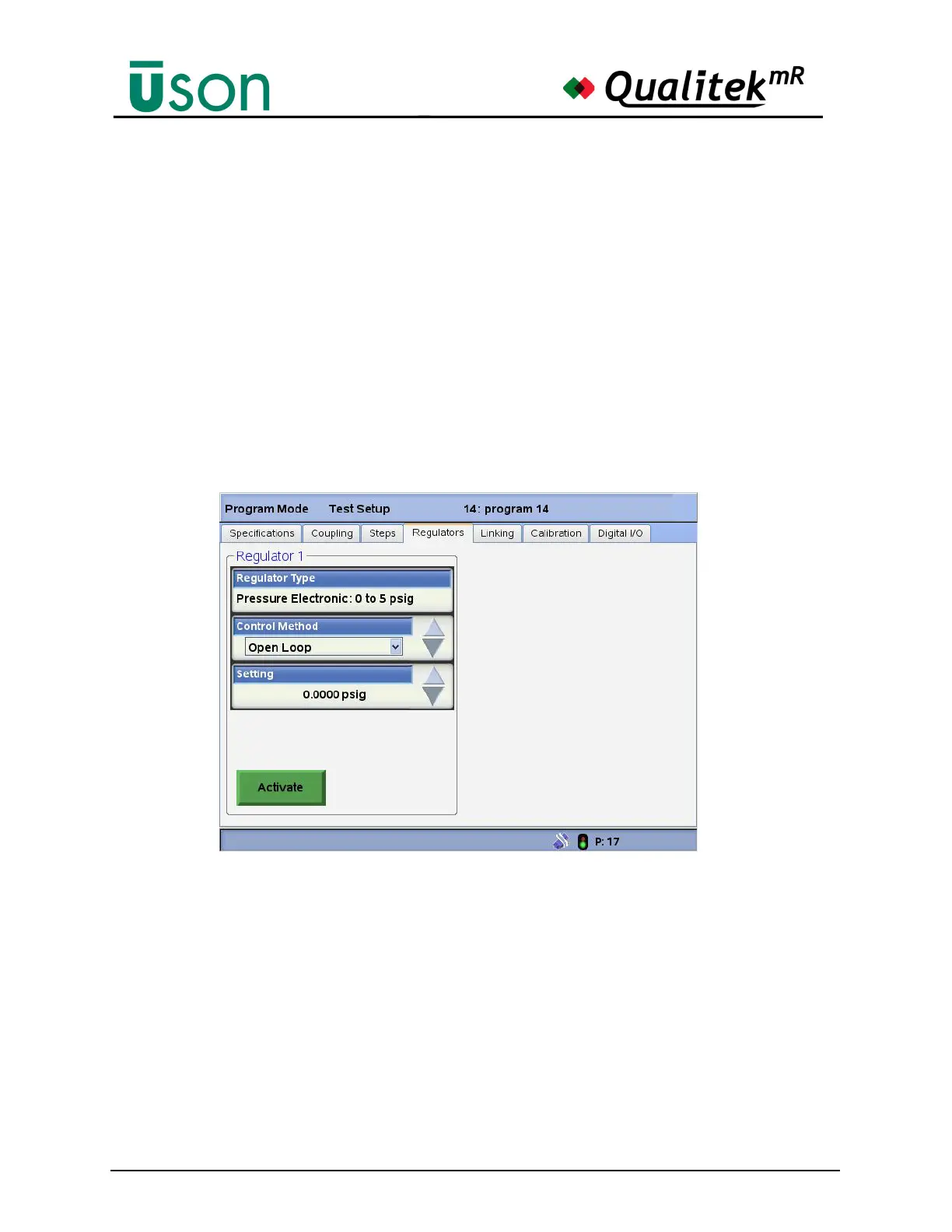
This screen shows the regulator(s) configured for the tester.
Regulators can be either manual or electronic.
If the tester is equipped with the electronic regulator option, the control method
will be enabled. The control method has three controls:
• None: Deactivates the electronic regulator.
• Open Loop: The set point is commanded without using a feedback sensor.
• Closed Loop: The set point is reached using algorithms that incorporate
measurements from the sensor.
A button is available to activate or deactivate its associated regulator for testing.
When Activate is pressed, an additional Sensor Reading data box opens to show
the current sensor reading, updated in real time.
When the “Activate” button is pressed the “Sensor Reading” data box
shows the current pressure.



 To Next Page