Run Mode 5-13
5.2.5 Dashboard
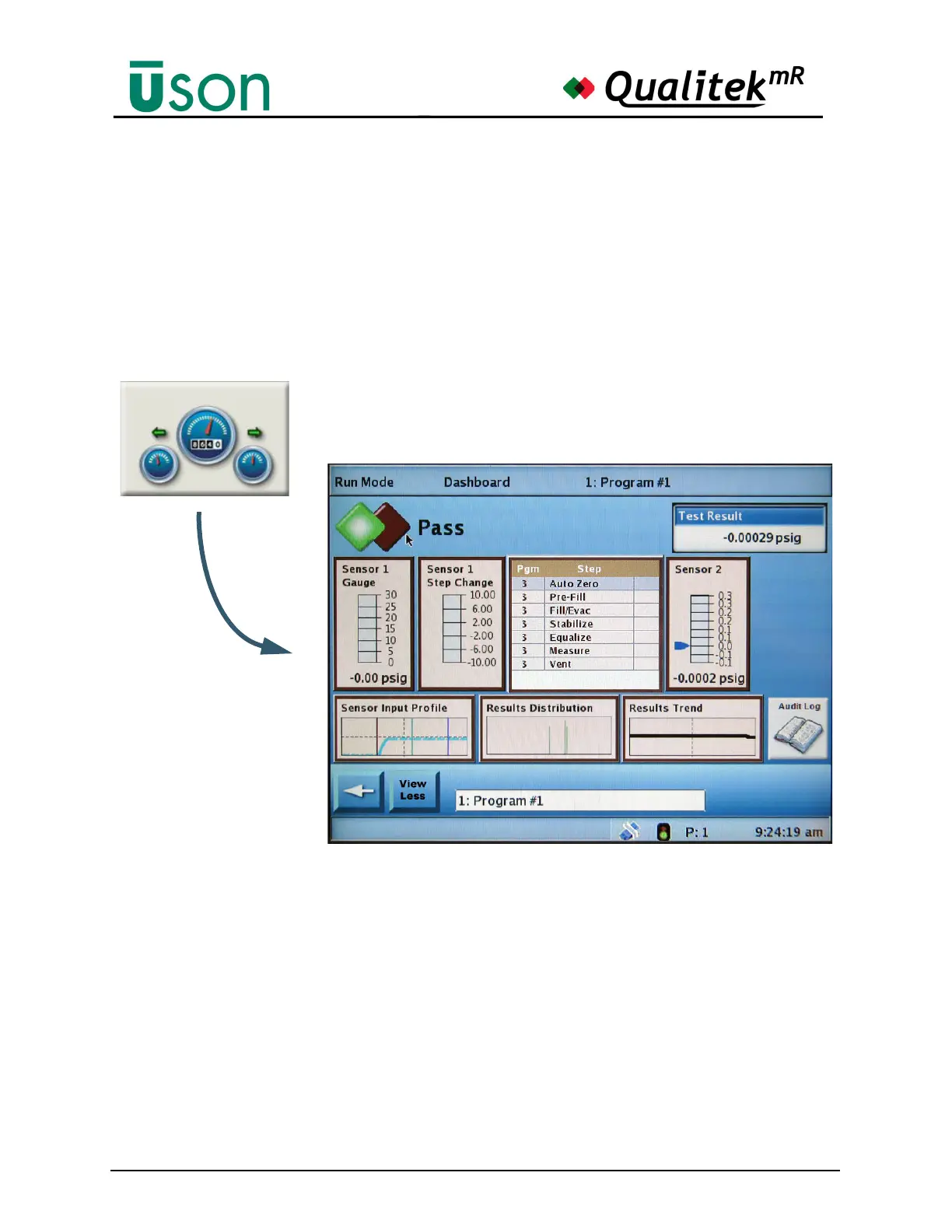
The Dashboard display is useful for monitoring tests in progress on a step-by-step
basis. In many cases this will be the primary display preferred for watching tests as
they proceed.
Tapping the area to the right of the “double diamonds” will show the Statistics
screen (See "Statistics" on page 5-19.) Tap the back arrow on the Statistics screen
to return promptly to the Dashboard.
The illustration above shows how a large amount of information is displayed on
this screen, making it perfect for monitoring tests in progress.
The View Less button is a toggle that reduces the number of elements displayed to
a bare minimum. This reduces clutter for those operators who do not need detailed
information about a process. The button description changes to View More when
the minimal display is being used. Pressing it at such time brings all the screen
elements back into view.



 To Next Page