4-2 Qualitek mR Owner’s Guide
4.2 Front Panel
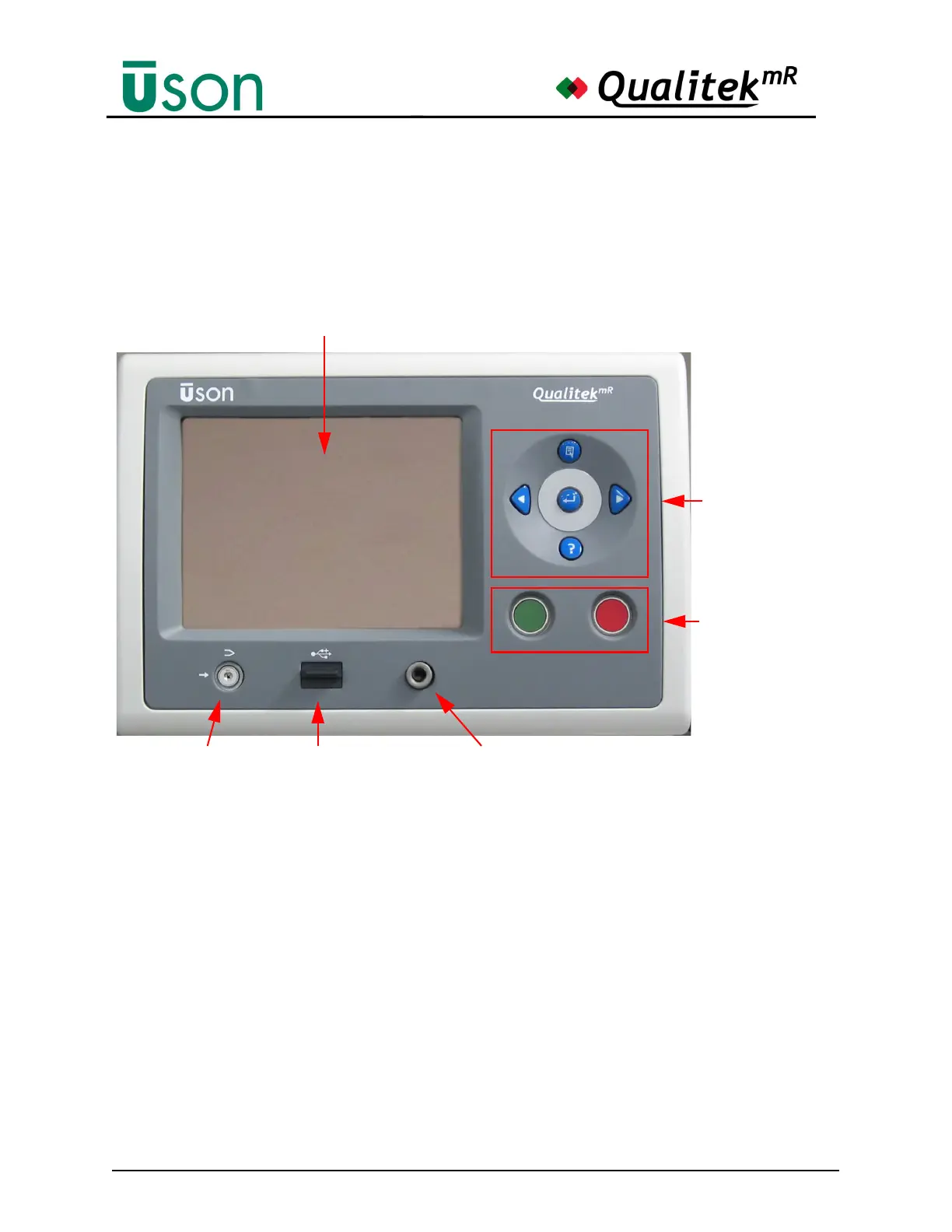
The front panel of the Qualitek mR is shown below. The panel has a navigation
pad, stop and start buttons, a security lock switch, and a USB port.
4.2.1 Touch Panel Screen
The prominent feature of the Qualitek mR is the touch panel screen. Tapping the
graphical objects on the various screens with gentle finger pressure activates
special screens for setting up, testing, and reviewing tester operations. On some
screens, it is possible to touch and drag objects, such as graphs, to reposition them
for viewing.
Touch panel care is described in the Reference chapter. See "Touch-Panel Care" on
page 8-1.
Navigation Pad
Start and Abort
Buttons
Security Lock Front USB Port Challenge Port
Touch Panel Screen



 To Next Page