10-2 Qualitek mR License Update
10.3 License Update With a Memory Stick
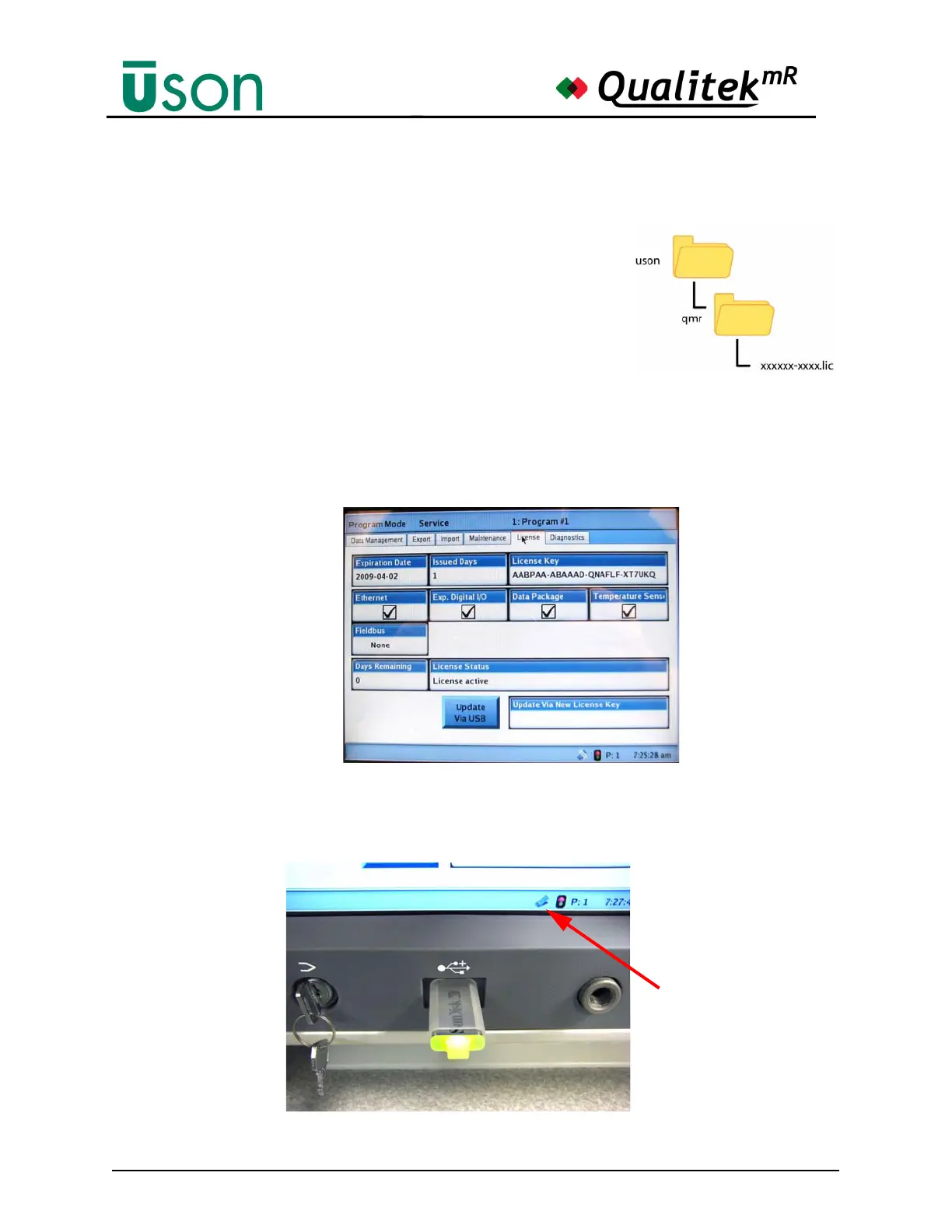
Note: When the license file is provided on a memory
stick, the file must be in a specific place so that the
QmR can find it and read it. The license file must be
located in a folder named qmr. The qmr folder itself
must be in the folder named uson in the top level
(root) of the memory stick. The license file is named
as xxxxxx-xxxx.lic where the x’s will actually be the
characters that identify your tester by serial number.
1. With the QmR running, turn the key to Program Mode.
2. Go to the Service screen and select the License tab. A screen similar to the one
below will be seen.
3. Insert the license key memory stick (USB flash drive) into the USB port as
shown below and wait for the memory stick to be recognized by the QmR.
(The “USB connected” icon will become solid.).
The memory stick is
ready when the icon is
solid as shown here.



 To Next Page