6-22 Qualitek mR Owner’s Guide
6.2.2.7 Digital I/O
(Available on testers equipped with expanded Digital I/O only.)
The Digital I/O tabs are used to customize the assignments made to the Digital I/O
in the Program Mode so they function as desired in the currently selected test. See
"Digital I/O" on page 6-67.
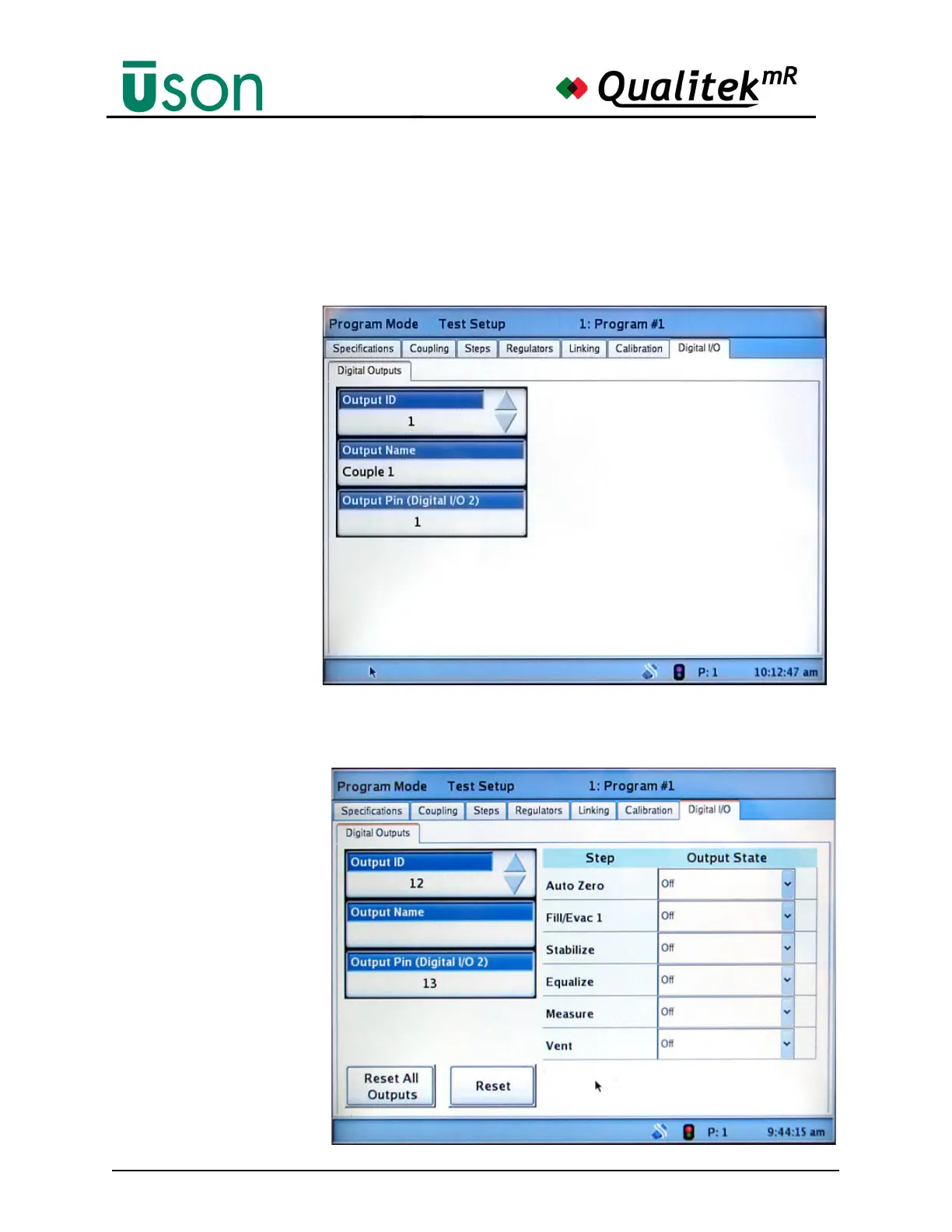
This display shows that
Output ID 1, named
Couple 1, is using Output
Pin 1.
No further customization of
this output is available on
this screen. (It may be
changed in Hardware
Setup, however. See "Digital
I/O" on page 6-67.
Output ID 12 is seen here
as available for Program
Specified customization.
Select the Output State for
any or all steps as desired.
Tap the Output Name
button to set a unique
name, if desired. (See
"Digital I/O" on page 6-67.)
Note that if a step has a
zero time duration or is
otherwise not being used
in a test, it is not available
on this screen for
customization.



 To Next Page