5-6 Qualitek mR Owner’s Guide
5.2.1 Quick Printing
The Qualitek mR tester provides a convenient method to print the configuration
settings. This feature is available from almost every screen in the tester in both
Run mode and Program mode. Use this feature to aid in such tasks as maintaining
a record of the tester’s configuration, and also to confirm that the desired
configuration settings have been entered.
The following may be printed:
• Program Test Setup
• Options
• Hardware Setup
• Factory Setup
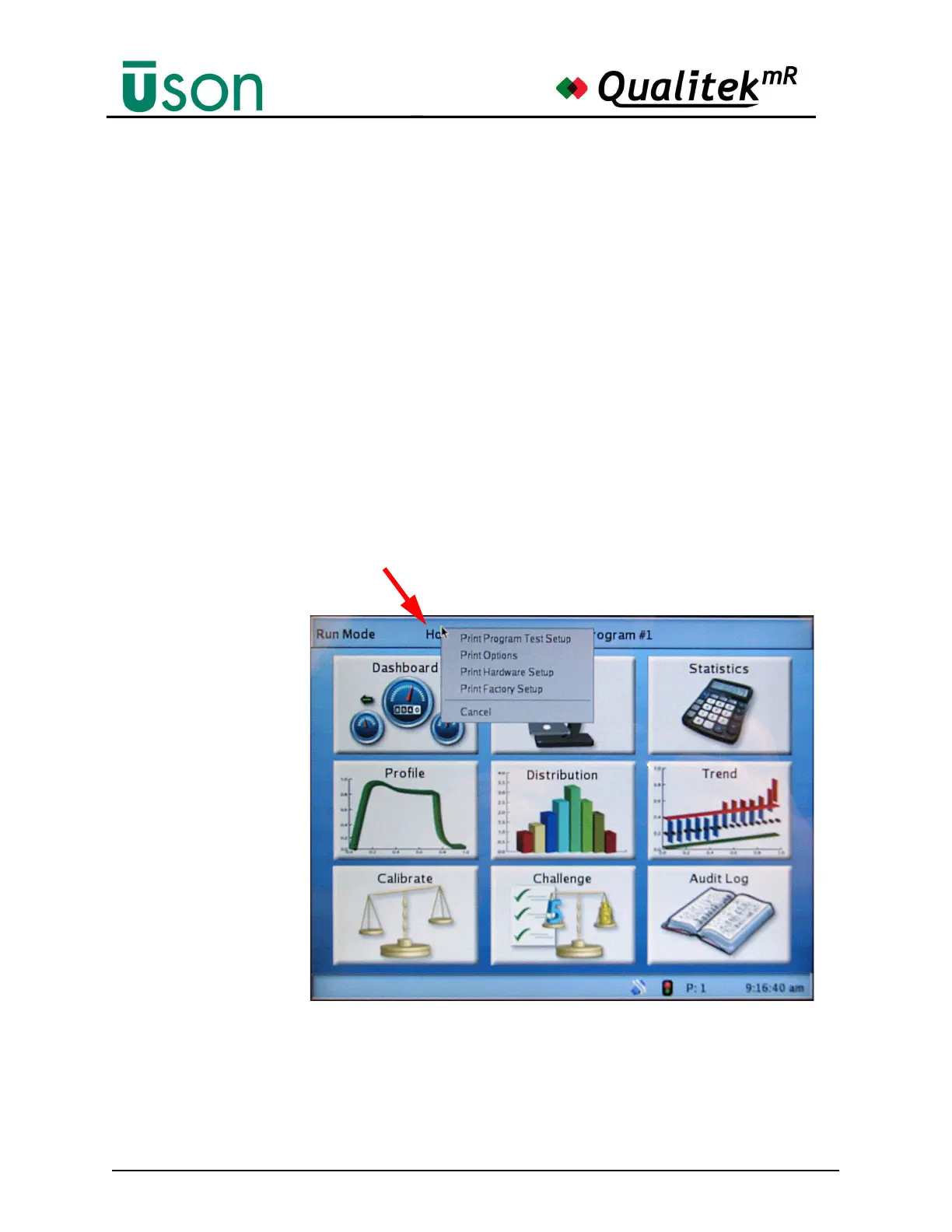
To activate the quick printing feature, tap the “Home” legend on the Title Bar as
shown in the following illustration.
Tap the Title Bar here to open the Quick Print menu. (This
feature is available in both Run mode and Program mode.)



 To Next Page