Run Mode 5-23
5.2.8.2 Profile Options Screen
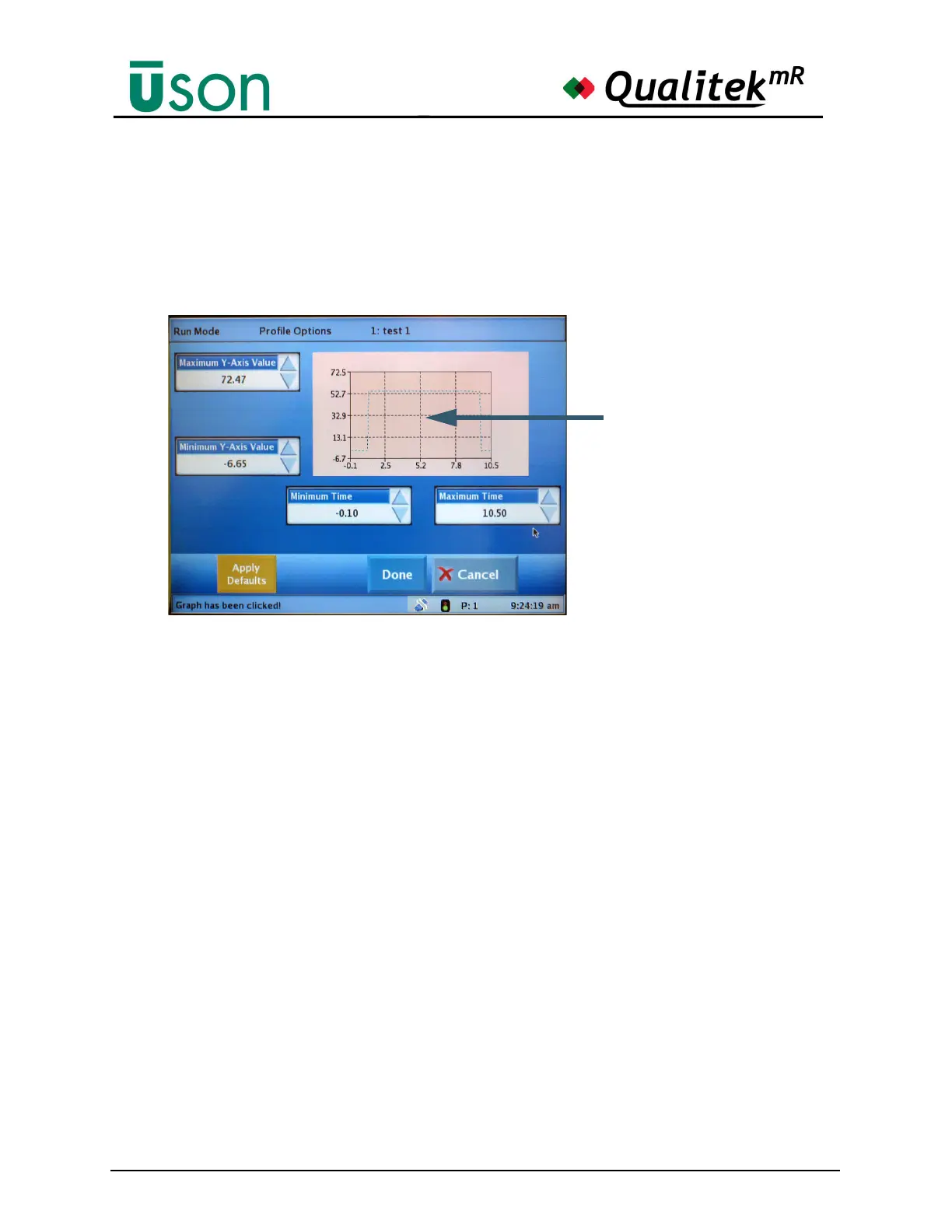
Tapping the graph along an axis opens the Profile Options screen which allows
changing the axis values. A smaller version of the graph is shown along with
controls that can change the axis values. When the axis values are changed, the
graph scaling is changed to alter the plot size or offset it from the original position.
This allows viewing a portion of the graph in detail.
The Minimum and Maximum values for Y-Axis and the Time values can be set to
provide the desired amount of magnification or the location of a graph feature.
Changes made here will carry over to the previous screen.
Use the Apply Defaults button to discard any changes made and return to the
default values for the graph axes. Use the Done button to exit the Profile Options
screen with the currently chosen values or tap the Cancel button to quit without
making any changes.
The Trend screen, as described later in this chapter, is positioned and scaled in a
similar manner to the Profile screen.
See "Trend" on page 5-26.
Touch and drag in this
area to position the plot
as desired when wishing
to see details.
The plot can be magnified
by changing the values in
the data boxes.



 To Next Page