5-4 Qualitek mR Owner’s Guide
5.2 Run Mode Home Screen
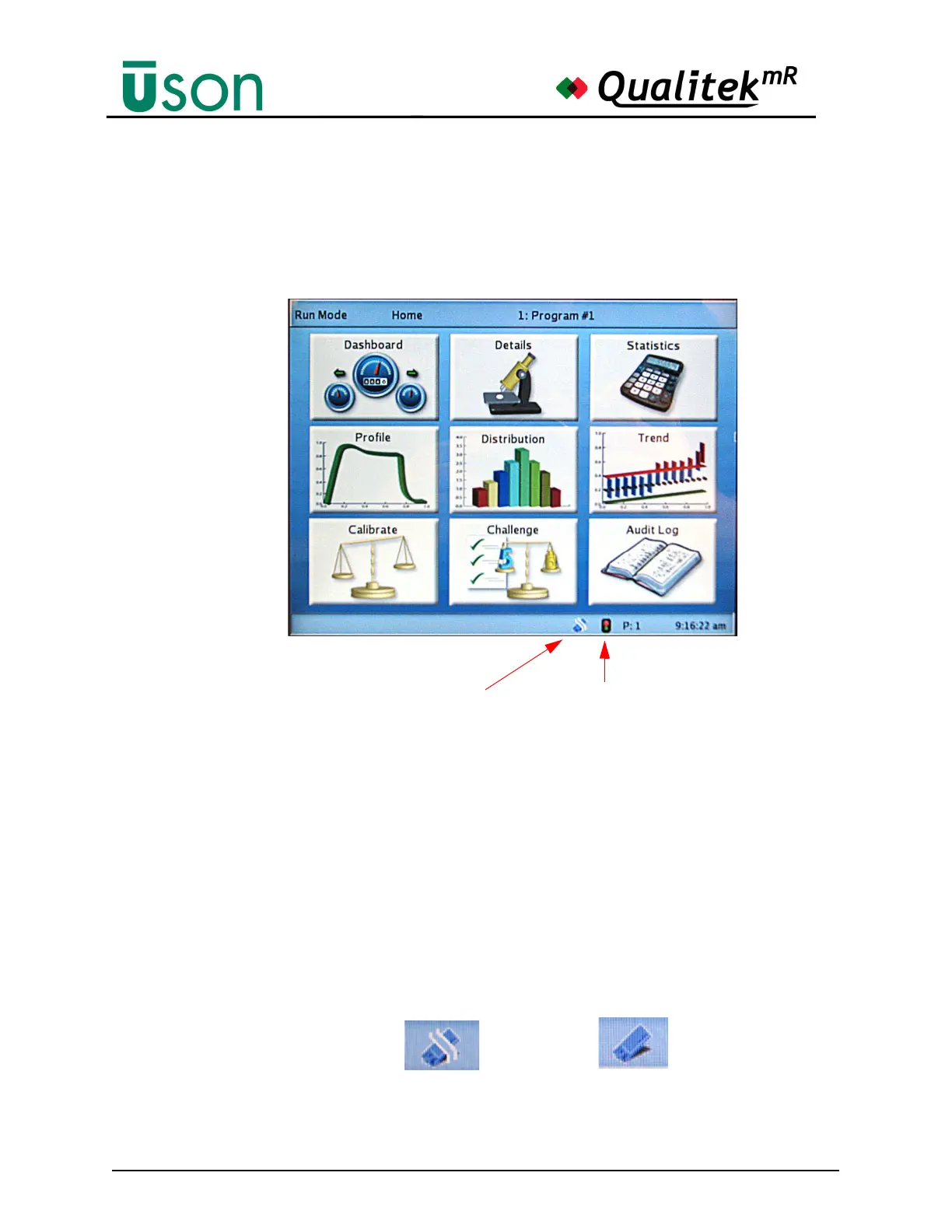
The screen below is the Run screen. After the tester finishes startup and while the
keyswitch is in the Run position, this screen will appear. Program changes are not
allowed in Run mode. The screen has a Title Bar, Status Bar, and Main Display
area as shown in the illustration below.
The Title Bar in the example shows “Run Mode” which confirms that the tester is
in Run Mode. “Home” indicates that this is the Home screen for this mode. The
Title Bar is an aid to navigation as it always shows the feature currently in use. The
number and name of the current program is shown as well.
The Status Bar shows information about the status of the tester. If a program is
running it will show P:X where X is the current program running. (This is useful
for monitoring linked programs in progress.) The time is also shown.
The USB Ready indicator shows if an inserted memory stick is ready for use. The
USB memory stick is ready to use when the figure is unbroken according to the
example below.
Title Bar
Status Bar
Main Display
Area
Ready-to-Run
Indicator
USB Status Indicator
USB memory not ready USB ready



 To Next Page